
AI Project Manager: Can AI Really Manage Your Team?
AI is getting pretty good at scheduling, tracking tasks, and flagging risks before they blow up. But can it actually manage a team? Here's what I've seen work—and where AI still falls short.
Build your first AI Agency with Entro
Start your free trial — no credit card needed. Deploy AI agents that work for you 24/7.
I used to think project management was mostly about spreadsheets and status updates. Then I watched a team of twelve people burn through three weeks chasing a deadline that moved every four days. The project manager was good—genuinely talented—but she was also playing whack-a-mole with blockers while trying to keep stakeholders calm and developers from going rogue.
That's when I started wondering: could AI do any of this better? Not replace her. Not even come close to her people skills. But could it handle the parts that were quietly eating her alive?
Short answer: yes, some of it. And the results are worth paying attention to.
What an AI Project Manager Actually Does
Before we get into the "can AI manage your team" debate, it helps to be specific about what we mean. Because "AI project manager" can mean very different things depending on who you ask.
Some people mean an AI chatbot that helps write project plans. Others mean a full AI agent that assigns tasks, monitors progress, sends reminders, and flags risks automatically. These are not the same thing—and conflating them leads to a lot of disappointment.

When I talk about AI project management, I mean tools that can:
- Automatically break down goals into tasks and subtasks
- Assign work based on team capacity and availability
- Monitor task progress and send nudges when things fall behind
- Spot patterns—like which team members consistently miss Thursdays—and adjust schedules
- Write meeting summaries, update project docs, and keep a log of decisions
- Flag risks before they become problems
That's a lot. And honestly, most teams I've talked to are only using AI for one or two of those things—if they're using it at all.
Where AI Actually Shines in Project Management
Let me give you a real example. A small product team I know started using an AI-assisted PM tool about eight months ago. They were skeptical. The first thing they noticed wasn't some dramatic efficiency boost—it was that their weekly standups got shorter.
Why? Because the AI was already surfacing blockers in the project dashboard before the meeting. People walked in knowing what was stuck. They didn't have to spend the first ten minutes recapping.
That's the kind of thing AI is genuinely good at: eliminating the administrative tax that slows teams down.
Scheduling and Resource Management
One of the messiest parts of running a project is figuring out who's doing what—and when they actually have time to do it. Most project managers I've spoken to spend a significant chunk of their week just on this. Reviewing capacity, checking calendars, updating assignments when someone calls in sick.
AI tools like Motion, ClickUp AI, and Asana Intelligence can handle a lot of this automatically. They look at workloads, deadlines, and team availability, then suggest (or just make) scheduling decisions. When something changes—a priority shifts, a task takes longer than expected—they reschedule everything around it.
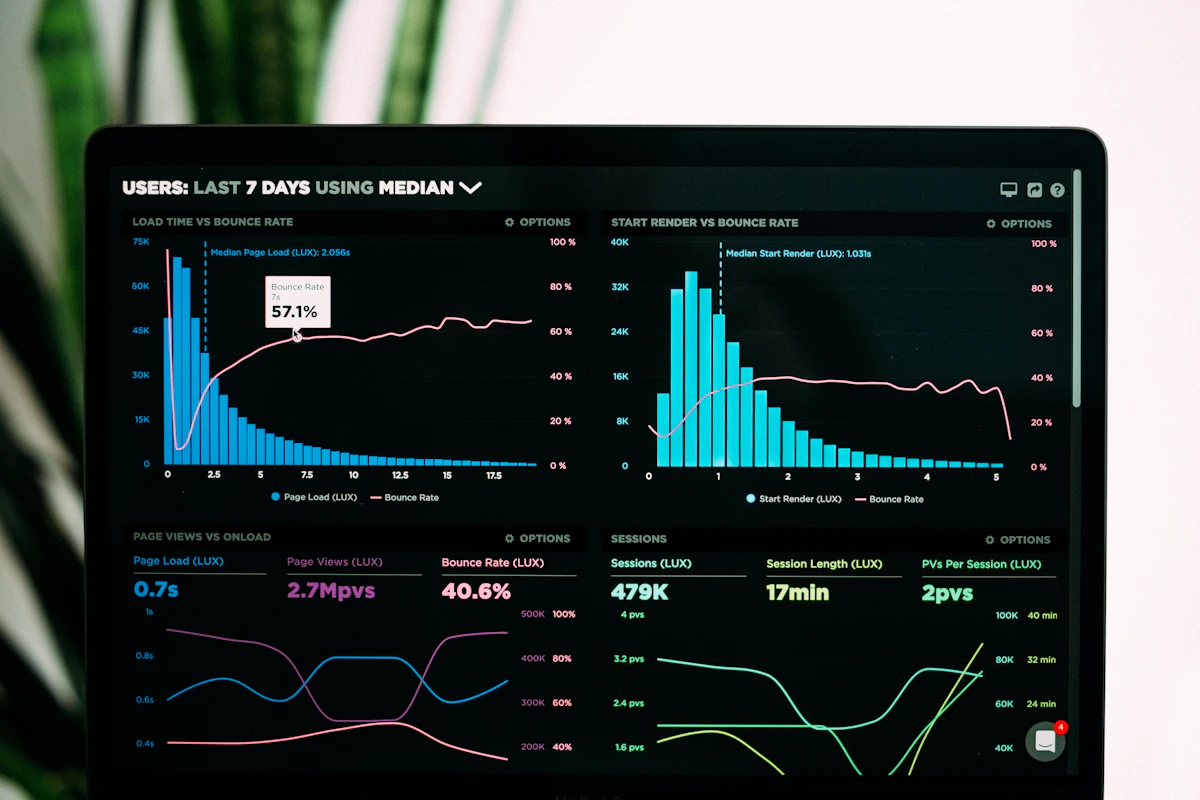
It's not perfect. I've seen AI schedulers do things that make no human sense—stacking three high-focus tasks on a Monday morning for someone who's clearly a "warm up slowly" type. But even with those quirks, it saves real time.
Risk Detection
This is where AI starts to feel almost magical. Traditional project management relies heavily on a PM's experience to see warning signs early. Scope creep. A vendor who hasn't responded in two days. A task that keeps getting pushed.
AI tools can monitor all of these signals simultaneously. They're reading the data you don't have time to read. And when something looks off, they flag it—before it becomes a fire.
One team told me their AI tool caught a potential three-week delay about ten days before it would've hit. The system noticed a dependency chain where three tasks were running behind, calculated the cascade effect, and surfaced an alert. A human might have caught it eventually. The AI caught it early enough to actually fix it.
Documentation and Knowledge Management
Ask any project manager what they hate most about their job, and "writing meeting notes" comes up constantly. It's important but tedious. And when it falls through the cracks, teams lose context and make the same decisions twice.
AI handles this well. Tools like Notion AI, Fireflies, and built-in features in Zoom can transcribe meetings, pull out action items, and log decisions automatically. The result is a living project history that doesn't depend on someone being disciplined enough to write things down.
Where AI Still Falls Short
I want to be honest here, because the hype around AI project management is real—and sometimes misleading.

AI is terrible at reading people. When someone on your team says "I'm fine" but clearly isn't, a good project manager notices. They ask. They adjust. They might move that person to a less stressful part of the project or give them a day of focused work instead of three meetings.
AI doesn't do that. It looks at the task list, not the person.
Conflict Resolution
Projects involve human beings with opinions, egos, and competing priorities. When a developer and a designer disagree on scope, or when a stakeholder keeps adding requirements that contradict each other, someone has to navigate that conversation carefully.
That's not something you hand to an AI. Conflict resolution requires empathy, judgment, and sometimes a willingness to make uncomfortable calls. AI can give you data to support a decision. It can't make the call for you—at least not in a way that the humans involved will actually accept.
Ambiguity and Creative Problem-Solving
Most AI project management tools work best when goals are clear and tasks are well-defined. Give them a vague objective—"let's improve user retention"—and they'll dutifully create tasks, but they won't help you figure out what the right approach actually is.
Strategic thinking, creative problem-solving, knowing when to pivot—these are still firmly human skills. The best project managers I know spend maybe 30% of their time on coordination (which AI can help with) and the other 70% on judgment and relationships (which AI can't).
The Real Question: AI Assistant or AI Replacement?
I think the framing of "can AI manage your team?" is actually the wrong question. It sets up a binary that doesn't reflect how these tools work in practice.
A better question: What parts of project management can AI take off a PM's plate?

When you frame it that way, the answer gets a lot more interesting. Scheduling, status tracking, risk flagging, documentation, meeting summaries—these are all things AI can handle well. That's probably 30-40% of a traditional PM workload in some organizations.
Freeing up that time doesn't mean you need fewer PMs. It means your PMs can do the parts that actually require a human: stakeholder management, team development, strategic alignment, and judgment calls.
AI PM Tools Worth Knowing in 2026
If you're thinking about bringing AI into your project management workflow, here's what's actually being used by teams right now:
- ClickUp AI — Best all-in-one option. Strong automation features, solid AI writing and task generation, integrates with most tools your team probably already uses.
- Asana Intelligence — Better for structured delivery workflows. The AI features feel well-integrated rather than bolted on.
- Motion — Does automatic scheduling really well. If your main pain point is "who's doing what when," Motion is worth a look.
- Wrike AI — Designed more for enterprise. Stronger on risk detection and cross-team visibility.
- Notion AI — Great for knowledge-heavy projects where documentation and decision logging matter a lot.
None of these are magic. They all require some setup, some adoption effort from your team, and some willingness to let the AI make decisions you'd normally make yourself.
How to Actually Start Using AI for Project Management
If you want to try AI project management tools without overhauling your entire workflow, here's a low-friction way to start:
- Pick one pain point. Scheduling chaos? Meeting notes? Risk tracking? Don't try to automate everything at once. Pick the one thing that costs you the most time or causes the most friction.
- Run a single project through it. Don't roll it out to your whole team on your most critical project. Test it on something where you can afford to learn.
- Measure the right thing. Don't just ask "did we finish on time?" Ask: did the PM spend less time on admin? Did the team spend less time in status meetings? Did we catch problems earlier?
- Get your team's honest feedback. If they hate using it, they'll work around it. AI tools that slow teams down get abandoned fast.
Where This Is All Heading
I'll be honest: the AI project management space is moving fast. The tools that exist today are already significantly more capable than what was available a couple of years ago. And the gap is closing.
In a few years, I expect AI to handle most of the scheduling, tracking, and reporting work that currently eats up a significant portion of a PM's time. The role of the human project manager will probably shift—more toward facilitation, leadership, and strategy; less toward coordination logistics.
That's not a bad thing for people who are good at the human side of project management. But it does mean the job is changing, and waiting to figure that out isn't a great strategy.
The teams that will do best with AI project management tools are the ones who start experimenting now—not to replace their PMs, but to make them better.
Thinking about setting up an AI assistant that can help manage tasks, answer team questions, and track your projects automatically? See how Entro works — it's built exactly for teams that want AI that fits their workflow, not the other way around.

Written by
Mahdi Rasti
I'm a tech writer with over 10 years of experience covering the latest in innovation, gadgets, and digital trends. When not writing, you'll find them testing the newest tech.
Frequently Asked Questions
Can AI fully replace a human project manager?
Not right now, and probably not anytime soon. AI tools can handle scheduling, status tracking, documentation, and risk detection quite well. But the parts of project management that involve reading people, resolving conflict, and making judgment calls under ambiguity still require a human. Most teams use AI as an assistant that handles the administrative side—not as a replacement for the PM role itself.
What tasks can an AI project manager actually handle?
AI PM tools are good at automatically assigning tasks based on team capacity, sending reminders when work falls behind, writing meeting notes and action items, spotting risks in a project timeline, and keeping documentation updated. These are real time-savers that many teams notice almost immediately after adopting AI tools.
Which AI project management tools are best in 2026?
The most widely used ones right now are ClickUp AI (great all-in-one), Asana Intelligence (strong for structured workflows), Motion (excellent for automated scheduling), Wrike AI (built for enterprise teams), and Notion AI (ideal for knowledge-heavy projects). The best choice depends on your team's size, workflow style, and main pain points.
How much of a project manager's job can AI automate?
It varies a lot depending on the type of work, but many teams find that AI can take over somewhere between a quarter and half of the administrative coordination work a PM handles. Things like scheduling updates, writing status reports, and monitoring task progress can often run almost entirely on autopilot once an AI tool is properly set up.
Is AI project management suitable for small teams?
Yes—and in some ways small teams benefit more than large ones, because they often don't have a dedicated PM at all. AI tools can provide basic project structure, scheduling, and tracking for a team of three to ten people without requiring someone to spend half their time on coordination. Tools like ClickUp AI and Notion AI are particularly accessible for smaller teams.
How do I get my team to actually use AI project management tools?
Start with one clear pain point rather than rolling out a full AI system at once. If your team hates writing meeting notes, use AI for that first. Let them experience a real benefit before asking them to change more of their workflow. Tools that feel like they make work easier get used. Tools that feel like overhead get ignored.
Build your first AI Agency
Create powerful AI agents that automate your workflows, manage content, and handle tasks around the clock.
No credit card needed · Cancel anytime