How to Get Featured on the App Store in 2026 (Step-by-Step)
Getting featured on the App Store is not a lottery. Since November 2024, Apple has had a formal nomination form that any developer can submit. Here is exactly how to use it, what Apple's editors actually look for, and the 8 things that turn a submission into a placement.

Cyrus
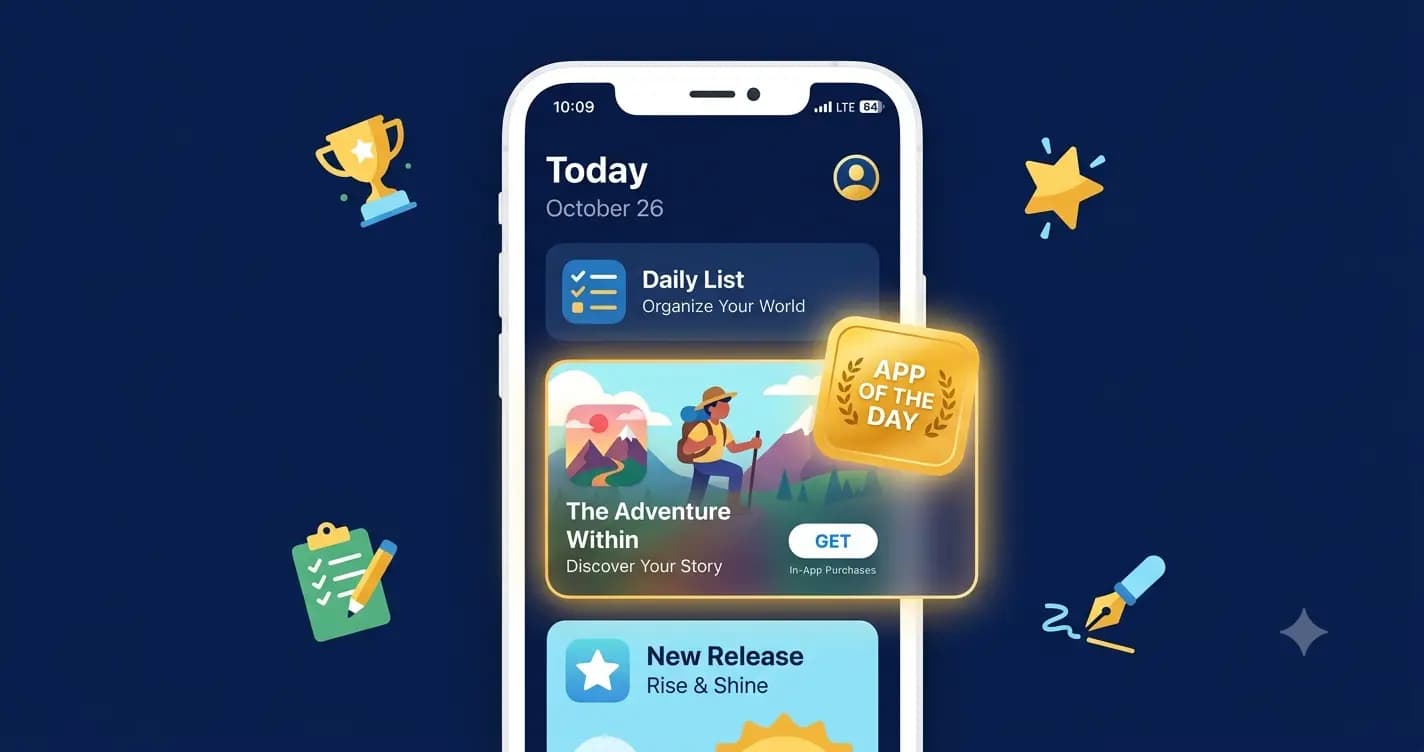
I found out our app had been featured on the App Store the same way most developers do. Someone messaged me on a Tuesday morning with a screenshot and the words 'Is this you?'
It was. Our habit-tracking app was sitting in a curated collection on the Today tab in three countries. We had not paid for it. We had not been told it was coming. We had not even been sure our nomination had been read. But the install numbers that day told the whole story. By the time I opened my laptop, we had more downloads in four hours than we usually got in two weeks.
Getting featured on the App Store is the closest thing mobile app marketing has to a lottery win. Except it is not a lottery. It is a process. A process most developers either do not know exists, have never used, or have used incorrectly. Since that first featuring, I have helped several apps get featured, submitted nominations that went nowhere, and learned the difference between the two. This guide covers everything I know about it.
The App Store reaches roughly 850 million weekly visitors worldwide (AppDrift, 2026). A single featuring placement on the Today tab can put your app in front of more people in one day than months of paid acquisition. And since November 2024, Apple has had a formal nomination system in App Store Connect that any developer can use. That changed everything. What was once a complete mystery, a black box controlled by editors who noticed your app or did not, is now a process you can actively participate in.
What 'Featured' Actually Means on the App Store
Before strategy, clarity. Getting featured is not one thing. Apple features apps across multiple surfaces in multiple ways, each with different visibility and different editorial requirements.
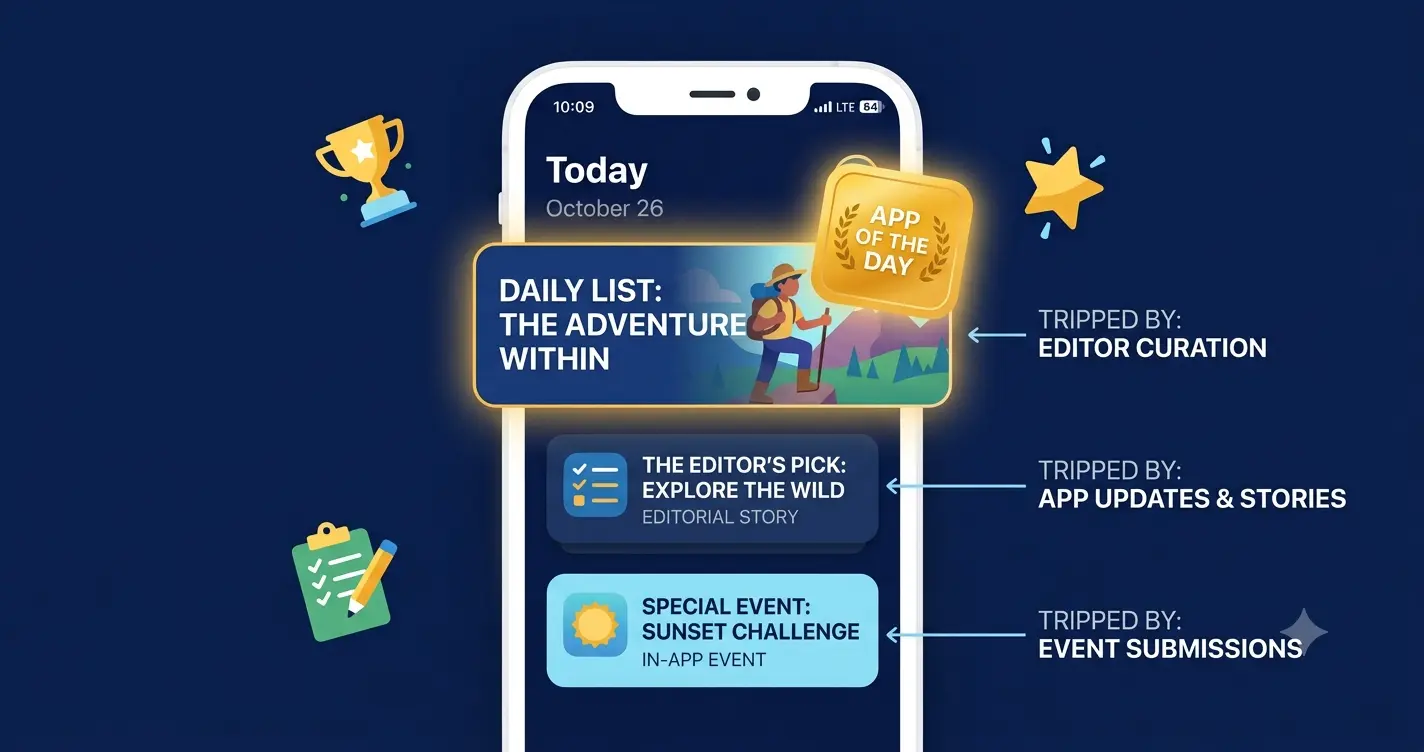
Feature type | Where it appears | What triggers it | Impact level |
|---|---|---|---|
App of the Day | Today tab, full-screen card | Editorial selection, strong story | Very High |
Game of the Day | Today tab, full-screen card | Editorial selection, strong design | Very High |
Today tab editorial story | Today tab, article format | Compelling developer or app narrative | High |
Curated collection | Apps or Games tab, themed list | Category fit + quality + timing | High |
In-App Events | Today tab, Apps tab, search results | Submitted event + editorial match | Medium-High |
Editors' Choice badge | Product page, curated collections | Sustained quality, editorial evaluation | High (long-term) |
Personalized recommendations | For You section | Algorithmic, based on user history | Medium |
New Apps We Love | Apps tab | Launch quality + novelty | Medium-High |
The most coveted spots are the Today tab placements: App of the Day and editorial stories. These are handpicked by Apple's human editorial team and they can drive tens of thousands of installs in a single day. The Editors' Choice badge is rarer and more sustained. Curated collections are more achievable and still meaningful. In-App Events are the most consistently underused featuring channel by developers in 2026.
"App Store features aren't quite the same impact they used to be, but a Today tab feature can still transform an unknown app into a category leader virtually overnight." — Jacob Rushfinn, Retention.
Apple's 7 Criteria: What the Editorial Team Actually Looks For
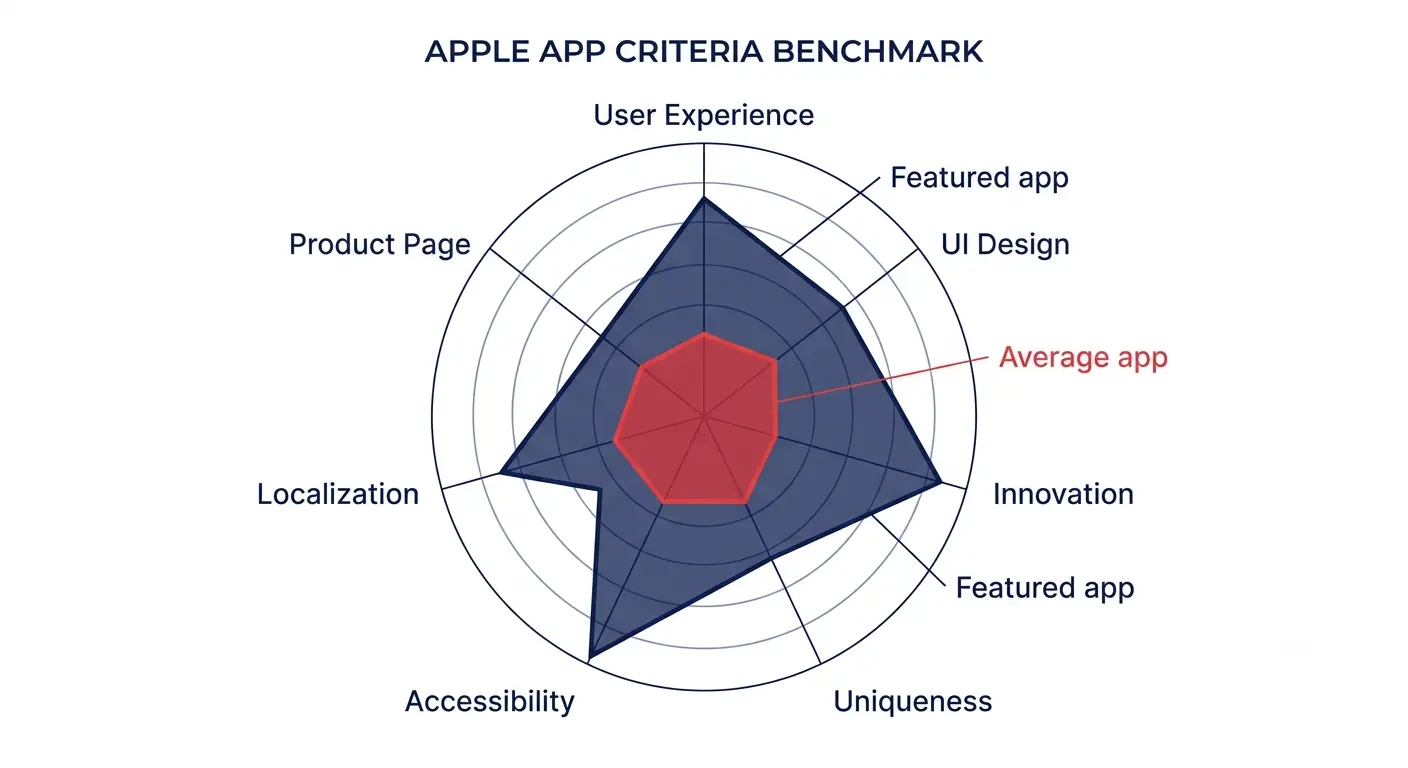
Apple publishes its featuring criteria. They are not secret. Most developers have simply never read them or thought carefully about how to apply them. Here they are with honest commentary on what each one means in practice.
Apple's criterion | What it actually means in practice | How to strengthen it |
|---|---|---|
User experience | A new user can complete their first task without help. No confusion. No dead ends. | Test your onboarding with someone who has never seen the app. Fix every moment of hesitation. |
UI design | Beautiful visuals, intuitive gestures, polished motion. Editors test the app, not just the screenshots. | Follow Apple Human Interface Guidelines precisely. Polish transitions and micro-interactions. |
Innovation | Uses a new iOS technology in a way that meaningfully improves the experience. | Integrate a recent Apple framework: Apple Intelligence, WidgetKit, Live Activities, Vision Pro support. |
Uniqueness | A fresh approach to a familiar problem, or something that defines an entirely new category. | Identify the one thing your app does that no other app does in exactly the same way. Lead with that. |
Accessibility | VoiceOver, Dynamic Type, sufficient colour contrast, and motor accessibility are all implemented well. | Run the Accessibility Inspector. Test with VoiceOver on. This is a genuine differentiator in 2026. |
Localization | High-quality support for the languages of the regions you are targeting. Culturally appropriate content. | Localize for your top 3 markets minimum. Culturally adapt screenshots and copy, not just translate. |
Product page quality | Compelling screenshots, app preview video, a description that tells a clear story, and positive ratings. | Treat your product page as a portfolio piece. 90% of featured apps maintain 4.0+ ratings (AppDrift, 2026). |
Two of these deserve special attention in 2026.
Innovation in 2026 specifically means Apple Intelligence integration. Apps that meaningfully incorporate Apple's on-device AI features, introduced in iOS 18 and expanded in iOS 18.4 and 19, are receiving priority editorial attention right now. If your app can use Apple Intelligence in a way that genuinely improves the user experience, and not as a gimmick, you are in a category that Apple's editorial team is actively looking to highlight.
Accessibility is the most consistently overlooked criterion and the one that most directly differentiates serious developers from casual ones. Apple's editors test apps with VoiceOver on. An app that falls apart under VoiceOver is not getting featured regardless of how beautiful it looks in screenshots.
The Featuring Nominations Form: How to Actually Submit
Before November 2024, there was no formal way to put your app in front of Apple's editorial team. You shipped something good and hoped an editor noticed it. Since then, the Featuring Nominations form in App Store Connect has given every developer a direct line to the editorial team. Most developers have still never used it.
Step-by-step: submitting a Featuring Nomination in 2026
Log into App Store Connect at appstoreconnect.apple.com.
On the home page, find the 'Featuring' section and select 'Nominations.'
If it is your first nomination, click 'Get Started.' Review Apple's criteria on the introductory page before proceeding.
Click 'Create New Nomination' and give it a clear internal title so you can track it.
Choose a nomination type: New App Launch, App Enhancement (major update), or New Content (in-app event or seasonal content).
Set your publish date. Apple requires a minimum of two weeks notice. For wider featuring consideration, three months in advance is recommended. For a major launch, I submit 6 to 8 weeks out.
Write your nomination description. This is the most important field and the one most developers rush. More on this below.
Select relevant countries and regions. Be specific. If your app is localized for Japan, nominate for Japan separately with a strong case for that market.
Add related apps from your developer account if relevant.
Attach up to 5 supporting URLs: a promo video, press kit, TestFlight build link, or editorial assets.
Select the languages your app supports. Apple matches nominations to regional editorial teams based on localization.
If you have an approved In-App Event, attach it to the nomination. This strengthens your submission significantly.
Submit. You will not receive a rejection notification if declined. If accepted, Apple contacts the account owner email and requests marketing assets.
The nomination description: what to actually write
The nomination description is a pitch to a real human editor. It is not a press release. It is not a feature list. It is the answer to one question: why should Apple tell its 850 million weekly store visitors about your app right now?
The best nominations I have seen and written follow the same structure. They open with the problem the app solves in one sentence. They explain what makes the approach uniquely interesting, not just what features it has. They mention any Apple technologies used and why. They include a specific hook for the editorial team: a developer story, a timely cultural connection, a user outcome that is hard to argue with. And they close with the specific date and context for the featuring request.
Strong nomination opening example:'Most meditation apps tell you to breathe. BreatheSpace is the first app to detect when you actually need to, using Apple Watch heart rate variability data and on-device ML via Core ML. We are launching a major update on April 15th that adds Apple Intelligence integration for personalized session recommendations. We would love the App Store team to consider us for the Health section ahead of World Mental Health Day on October 10th.'This tells Apple: what's new, what Apple technology is used, why it matters now, and exactly when to feature it.
The 8 Things That Actually Move the Needle on Featuring
Submitting a nomination is necessary but not sufficient. The editors look at your app, not just your form. Here is what determines whether the submission leads anywhere.
1. Ship an In-App Event and nominate around it
This is the single most underused featuring lever in 2026. In-App Events appear on the Today tab, the Apps tab, and in search results entirely independently of editorial featuring. But they also give your nomination a concrete, timely hook that editors can build a story around. A fitness app launching a 30-day January challenge, a productivity app releasing a 'back to school' feature set, a music app hosting an exclusive premiere. These are narratable events.
Egor Kunovsky, a well-known ASO practitioner, put it plainly: 'In-app events are not the tool to increase conversions. They are a tool to list your app for more search terms.' They also give the editorial team something to say about you that goes beyond 'here is a nice app.' Aim for 6 to 8 nomination-worthy moments per year, not just a launch and one update.
2. Adopt a recent Apple technology in a meaningful way
Apple features apps that showcase what iOS can do. In 2026, the technologies receiving the most editorial attention are Apple Intelligence, Live Activities, WidgetKit, visionOS support, and the new Journal framework. You do not need all of them. You need one, implemented in a way that genuinely improves the user experience rather than just checking a box.
I was on a team that added Live Activities to a delivery tracking app in the week after the API launched publicly. We nominated immediately, framing the feature around the real-time experience it created. We were in a Today tab collection within five weeks. The technology adoption was not incidental. It was the story.
3. Build and tell your developer story
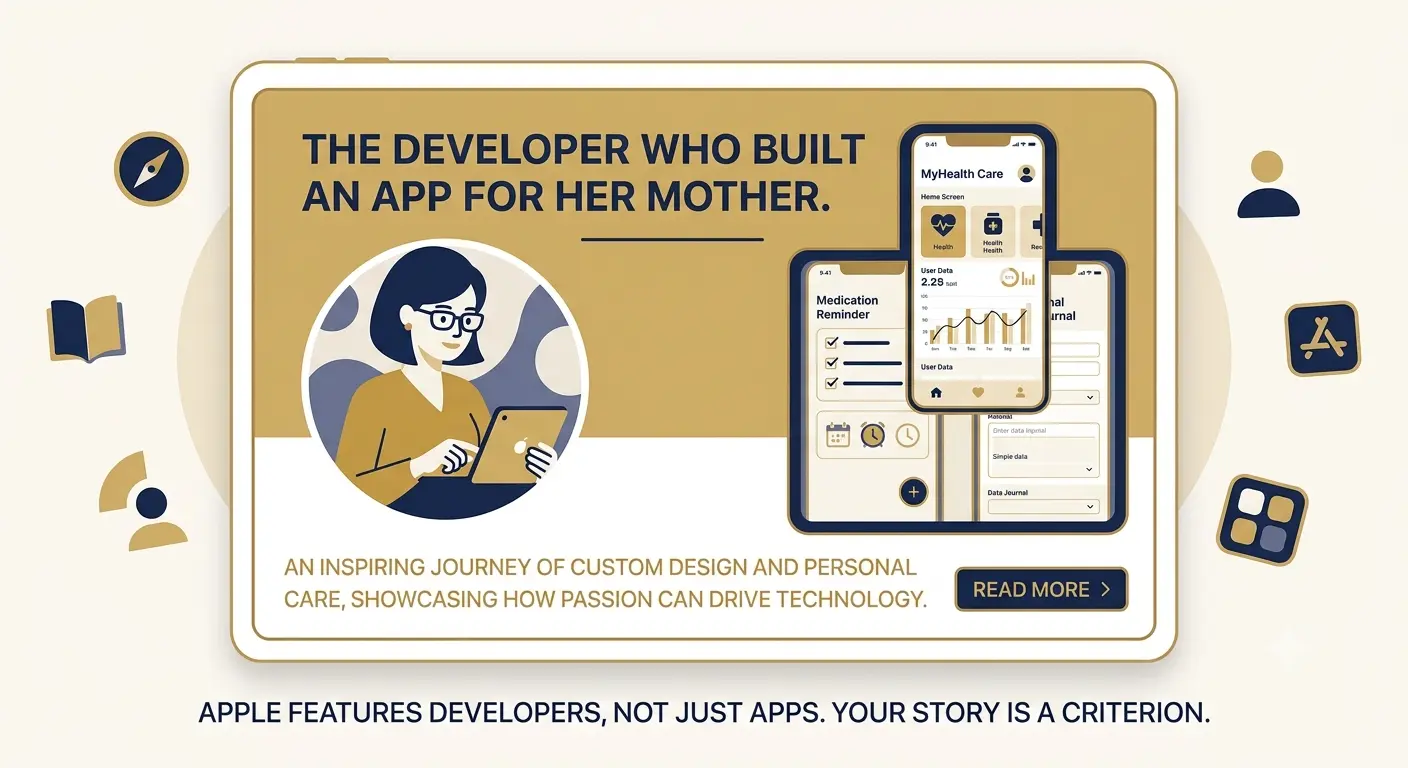
Apple's Today tab editorial stories are not product reviews. They are stories about people who built things. The subject of an App of the Day feature is often the developer or team as much as the app itself. Apple editors are looking for a narrative they can write: why this person built this thing, what problem they had personally, what surprised them, what they are building toward.
This is the criterion that most indie developers are best positioned to meet and least likely to present. A solo developer who built an accessibility tool because their parent has a disability has a better story than a VC-funded team of twenty. Apple has a genuine editorial interest in highlighting underdog developers. Give them the material to do it.
4. Time your submission to a cultural or seasonal moment
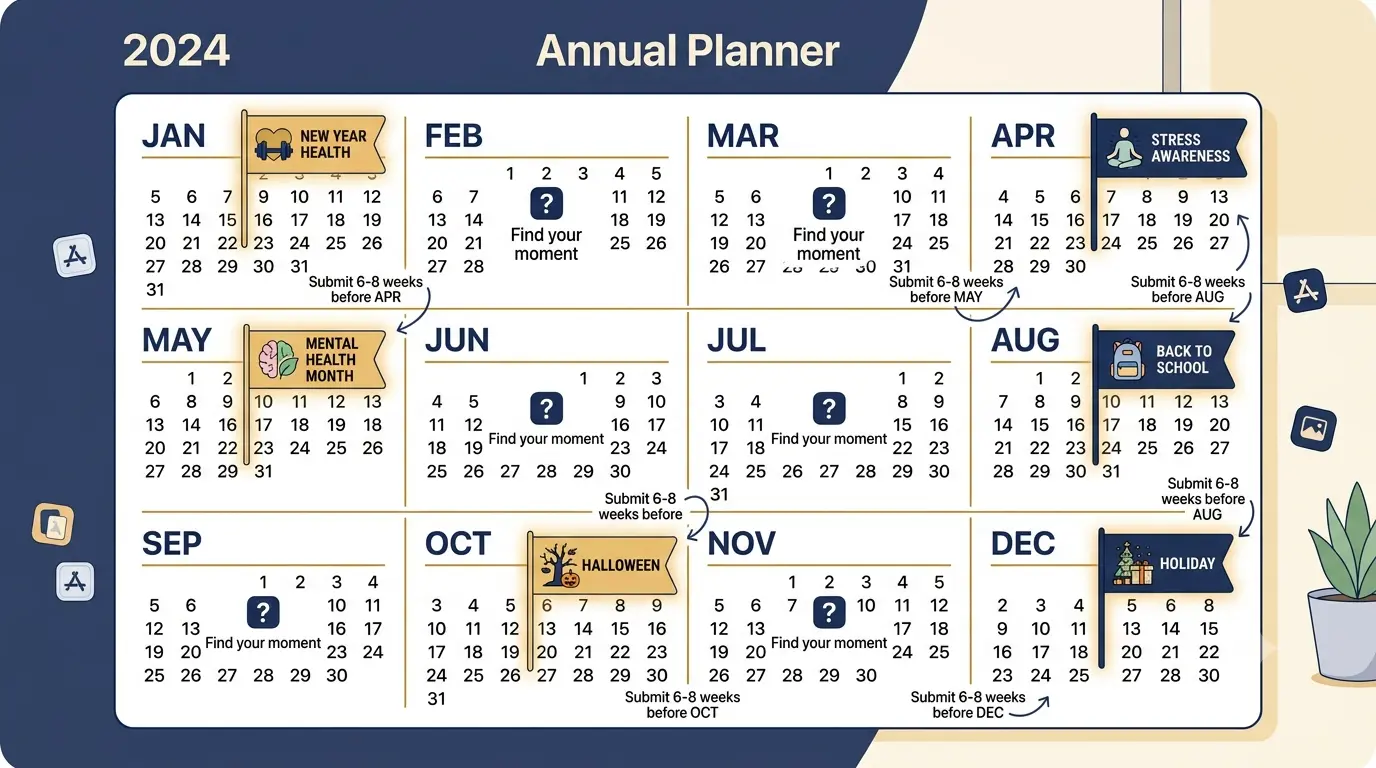
Apple's editorial calendar is planned 6 to 8 weeks in advance. The team curates collections around seasons, cultural events, health awareness months, sporting events, and platform launches. An app that fits naturally into an upcoming theme has a much higher chance of selection than a generic nomination with no timing context.
A meditation app nominated for Stress Awareness Month in April. A running app nominated ahead of major spring marathon season. A language learning app nominated for cultural heritage events in specific regions. The same app, nominated with no timing context, is harder to place.
Check Apple's typical editorial calendar themes: New Year health, Valentine's Day, Spring, Mental Health Month (May), Summer travel, Back to School, Halloween, and Holiday season.
Submit 6 to 8 weeks before the moment you want to tie your app to. The calendar fills quickly.
Mention the timing explicitly in your nomination description. Do not assume the editor makes the connection.
5. Achieve and maintain a 4.0+ rating before nominating
90% of apps featured on the App Store maintain ratings of 4.0 stars or higher (AppDrift, 2026). Apps rated below 3.5 stars are almost never considered. Your rating is a filter before it is a criterion. If you are below 4.0, fix that first. The review prompt timing work covered in the free app marketing article applies here: prompt at the moment of highest user satisfaction, respond to every negative review publicly, build a private feedback path that catches frustration before it hits the store.
6. Polish your product page as if it is the submission itself
Apple's editors look at your app store listing immediately after reading your nomination. If the screenshots look like dev builds, the description reads like a feature dump, or the preview video opens with a logo animation, the nomination weakens regardless of what the form says.
Before submitting any nomination, do this audit: open your listing on a real iPhone. Look at your first screenshot. Does it communicate your app's core value in under 2 seconds? Watch your preview video. Does it show the app doing something remarkable in the first 3 seconds? Read your description opening line aloud. Does it sound like something a person wrote, or something that was auto-generated?
If your product page is not where it needs to be, build a supporting landing page with Entro that shows the full story of your app. Share it as one of the 5 supporting URLs in your nomination. It gives editors an additional, polished surface to evaluate your app's value proposition.
7. Localize for the regions you are nominating in
Apple's featuring is localized. Different editorial teams in different countries choose different apps. A nomination for Japan from an app with only English screenshots is unlikely to be selected by the Japanese editorial team, regardless of the app's quality.
Blue Tea Games localized their card strategy game Mavenfall and were immediately featured in Best New Games across 120 countries, plus an editorial feature in Hong Kong and Taiwan. The CEO commented directly on the connection: localization was the reason Apple featured them. It is not a side note. In 2026, it is a primary criterion with a direct featuring track record attached to it.
Localize your App Store listing text for each market you nominate in. Title, subtitle, description, keywords.
Adapt your screenshots to show local currency, local context, and culturally relevant use cases.
Use the 'Relevant Countries or Regions' field in the nomination form thoughtfully. Nominate only where you are genuinely ready to be featured.
8. Submit consistently, not just at launch
Most developers submit one nomination at launch and then never nominate again. Apple's editorial calendar has content slots to fill every single week. If you are only giving them one opportunity per year to feature your app, you are competing with every other launch-week nomination in your category.
The developers who get featured repeatedly treat it like a PR discipline. They have a calendar of nomination-worthy moments planned months in advance. Major update? Nominate. Significant milestone? Nominate. In-App Event launching? Nominate. Cultural moment that fits the app? Nominate. The rule of thumb I have found most useful: if you have something worth telling a journalist, you have something worth nominating.
What Happens After You Submit
This is the part most guides skip, probably because it is not very satisfying.
You submit the nomination. You hear nothing. The review process can take up to 30 days. If your nomination is declined, Apple sends no notification. No feedback. No explanation. If you are accepted, Apple contacts the account owner's email address and requests your marketing assets: high-resolution graphics, banners, and screenshots for the editorial layout.
If you are accepted and do not hear back, it does not definitively mean rejection. Apple's editorial resources are limited. A strong app that is not featured in the window you nominated for may still be picked up weeks or months later in a different editorial context.
Scenario | What it means | What to do |
|---|---|---|
No response after 30 days | Likely not selected for this window | Resubmit for the next nomination-worthy moment. Do not resubmit the same nomination immediately. |
Email requesting marketing assets | Your nomination has been accepted | Respond within 48 hours. Provide all requested assets in the specified formats promptly. |
Featured placement goes live | Editors may not notify you in advance | Monitor your install analytics daily. Set up App Store Connect sales notifications. |
Featured in a different region than submitted | Regional editors noticed your app independently | Localize for that region immediately and nominate specifically for it in the future. |
Editors' Choice badge awarded | This is awarded independently, not via nomination | Maintain product quality and listing standards. Keep updating and responding to reviews. |
What Featuring Does and Does Not Do for Your App
I want to be honest about this because the mythology around featuring can lead to poor decisions.
A Today tab feature is genuinely significant. The install spike is real. The credibility signal is lasting. 'As featured on the App Store' in your marketing materials carries weight that paid advertising cannot replicate. I have seen apps go from 50 daily installs to 3,000 on a feature day.
But it is not a permanent solution to a growth problem. The spike fades within 2 to 5 days. If your onboarding is weak, your Day-1 retention will not recover the investment. If your rating was below 4.0 before featuring, the sudden volume of reviews from new users who arrived without context will reflect that. And if your product page is not conversion-optimized, you will convert far fewer of the featuring traffic than you should.
The developers who benefit most from featuring are the ones who have done all the other work first. Good product. Good rating. Good conversion rate. Good onboarding. Featuring amplifies what is already there. It does not manufacture results that the product cannot support.
"Getting featured is not a growth strategy. It is an amplifier. The amplifier only works if the product beneath it already converts and retains." — Based on practitioner consensus, App Store featuring guides, 2026
The Pre-Submission Checklist
Before you submit a Featuring Nomination, run through every item on this list. An honest audit of these points is more useful than a polished nomination for a weak app.
Check | What to look for | Status |
|---|---|---|
Rating | 4.0 stars or higher. Aim for 4.3+ before nominating. | □ Check |
Crash-free sessions | 99%+ crash-free rate in Xcode Organizer or Firebase Crashlytics. | □ Check |
Onboarding clarity | A new user completes their first core action without help in under 3 minutes. | □ Check |
HIG compliance | UI follows Apple Human Interface Guidelines. No custom elements that fight platform conventions. | □ Check |
VoiceOver support | Full VoiceOver navigation works correctly throughout the app. | □ Check |
Dynamic Type | Text scales correctly at all accessibility text sizes without layout breaking. | □ Check |
Apple technology | At least one recent Apple framework is meaningfully integrated. | □ Check |
Product page screenshots | First screenshot communicates core value in under 2 seconds. | □ Check |
Preview video | Shows the app's signature feature in the first 3 seconds. | □ Check |
Localization | Listing is localized for all regions being nominated. | □ Check |
In-App Event | A live or upcoming In-App Event is attached to the nomination if available. | □ Check |
Nomination description | Written as a story pitch, not a feature list. Timing hook is explicit. | □ Check |
Supporting URLs | Up to 5 URLs attached: video, press kit, TestFlight, landing page, editorial assets. | □ Check |
Submission timing | Nominated at least 3 weeks before target date. Ideally 6 to 8 weeks. | □ Check |
A Final Note
That first featuring came from a nomination I almost did not submit.
I had filled out the form, written a description I was not entirely happy with, and sat on it for three days thinking it was not ready. Then I remembered advice I had been given by someone who had been through the process more times than me: 'Apple's editors are better at filtering than you are at self-rejecting. Submit it.'
I submitted it. Six weeks later, the screenshot arrived in my messages. Not every nomination lands. Most do not. But the ones that do not get submitted have a 100% failure rate. The form is free, the process is open to everyone, and the only thing standing between most developers and a nomination is the belief that their app is not ready for it.
Do the audit in the checklist above. Fix what needs fixing. Tell your real story in the description. Submit with enough lead time. And then keep building the product that earns the editorial team's interest every time they check.
If your product page needs work before you nominate, start there. Generate a professional landing page with Entro from your App Store link, share it as one of your 5 supporting nomination URLs, and give the editorial team a polished, story-first view of what your app does before they open the store listing.
Frequently asked questions
No. Apple's editorial team operates entirely independently from its advertising division. Spending on Apple Search Ads does not influence featuring decisions, and Apple has been explicit about this. Paid ads can indirectly help by driving more installs, which increases your rating count and engagement metrics, but they do not give your nomination preferential treatment. The editorial team evaluates apps on their own merits.
The review process can take up to 30 days. If your nomination is declined, Apple sends no notification, which means silence is usually the answer. If your nomination is accepted, Apple contacts the account owner's email and requests marketing assets. If you submit 6 to 8 weeks before your target date and hear nothing by 2 weeks before, it is safe to assume the nomination was not selected for that window and to plan your next submission.
Indie developers have a genuine advantage in one of Apple's most valued criteria: the developer story. Apple's Today tab editorial team actively looks for solo builders, small teams, and developers with personal connections to the problems their apps solve. Multiple indie apps have received App of the Day placements specifically because the developer story was compelling. An indie developer who built an accessibility tool because of a personal experience in their family is exactly the kind of narrative Apple's editorial team looks for. Polish your product, submit your nomination, and tell your real story.
In-App Events are time-limited happenings inside your app: challenges, premieres, special content, seasonal updates, or live features. They appear on the Today tab, the Apps tab, and in search results independently of editorial featuring, giving your app additional visibility at no cost. They also give the editorial team a concrete, timely reason to feature your app. A well-timed In-App Event attached to your nomination turns a generic 'here is our app' submission into a specific story about something happening right now. Set up In-App Events in App Store Connect and submit nominations that tie to them.
90% of featured apps maintain ratings of 4.0 stars or higher, and apps rated below 3.5 stars are rarely considered (AppDrift, 2026). The practical threshold is 4.0 as a minimum. Aim for 4.3 or higher before submitting a nomination, particularly for major placements like Today tab or App of the Day. Your rating is the first filter the editorial team applies before reading your nomination description. A polished nomination for a 3.2-star app is unlikely to go anywhere.
Apple's featuring is localized. Each regional editorial team independently selects apps for their storefront. To be featured in multiple regions, you need to localize your app listing, screenshots, and description for each target market and nominate specifically for those regions in the nomination form. The 'Relevant Countries or Regions' field in the nomination lets you specify exactly where you want to be considered. Nominate only where your app is genuinely localized. A nomination for Japan from an English-only listing is unlikely to be selected by the Japanese editorial team.
This is a real risk. A Today tab feature can send thousands of installs in a single day. If your server infrastructure cannot handle the load, if your onboarding is confusing, or if your Day-1 retention is poor, the featuring will generate disappointing results despite the visibility. Before your nomination's target date, run a load test, review your onboarding flow with fresh eyes, and make sure your review prompt is set to trigger at the right moment in the new-user experience. The install spike from featuring is an opportunity. Whether it converts into growth depends entirely on the product experience that follows the install.
Written by
Cyrus
Head of Marketing, Entro
Cyrus writes about mobile app marketing, ASO, and conversion optimization. He's spent the last 3+ years helping indie developers and startup founders get more downloads from organic channels, without paid UA budgets.
Before Entro, he ran growth for two consumer apps that together passed 500,000 downloads on the App Store. Most of what he writes comes from mistakes made with his own money first.
Related articles