Best Mobile App Optimization Software in 2026 (Ranked by Category)
Most teams buying mobile app optimization software end up with four tools solving the same problem and none solving the one they actually have. Here is how to pick the right tool for the right problem in 2026.

Cyrus
The first time I went looking for mobile app optimization software, I ended up with four subscriptions I did not need, two that I did, and a spreadsheet trying to reconcile what each of them actually measured.
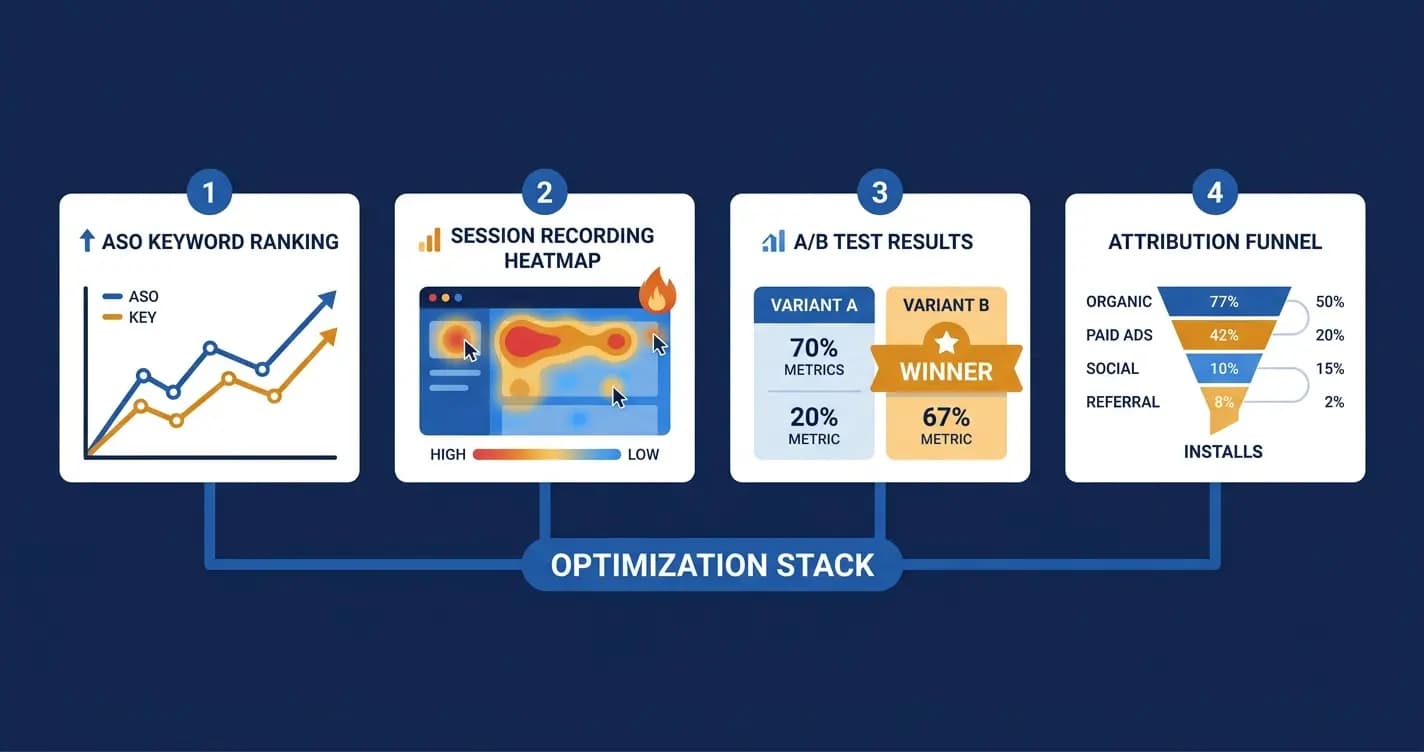
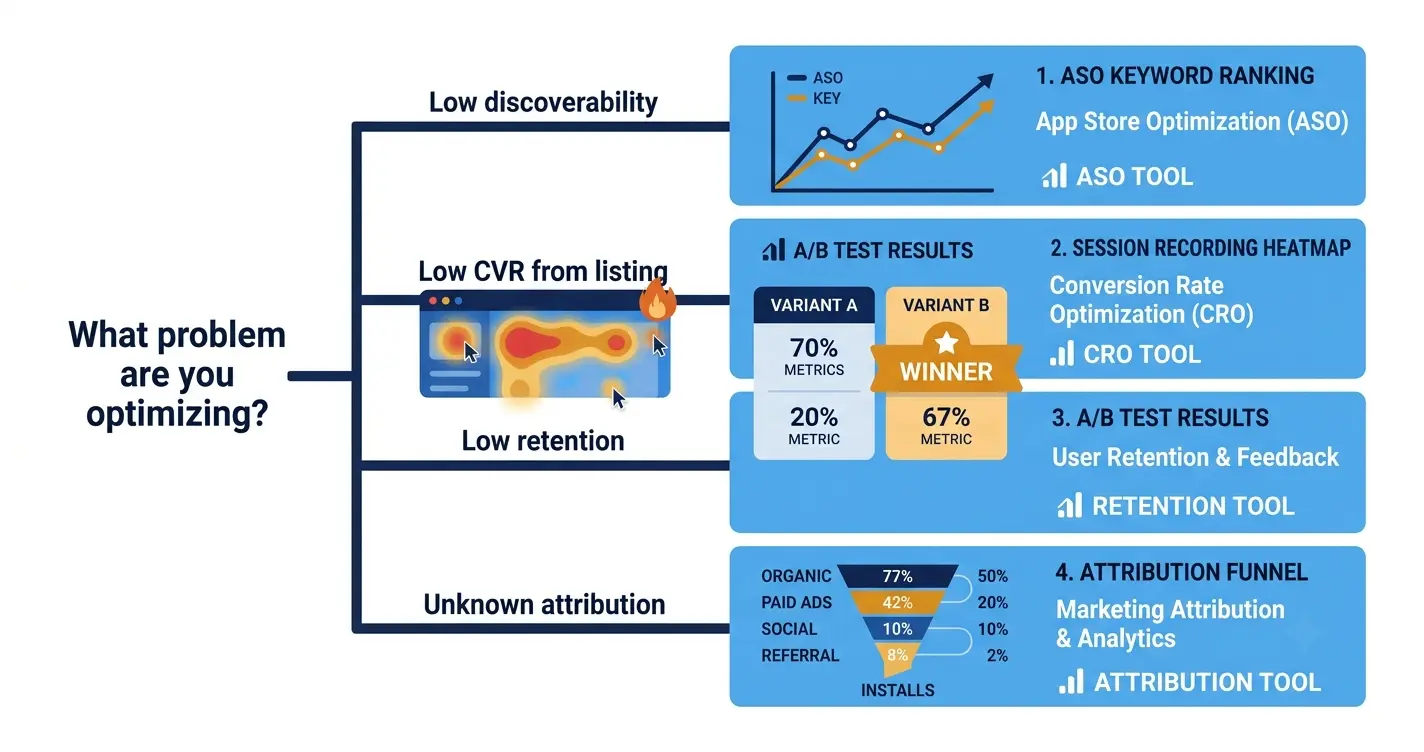
The problem is that 'mobile app optimization software' is not one category. It is four, and the distinction matters because each one solves a different problem at a different stage of your app's growth.
ASO tools help you rank higher in the App Store and Google Play and convert more of your listing visitors into installs. In-app analytics tools show you what users actually do inside your app once they have installed. A/B testing platforms let you test changes to your listing or your in-app experience before committing to them. Attribution and MMP tools tell you which marketing channels are actually driving installs and revenue.
Buying an attribution tool when your problem is low organic ranking is like buying a new engine for a car with flat tyres. The tools overlap in marketing materials but not in the problems they solve. This article keeps those categories separate and recommends the best tool in each one, so you can pick the right tool for the actual problem you have.
In 2026, with iOS CPI averaging $5.84 per install and organic discovery becoming more competitive, the ROI on good optimization software has never been higher. A keyword ranking tool that uncovers one underserved keyword your app can rank for organically can deliver hundreds of free installs per month indefinitely. An A/B testing platform that identifies a screenshot variant converting 20% better improves the return on every dollar of paid spend you run. The tool cost is almost always recovered in the first month if you use it on the right problem.
How to Decide Which Category of Tool You Need First
Your problem | Tool category you need | Start here |
|---|---|---|
Not enough people are finding my app in the stores | ASO tools | AppTweak or MobileAction |
People find the listing but do not install | ASO tools for CVR + listing A/B testing | SplitMetrics or AppTweak |
People install but do not stay past Day 7 | In-app analytics | Mixpanel or Amplitude |
I do not know what users do inside my app | Session analytics / heatmaps | UXCam or Smartlook |
I do not know which paid channel drives quality installs | Attribution / MMP | AppsFlyer or Adjust |
I want to test onboarding or in-app UX changes | In-app A/B testing | VWO or Firebase A/B Testing |
I want to test store listing creative before spending ad budget | Pre-launch testing / Store experiments | SplitMetrics or Google Play Experiments |
Category 1: ASO Tools (Ranking + Store Visibility)
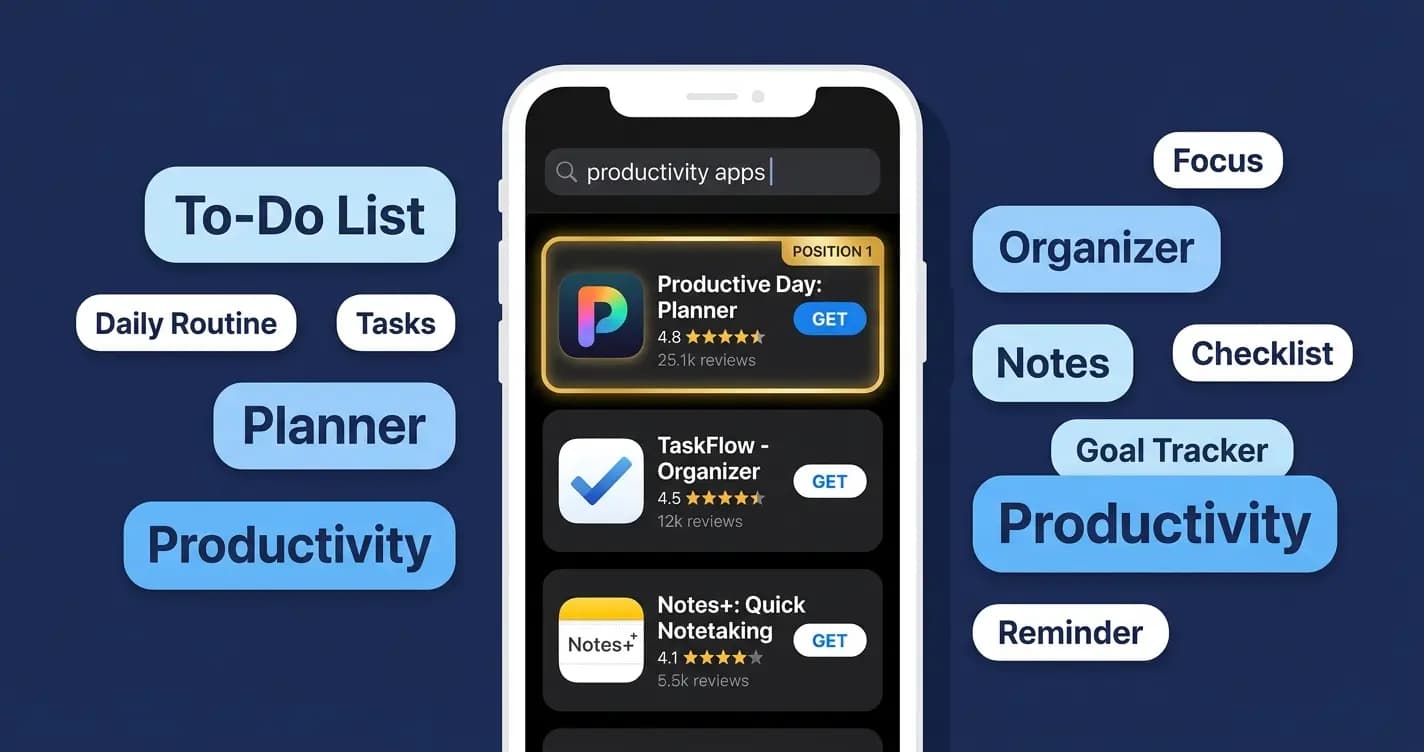
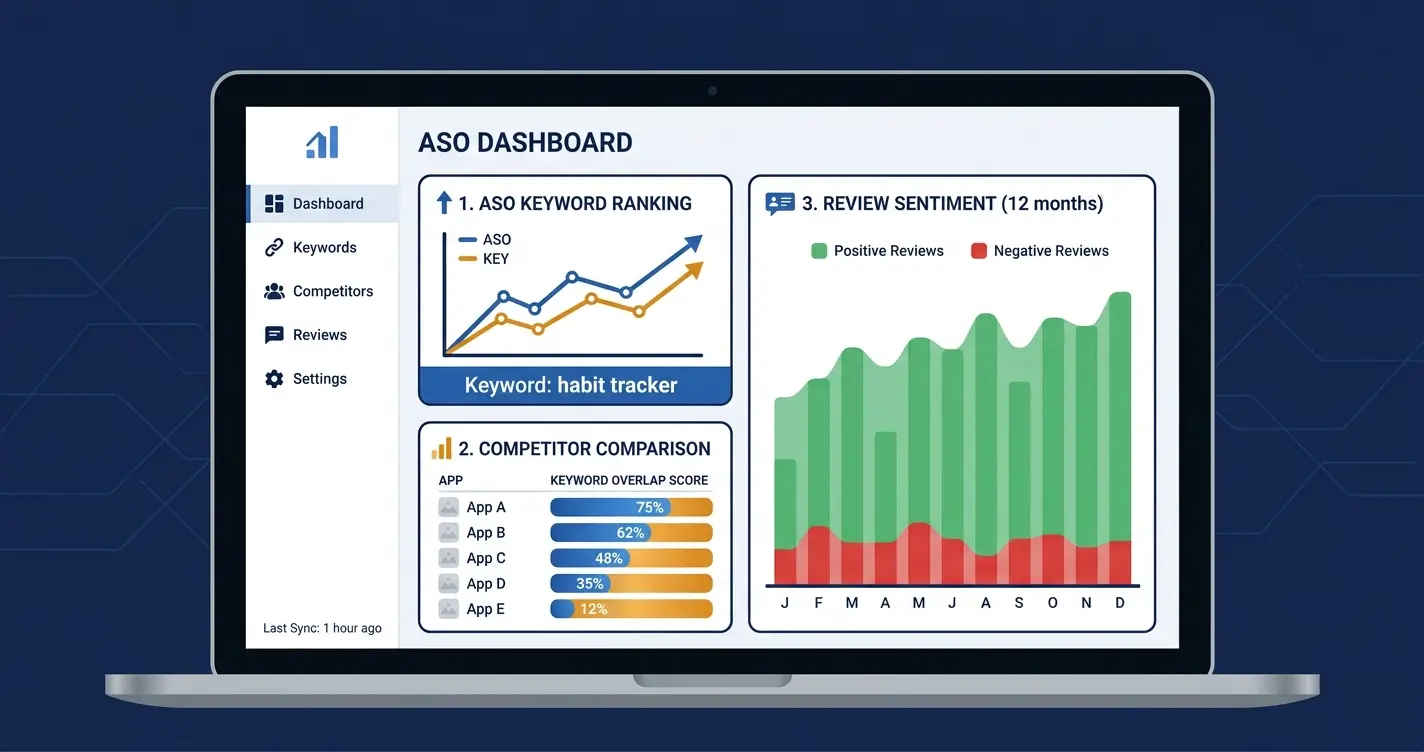
ASO tools are the foundation. In 2026, search drives 65% of iOS app discovery and 58% on Google Play. If users cannot find your app in the stores, every other optimization effort is amplifying nothing. These tools track keyword rankings, surface competitor keyword gaps, monitor your listing's conversion data, and flag changes in your category rankings before you would otherwise notice them.
I spent three months on the habit-tracking app doing ASO manually: copying competitor keywords into a spreadsheet, tracking our rankings weekly in a separate document, and guessing at what Apple's algorithm was responding to. The week I started using a proper ASO tool, I found four high-volume keywords in our category that we were ranking for on page 3 and that our competitors had not prioritized. Moving into the top 5 for those keywords added roughly 200 organic installs per month. The tool paid for itself in its first week.
AppTweak — Best overall ASO tool
AppTweak is the most complete ASO platform available in 2026. It covers keyword research, ranking tracking, competitor intelligence, store listing analysis, A/B test tracking, and a creatives explorer that shows you exactly how competitors are designing their screenshots and icons. The data quality is consistently cited as the best in the category by practitioners. If you are going to use one ASO tool, this is the one.
Pros | Cons |
|---|---|
Best keyword and ranking data quality in the category | Starting price is mid-market, not accessible for very early-stage solo devs |
Creatives Explorer for competitor screenshot and icon analysis | Feature depth can feel overwhelming without onboarding |
ASO Timeline shows what listing changes competitors made and when | Some advanced features are gated behind higher-tier plans |
A/B test tracking across Apple PPO and Google Play Experiments | |
Custom reporting and API access on higher tiers |
Pricing: From $69/month (Starter). $129/month (Basic). Custom pricing for teams.
Best for: Growth-stage and mature app teams who need comprehensive ASO intelligence.
MobileAction — Best for keyword discovery at scale
MobileAction focuses specifically on keyword research and market intelligence. Where AppTweak is broader, MobileAction goes deeper on the keyword and competitor intelligence side, with one of the largest keyword databases in the industry and strong Apple Search Ads integration. Their AI-powered keyword suggestions in 2026 surface opportunities that manual research consistently misses.
Pros | Cons |
|---|---|
Largest keyword database of any ASO tool in 2026 | Less depth on creative analysis compared to AppTweak |
Strong Apple Search Ads keyword integration | UI is dense and takes time to navigate efficiently |
AI-powered keyword suggestions and opportunity scoring | Reporting customization is limited on lower-tier plans |
Market intelligence across all App Store categories | |
Good free trial for evaluation |
Pricing: From $49/month (Basic). $99/month (Pro). Enterprise pricing available. | Best for: Teams running Apple Search Ads alongside organic ASO who need deep keyword data.
AppFollow — Best for review management + ASO combined
AppFollow covers ASO basics well but its real strength is review and rating management. It aggregates reviews from both stores, enables team response workflows, tracks sentiment over time, and alerts you when your rating changes or a negative review trend starts. In 2026, where rating is both a conversion factor and a ranking signal, having dedicated review infrastructure is more valuable than most teams realize.
Pros | Cons |
|---|---|
Best review management and response workflow in the category | Less depth on competitive creative intelligence |
Sentiment analysis across all reviews with trend detection | Keyword database smaller than MobileAction or AppTweak |
Solid keyword tracking and ASO monitoring | Advanced analytics require higher-tier plan |
Integration with Slack, Jira, and customer support tools | |
Affordable entry point compared to AppTweak |
Pricing: From $23/month (Start). $79/month (Standard). Custom for Enterprise.
Best for: Teams who want ASO tracking plus systematic review management in one tool.
Category 2: In-App Analytics and Behavior Tools
Getting installs is the beginning. Keeping users is the business. In-app analytics tools are how you understand what users do after they install, where they drop off, which features they actually use, and what predicts whether they will still be there in 30 days.
In 2026, Day-30 retention sits at 5.4% across all categories. That means 94 out of 100 users who install your app are gone within a month. Without analytics, you are guessing at why. With them, you can see exactly where in the onboarding flow users abandon, which feature correlates with 30-day retention, and which user segment churns fastest. Those are fixable problems once you can see them.
Mixpanel — Best for product and funnel analytics
Mixpanel is the standard for product analytics at growth-stage mobile apps. It tracks events, builds funnels, creates cohorts, and lets you answer specific questions about user behavior without a data scientist. The interface in 2026 is significantly improved and the AI-assisted analysis features surface patterns that manual exploration would take days to find. I have used Mixpanel on three different apps and it has consistently been the tool that most directly influenced product decisions.
Pros | Cons |
|---|---|
Best funnel and cohort analysis in the category | Can become expensive at scale on the paid plans |
Flexible event tracking without requiring a data team | Requires proper event tracking setup to deliver value |
AI-assisted insights surface patterns automatically in 2026 | Reporting depth can overwhelm smaller teams without a dedicated analyst |
Strong retention and engagement cohort reporting | |
Free tier is genuinely useful for early-stage apps (up to 20M events/month) |
Pricing: Free (20M events/month). Growth from $28/month. Enterprise custom.
Best for: Growth-stage app teams who need to understand user behavior and funnel drop-off.
Amplitude — Best for enterprise product analytics
Amplitude is the enterprise-grade alternative to Mixpanel. It is more powerful, more expensive, and more appropriate for teams with dedicated analysts or data engineers. Its North Star framework for defining and tracking your single most important metric is one of the best structured approaches to product analytics available. For apps with complex user journeys and multi-platform presence, Amplitude's cross-platform stitching is a genuine technical advantage over Mixpanel.
Pros | Cons |
|---|---|
Most powerful cross-platform analytics stitching available | Expensive at scale, significantly more than Mixpanel |
North Star framework for metric definition is best-in-class | Steeper learning curve, best with a dedicated analyst |
Experimentation features built in on higher tiers | Free tier is more limited than Mixpanel in 2026 |
Excellent data governance for enterprise compliance requirements | Implementation complexity is higher |
Strong partner ecosystem and integrations |
Pricing: Free (10M events/month). Plus from $61/month. Growth and Enterprise custom.
Best for: Enterprise app teams with dedicated data functions and complex multi-platform needs.
UXCam — Best for session recording and mobile UX analysis
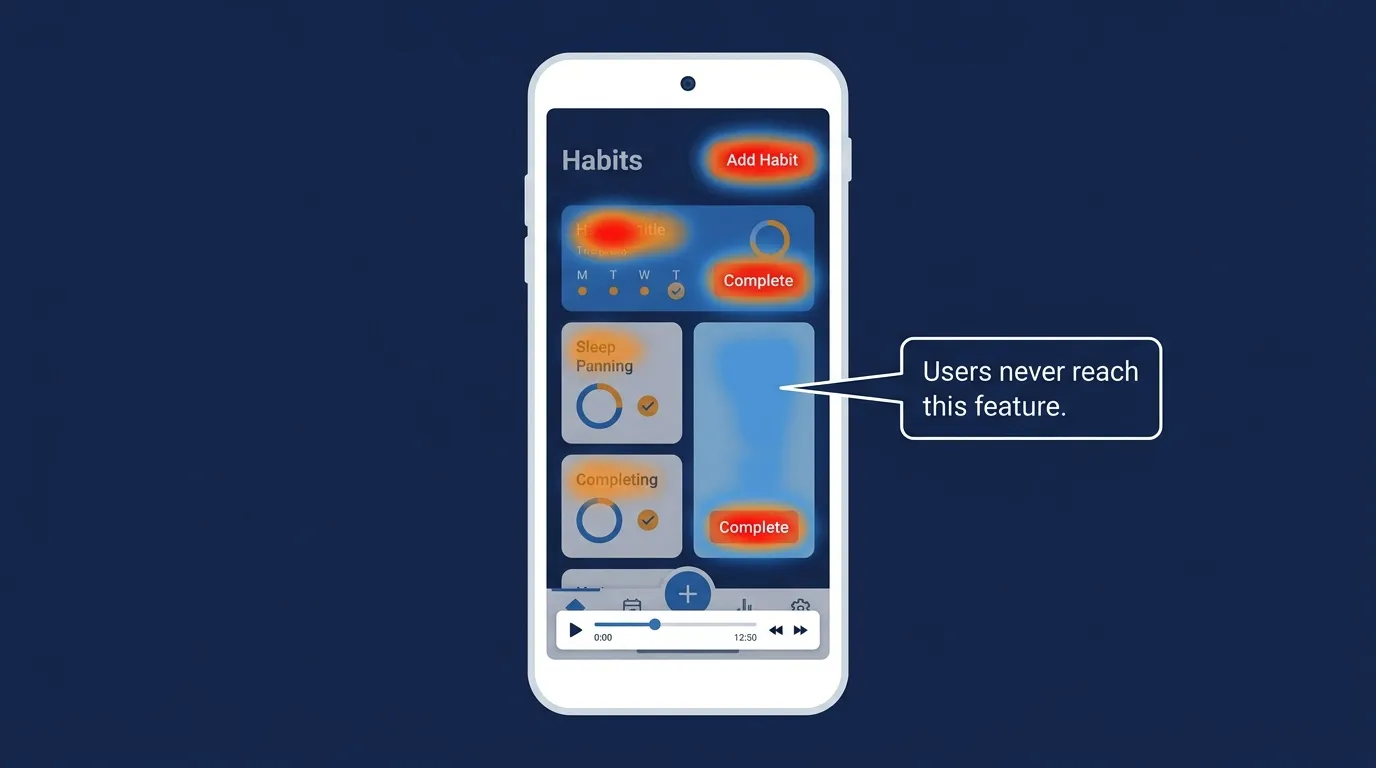
UXCam sits in a different lane from Mixpanel and Amplitude. Rather than quantitative event analytics, it captures session recordings, touch heatmaps, and gesture analytics. You watch real users navigate your app, see where they tap and hesitate, and identify friction in your UI that event data cannot surface. In 2026, UXCam processes over 100 billion data points per month across apps in 50+ countries and has become the standard tool for mobile UX diagnosis.
Pros | Cons |
|---|---|
Session recording with privacy controls built in | Quantitative depth is less than Mixpanel or Amplitude |
Touch heatmaps and gesture analytics specific to mobile | Session volume limits on lower-tier plans can restrict sampling |
AI-assisted session filtering finds friction moments automatically | Not a replacement for event-based analytics, complementary only |
Strong funnel analysis with video playback at drop-off points | |
Faster to implement than full product analytics platforms |
Pricing: Free (10K sessions/month). Startup from $14/month. Scale custom.
Best for: Product and UX teams who want to watch real user sessions and diagnose UI friction.
Firebase Analytics — Best free analytics foundation
Firebase Analytics is Google's free mobile analytics platform and the starting point for most new apps in 2026. It is free, deeply integrated with the Android development ecosystem, works well on iOS, and connects to the rest of Google's tools including Google Ads and BigQuery for deeper analysis. It is not as powerful as Mixpanel or Amplitude for product analytics, but for an app that is not yet ready to pay for analytics infrastructure, Firebase is the right foundation.
Pros | Cons |
|---|---|
Completely free with no session or event volume limits | Less flexible funnel and cohort analysis than Mixpanel |
Deep integration with Google Ads attribution | UI is functional but less intuitive than purpose-built product analytics tools |
BigQuery export for raw data analysis on paid Firebase plans | Advanced queries require BigQuery knowledge |
Easy implementation via Firebase SDK | Less powerful for complex multi-step user journey analysis |
Real-time analytics and crash reporting included |
Pricing: Free (core analytics). Firebase Blaze plan for advanced features, pay-as-you-go.
Best for: Early-stage apps and Android-first teams who need a free analytics foundation.
Category 3: A/B Testing and Experimentation Platforms
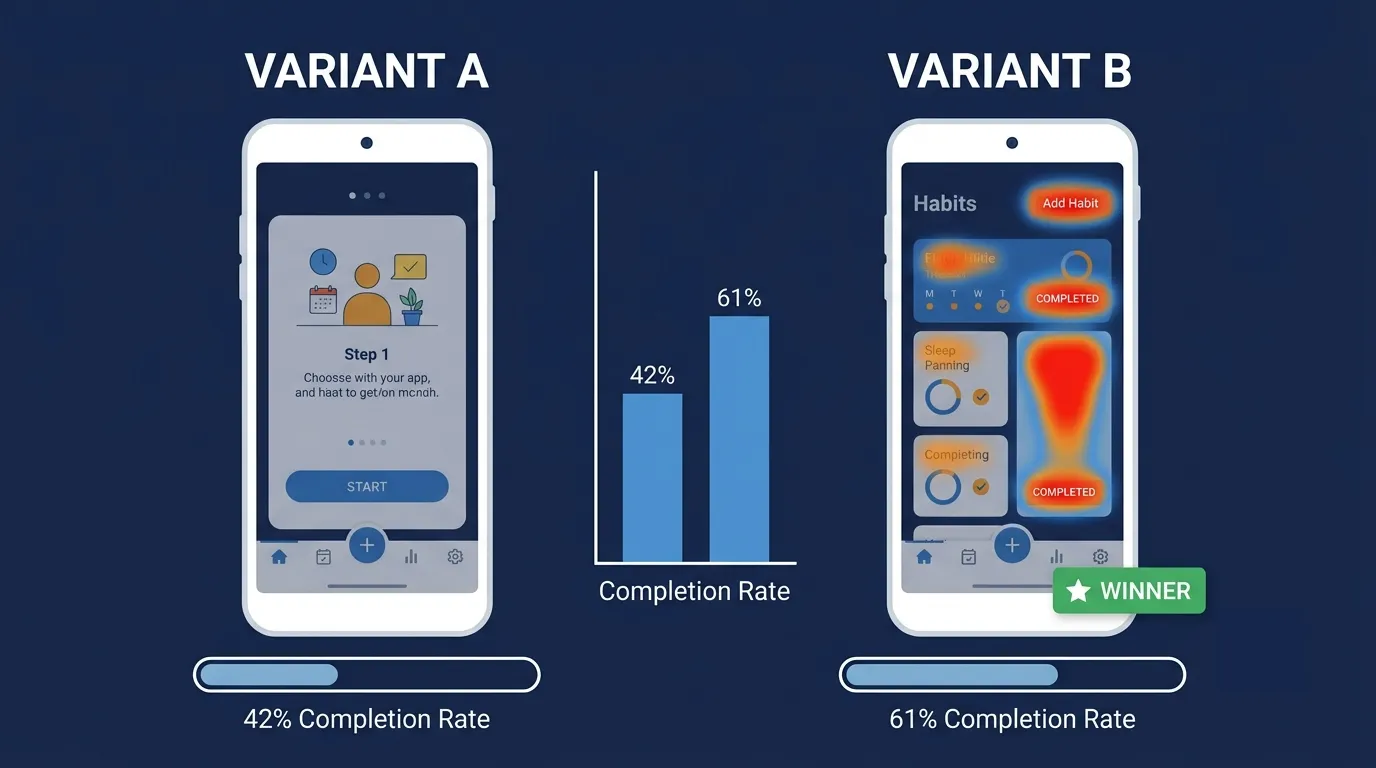
There are two types of A/B testing relevant to mobile app optimization in 2026: store listing testing (what users see before they install) and in-app testing (what users experience after they install). They require different tools and address different problems.
Store listing testing includes screenshots, icons, descriptions, and app preview videos. Apple's Product Page Optimization and Google Play's Store Listing Experiments handle this for free if you have the traffic. For more sophisticated pre-launch testing or testing without sufficient live traffic, third-party platforms like SplitMetrics are the right choice.
In-app A/B testing covers onboarding flows, paywall designs, feature UI, notification copy, and pricing. This requires an experimentation platform with SDK integration.
SplitMetrics Optimize — Best for store listing A/B testing
SplitMetrics Optimize is the specialist tool for app store creative testing. It lets you run A/B tests on screenshots, icons, descriptions, and app previews against real user traffic before you commit changes to your live listing. Unlike Apple PPO or Google Play Experiments which require live store traffic, SplitMetrics can drive paid traffic to your test pages, allowing pre-launch creative validation and faster test cycles for apps without large organic audiences.
Pros | Cons |
|---|---|
Tests store listing creative with real users before going live | Requires budget to drive test traffic on lower-volume apps |
Works pre-launch, not just on live app listings | More expensive than using native store experiments |
Supports iOS, Android, and custom audience targeting | Primarily store-listing focused, not in-app testing |
Fastest test cycle of any store listing testing platform | |
Multivariate testing across screenshots, icons, and descriptions |
Pricing: Custom pricing based on traffic volume. Contact for a quote.
Best for: App teams who want serious store listing creative testing before spending on paid acquisition.
VWO (Visual Website Optimizer) — Mobile — Best for in-app A/B testing
VWO's mobile offering covers in-app A/B testing, session recordings, heatmaps, and funnel analysis. In 2026, it has become one of the most complete single-platform experimentation tools for mobile teams who want both quantitative testing and qualitative session analytics without managing two separate tools. The visual editor for in-app changes reduces developer dependency for straightforward test setup.
Pros | Cons |
|---|---|
Combined A/B testing, heatmaps, and session recordings | Can be expensive for smaller teams relative to the alternatives |
Visual editor reduces developer time for test setup | Mobile SDK implementation requires developer time |
Strong statistical significance reporting | Feature depth may exceed what small teams actually use |
Integrates with most mobile analytics platforms | |
Free trial available for evaluation |
Pricing: From $199/month (Growth). $499/month (Pro). Enterprise custom.
Best for: Mid-market app teams who want in-app experimentation and session analytics in one platform.
Firebase A/B Testing — Best free in-app experimentation
Firebase A/B Testing is Google's free in-app experimentation layer built on top of Firebase Remote Config. It lets you run A/B tests on onboarding flows, feature flags, notification copy, and UI elements without a separate tool if you are already on Firebase. In 2026, it supports Google AI-powered traffic allocation and integrates directly with Google Analytics for Mobile. The limitation is depth: it is a strong free option but less powerful than dedicated platforms for complex multivariate testing.
Pros | Cons |
|---|---|
Free, no additional cost if already on Firebase | Less statistical rigour than dedicated platforms |
Native integration with Firebase Remote Config and Analytics | Reporting is less customizable than VWO or Amplitude Experiment |
AI-powered traffic allocation in 2026 update | Not suitable for store listing testing (in-app only) |
Easy rollout controls for winning variants | Advanced multi-step experiment design is limited |
Works on both iOS and Android |
Pricing: Free (Firebase Blaze for advanced features, pay-as-you-go).
Best for: Apps already on Firebase who want in-app A/B testing without adding another tool.
Category 4: Attribution and Mobile Measurement Partners (MMP)
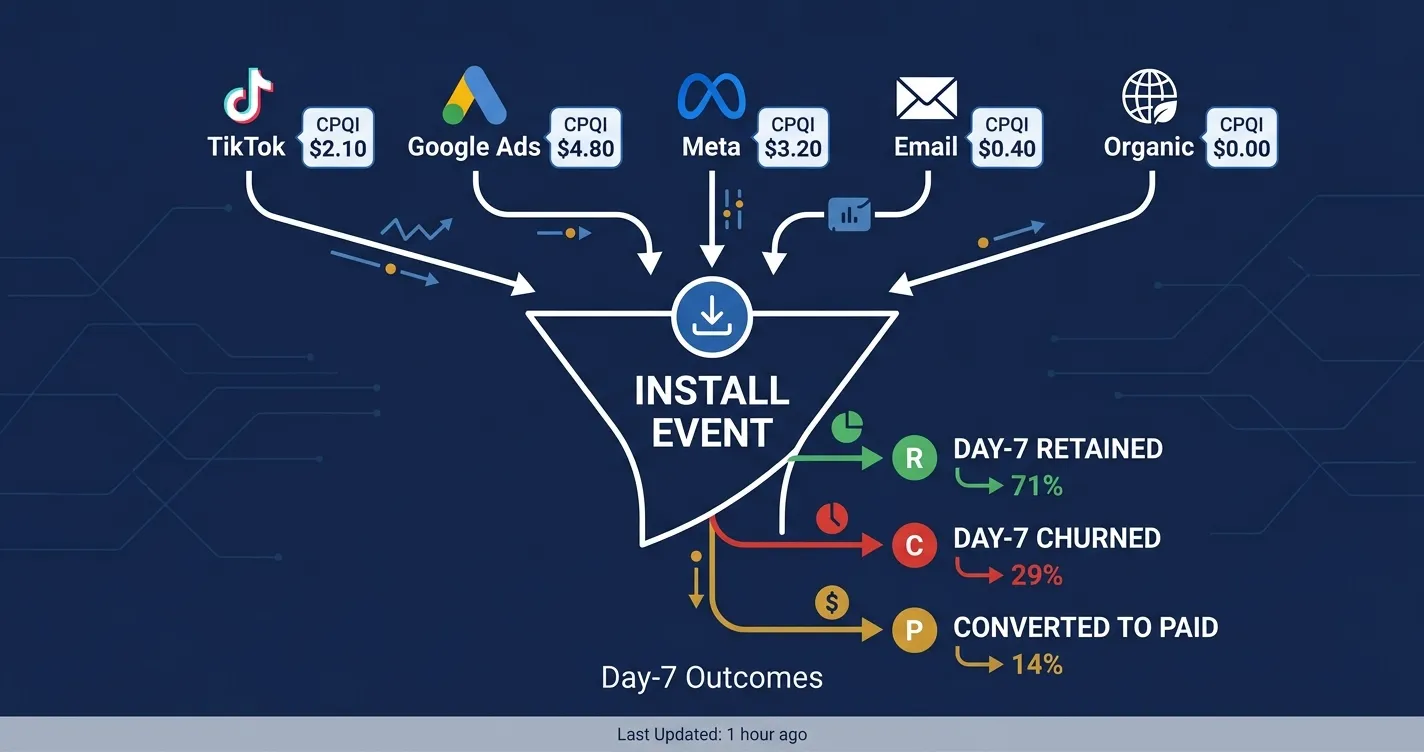
If you are spending money on paid user acquisition and you do not have an MMP in place, you are effectively blind. You know how much you spent. You do not know which campaigns drove users who stayed, which drove users who churned, or whether the installs you attributed to TikTok actually came from a different source.
Mobile measurement partners exist to solve the attribution problem created by Apple's SKAdNetwork, Android's Privacy Sandbox, and the general fragmentation of multi-channel mobile marketing. In 2026, with iOS privacy restrictions now fully embedded, operating without an MMP is not a data gap. It is a strategic blindness that your competitors who have one will consistently exploit.
AppsFlyer — Best overall MMP
AppsFlyer is the market leader in mobile attribution with over 300,000 apps using it globally. In 2026, its handling of iOS privacy frameworks (SKAdNetwork 4.0, Privacy Sandbox), its fraud detection, and its Creative Analytics product for measuring which ad creatives drive quality users make it the most complete attribution platform available. Used by apps of every size, from funded startups to global enterprise.
Pros | Cons |
|---|---|
Market leader with the broadest partner ecosystem | Can be expensive at scale on performance plans |
Best SKAdNetwork and Privacy Sandbox handling in 2026 | Complexity requires dedicated technical implementation |
Creative Analytics for measuring which ad visuals drive quality installs | Some advanced features cost extra on top of base plan |
Strong fraud protection and detection | |
Deep linking and deferred deep linking support |
Pricing: Free (up to $150 monthly spend tracked). Performance plans from $0.05 per conversion. Enterprise custom.
Best for: Any app team running meaningful paid acquisition who needs accurate attribution.
Adjust — Best MMP for privacy-first measurement
Adjust is trusted by over 300,000 apps and is particularly strong in privacy-compliant measurement infrastructure. In 2026, its DataWorks product for raw data access and its Audience Builder for segmenting and retargeting users make it more than an attribution tool. For teams in regulated industries or markets with strict data privacy requirements (Europe, especially), Adjust's GDPR infrastructure is the strongest in the category.
Pros | Cons |
|---|---|
Best privacy and GDPR compliance infrastructure in the MMP category | Creative-level analytics less developed than AppsFlyer |
DataWorks for raw attribution data access | Some partner integrations have less depth than AppsFlyer |
Audience Builder for retargeting and user segmentation | Pricing is less transparent for smaller teams to evaluate |
Strong fraud protection with Signature verification | |
Clean, well-documented SDK |
Pricing: Free tier (basic measurement). Pricing based on MTAs (monthly tracked users). Contact for a quote.
Best for: Privacy-conscious teams and European apps needing strong GDPR-compliant attribution.
Branch — Best for deep linking and web-to-app attribution
Branch's core strength is deep linking and cross-platform journey attribution. If your acquisition strategy includes web-to-app flows, email campaigns, QR codes, or any channel that routes users through the web before an install, Branch handles that attribution more reliably than any other tool. Its Universal Ads product covers standard paid attribution as well, making it a strong choice for teams who need both.
Pros | Cons |
|---|---|
Best deep linking and deferred deep linking infrastructure | Less strong on creative analytics vs AppsFlyer |
Strong cross-platform attribution including web-to-app flows | Fraud detection is less sophisticated than AppsFlyer or Adjust |
Universal Ads for standard paid campaign attribution | Some partner integrations require more manual setup |
Good for teams with significant email or organic web traffic | |
Generous free tier for early-stage measurement |
Pricing: Free (up to 10,000 MTAs). Pricing scales with volume. Enterprise custom.
Best for: Teams whose acquisition includes significant web, email, or QR code traffic that needs app attribution.
Full Comparison: All Tools at a Glance
Tool | Category | Best for | Free tier? | Starting price | Key strength |
|---|---|---|---|---|---|
AppTweak | ASO | Comprehensive ASO | No (trial) | $69/month | Best data quality + creatives explorer |
MobileAction | ASO | Keyword research + Apple Search Ads | Trial | $49/month | Largest keyword database |
AppFollow | ASO + Reviews | ASO + review management | Limited | $23/month | Best review workflow tool |
Mixpanel | In-app analytics | Funnel + cohort analysis | Yes (20M events) | $28/month | Best product analytics for growth teams |
Amplitude | In-app analytics | Enterprise product analytics | Yes (10M events) | $61/month | Cross-platform stitching + North Star |
UXCam | Session analytics | UX diagnosis + heatmaps | Yes (10K sessions) | $14/month | Mobile session recording specialist |
Firebase Analytics | In-app analytics | Free analytics foundation | Yes (unlimited) | Free/pay-as-you-go | Best free option, Google ecosystem |
SplitMetrics Optimize | Store A/B testing | Creative testing pre-launch | No | Custom | Pre-launch store listing testing |
VWO Mobile | In-app A/B testing | Combined testing + session analytics | Trial | $199/month | All-in-one experimentation |
Firebase A/B Testing | In-app A/B testing | Free in-app experiments | Yes | Free/pay-as-you-go | Best free in-app testing |
AppsFlyer | Attribution / MMP | Full paid acquisition attribution | Yes (limited) | Performance-based | Market leader, best partner ecosystem |
Adjust | Attribution / MMP | Privacy-first attribution | Yes (limited) | MTA-based | Best GDPR compliance |
Branch | Attribution / MMP | Deep linking + web-to-app | Yes (10K MTAs) | Volume-based | Best cross-platform journey attribution |
Which Tool to Start With at Each Stage
Pre-launch (0 installs): Firebase Analytics (free foundation) + SplitMetrics Optimize (if budget exists for creative testing) + AppTweak (for keyword research before listing goes live)Early growth (0 to 10K MAU): Mixpanel free tier + AppTweak Starter + AppFollow Start + Firebase A/B TestingGrowth stage (10K to 100K MAU): Mixpanel Growth + AppTweak Basic + AppsFlyer free tier (as paid acquisition starts) + UXCam StartupScale (100K+ MAU): Amplitude + AppTweak Pro or MobileAction + AppsFlyer Performance + VWO Mobile + Adjust or Branch
A Final Note
The four subscriptions I did not need when I first went looking for this software were all from the same category. I bought four ASO tools because I did not understand that they mostly covered the same problem. What I actually needed alongside my ASO tool was an in-app analytics platform that could show me why users were leaving, and an attribution tool that could tell me whether my early paid experiments were driving anyone worth spending money on.
The right stack is rarely more than one tool per category. One ASO tool. One analytics platform. One experimentation layer. One MMP if you are running paid acquisition. Pick the best fit for your stage in each category and use it properly before adding more.
The apps that compound growth in 2026 are not the ones with the most tools. They are the ones that use a small number of tools with discipline: one insight acted on per week, one test running at all times, one keyword gap closed per month. That is the optimization system. The software just makes it faster to see what to do next.
And before your optimization software starts working, make sure your landing page is working too. Generate a professional app landing page with Entro from your App Store or Google Play link, then use the tools in this guide to measure how well it converts and improve from there.
Frequently asked questions
Mobile app optimization software is a broad category that covers four distinct tool types. ASO tools improve your app's visibility and conversion rate in the App Store and Google Play. In-app analytics tools track what users do inside the app after installing. A/B testing platforms let you test changes to your store listing or in-app experience before committing to them. Attribution tools (also called MMPs) tell you which marketing channels are driving installs and which of those installs convert into retained users and revenue. Most teams need tools from more than one category, but which categories depend on which problem they are currently trying to solve.
AppTweak is the most consistently recommended ASO tool in 2026 for teams who can afford it. It combines the best keyword and ranking data quality with competitive creative intelligence and A/B test tracking in a single platform. For teams who need deeper keyword research and Apple Search Ads integration, MobileAction is the stronger specialist. For teams who also need review management infrastructure, AppFollow offers solid ASO alongside the best review workflow in the category.
Yes, if you are spending meaningful money on paid acquisition. Without an MMP, you are relying on platform-reported attribution from TikTok, Meta, Google, and Apple Search Ads, all of which have incentives to overclaim credit for installs. An MMP gives you an independent, deduplicated view of which channels are actually driving installs and, more importantly, which installs are coming from users who stay and convert. In 2026, with iOS SKAdNetwork and Android Privacy Sandbox both limiting granular attribution, an MMP is the only way to get a reliable read across channels simultaneously.
Firebase is a strong free foundation and the right choice for most early-stage apps. It handles event tracking, basic funnel analysis, crash reporting, and integrates well with Google Ads. Once your team starts asking questions that Firebase cannot answer cleanly, which typically happens around the time you are trying to understand cohort retention, feature adoption across user segments, or complex multi-step funnels, Mixpanel becomes the right tool. The good news is that Firebase and Mixpanel can run simultaneously during the transition, so you do not lose historical data.
Store listing A/B testing tests changes to what users see before they install: screenshots, icons, descriptions, and app preview videos. Apple's Product Page Optimization and Google Play's Store Listing Experiments handle this natively and for free if you have sufficient traffic. SplitMetrics Optimize is the best third-party option for pre-launch testing or faster test cycles. In-app A/B testing tests changes to the experience after install: onboarding flows, paywall designs, feature UI, notification copy, and pricing. This requires SDK integration and a dedicated platform like Firebase A/B Testing (free) or VWO Mobile (paid). The two types of testing are complementary and address different conversion stages.
For an early-stage app with limited budget, a well-chosen free stack covers the essentials: Firebase Analytics for in-app tracking, Firebase A/B Testing for in-app experiments, Google Play Store Listing Experiments for Android listing tests, Apple PPO for iOS listing tests, and AppFollow's entry plan for review management. The total cost is around $23/month. For a growth-stage app generating revenue, a reasonable starting budget is $150 to $300/month covering Mixpanel Growth, AppTweak Starter, AppFollow Standard, and AppsFlyer's free attribution tier. At scale, expect $500 to $2,000/month for a comprehensive stack across analytics, ASO, testing, and attribution.
Written by
Cyrus
Head of Marketing, Entro
Cyrus writes about mobile app marketing, ASO, and conversion optimization. He's spent the last 3+ years helping indie developers and startup founders get more downloads from organic channels, without paid UA budgets.
Before Entro, he ran growth for two consumer apps that together passed 500,000 downloads on the App Store. Most of what he writes comes from mistakes made with his own money first.
Related articles