7 Best Restaurant Website Builders in 2026 (Honest Comparison)
My cousin was paying Uber Eats 30% commission on every delivery order and answering the same five customer questions by phone every day. A Saturday afternoon building a proper restaurant website fixed both problems. Here is what to build it with.

Cyrus
My cousin opened a small Italian restaurant three years ago. She had a Facebook page, a Google Maps listing, and a PDF menu that lived as a link in her Instagram bio. When customers called to ask about dietary options or opening hours, her team spent 20 minutes a day answering the same five questions.
I helped her build a proper website over a weekend. Within two months, reservation no-shows dropped because the booking system sent automated reminders. Online orders started coming in directly through the site at zero commission, instead of through Uber Eats where she was paying 30% on every delivery. And the calls asking about the menu stopped almost entirely.
A restaurant website in 2026 is not a digital brochure. It is a revenue surface. And the builder you choose determines how well that surface works.
The stakes are real. According to a 2025 MGH survey, over 77% of diners check a restaurant's website before deciding where to eat. More than half abandon restaurants whose sites lack updated menus or easy ordering. Your website is often the decision-making moment, and it happens before the customer ever walks through your door.
I have spent time testing and researching the major restaurant website builders for this comparison. What follows is an honest assessment of 7 options, ranked by what restaurant owners actually need: menus that are easy to update, reservation systems that work, online ordering without commission theft, mobile-first design, and local SEO that helps hungry people nearby find you.
What Makes a Great Restaurant Website Builder
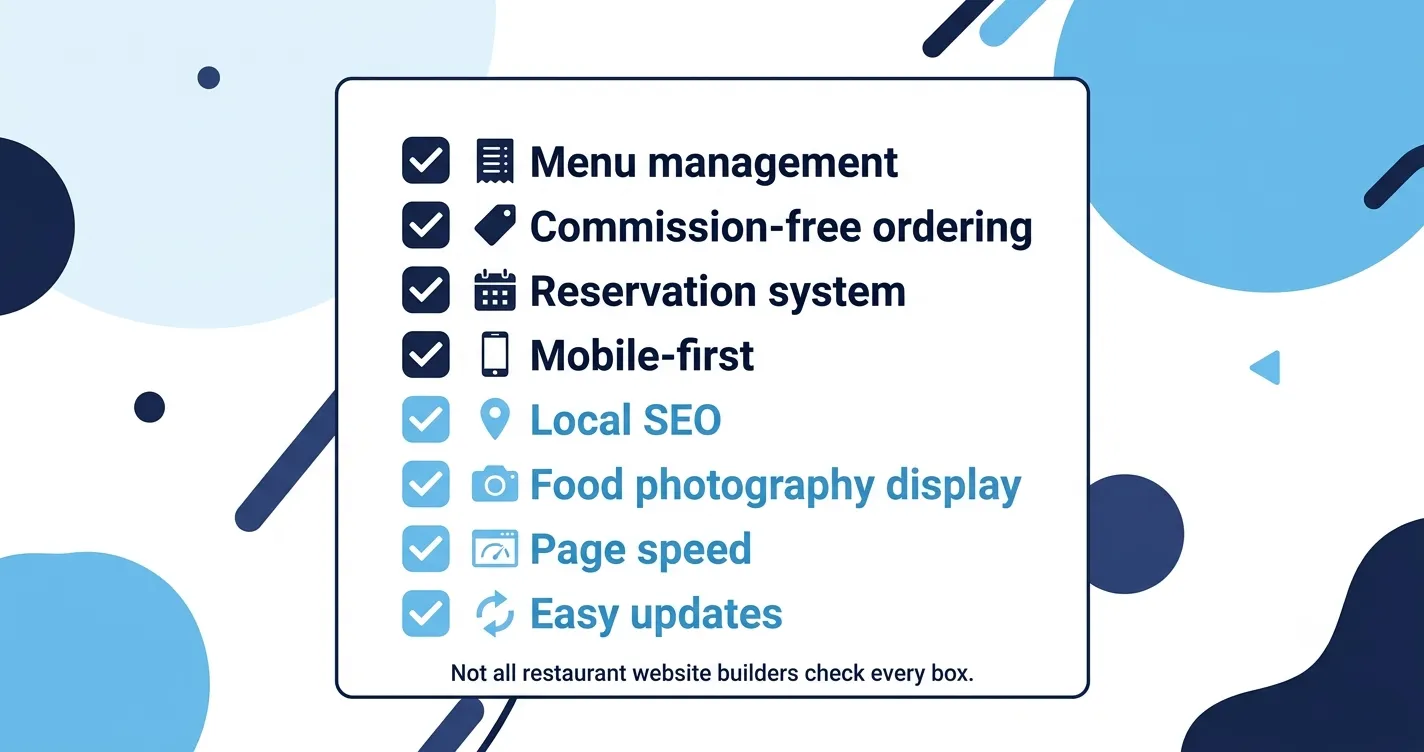
Before the rankings, the criteria. A general website builder and a restaurant-optimized builder are solving different problems. Here is what separates the ones worth using from the ones that look fine until you try to update the Tuesday lunch special.
Feature | Why it matters for restaurants |
|---|---|
Menu management | Customers check menus before deciding where to eat. A system that makes updates fast and clean prevents the 'is this still accurate?' frustration. |
Online ordering (commission-free) | Delivery platforms charge 15 to 30% per order. Your own website should capture orders with zero commission. |
Reservation system | Automated bookings with reminder notifications reduce no-shows and remove phone call overhead. |
Mobile-first design | More than 70% of restaurant website traffic comes from mobile. A desktop-first template that 'also works on mobile' is not good enough. |
Local SEO tools | Customers search 'Italian restaurant near me' not your restaurant name. Structured data, Google Maps integration, and local keyword support matter. |
Food photography display | High-resolution image handling and gallery layouts make or break a food website's ability to create appetite before the visit. |
Page speed | A slow menu page loses the customer before they see your prices. Hosting infrastructure and image optimization are not optional. |
Ease of updates | Restaurant owners update menus, hours, and specials constantly. The system needs to be fast enough that a staff member can do it without help. |
The 7 Best Restaurant Website Builders in 2026
Wix — Best overall restaurant website builder
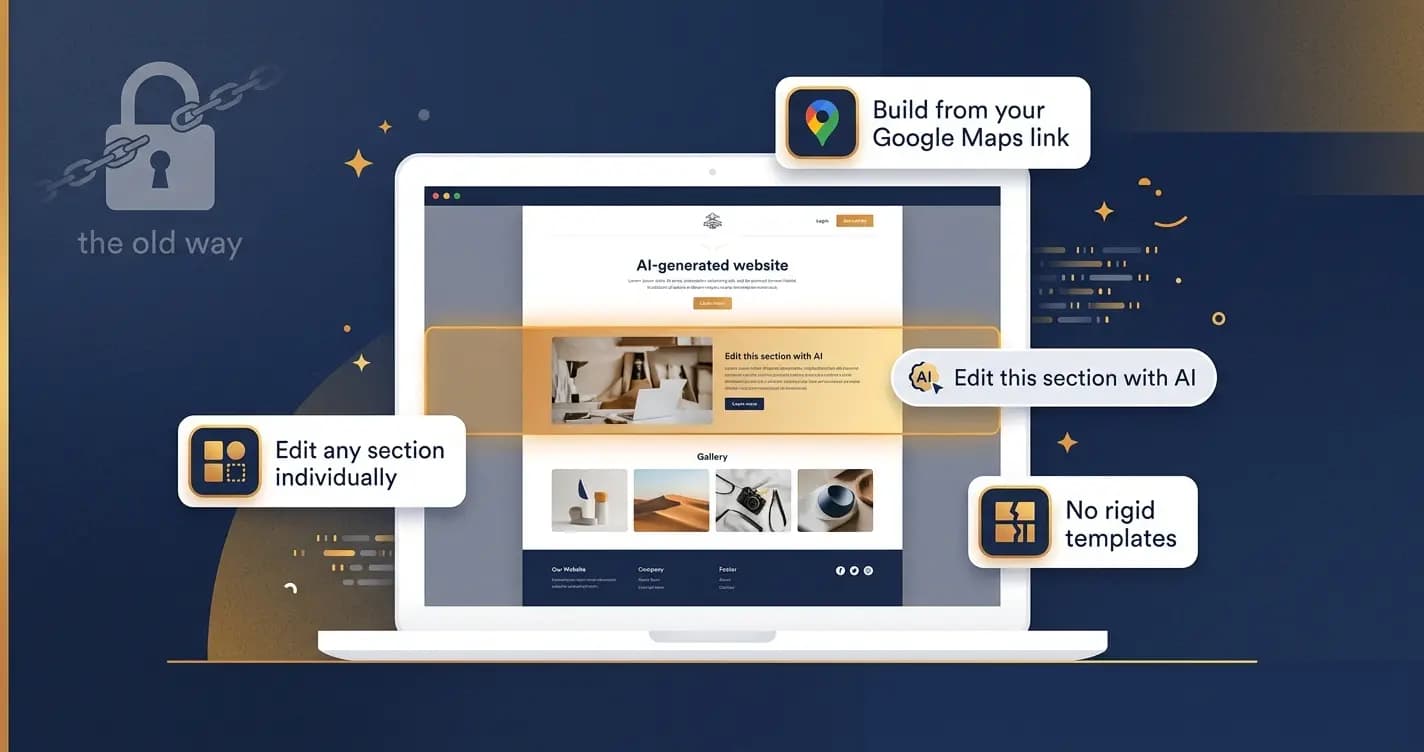
Wix is the most widely used restaurant website builder in 2026 for good reason. The Wix Restaurants platform, available from the Core plan at $29/month, bundles menu creation, online ordering (commission-free), table reservations, loyalty programs, and POS integration into one dashboard. The template library has over 85 restaurant-specific designs across every cuisine type and dining format, from casual to fine dining. The AI builder can generate a starting design from a description of your restaurant in minutes, which I found genuinely useful for my cousin's site as a starting point that we then customized heavily.
Pros | Cons |
|---|---|
85+ restaurant-specific templates, the largest selection available | Wix Restaurants features require the Core plan at $29/month minimum |
Wix Restaurants platform: menus, ordering, reservations, loyalty, all integrated | Cannot change your template once selected without rebuilding from scratch |
Commission-free online ordering built in | Pages are not exportable if you leave Wix |
Strong local SEO tools including structured data and Google Maps integration | Design polish is below Squarespace for upscale restaurant aesthetics |
AI website builder speeds up initial setup significantly | |
24/7 customer support including live chat |
Pricing: From $17/month (Light, basic site). $29/month (Core) for Wix Restaurants features. $36/month (Business) adds advanced ecommerce.
Best for: Most restaurants, especially those focused on takeout, delivery, and multi-feature needs.
Squarespace — Best for design and brand-forward restaurants
Squarespace is the builder I recommend to restaurants where aesthetics are the primary concern: fine dining, wine bars, upscale cafes, catering businesses, and any establishment where the website needs to create atmosphere before the customer arrives. The templates are the most visually polished on this list. Image handling is excellent, which matters enormously for a business where the photography of the food is half the sell. The editor has a gentler learning curve than most, and the menu display system is clean and easy to maintain.
Pros | Cons |
|---|---|
Most visually polished templates of any builder on this list | Online ordering is via third-party integration, not native |
Best image and food photography handling | Reservation system is not built in (requires Tock or OpenTable add-on) |
Clean, intuitive editor with a low learning curve | Less template variety than Wix for casual or fast-food formats |
Commission-free ordering via ChowNow integration | More expensive than Wix for equivalent features |
Tock integration for reservation management at fine-dining level | Fewer marketing and loyalty tools than Wix Restaurants |
Good blogging for food content and local SEO |
Pricing: From $16/month (Personal). $23/month (Business) for commerce features. $49/month (Commerce Advanced) for full ecommerce.
Best for: Fine dining, upscale cafes, wine bars, catering businesses, and brand-conscious food concepts.
Shopify — Best for ghost kitchens and delivery-first food businesses
Shopify is not designed for dine-in restaurants and it does not pretend to be. There is no built-in table reservation system. But for food businesses where the entire model is online, ghost kitchens, meal prep delivery, specialty food brands, online bakeries, and catering businesses that operate entirely without a physical dining room, Shopify is the best ecommerce infrastructure available. The payment processing, inventory management, and delivery integration capabilities are unmatched by any other builder on this list.
Pros | Cons |
|---|---|
Best ecommerce and payment processing infrastructure available | No built-in table reservation system |
Strong delivery and fulfillment integrations | Not designed for dine-in restaurant operations |
Excellent inventory management for food products | Transaction fees on lower-tier plans unless using Shopify Payments |
Multi-location and multi-channel selling capabilities | Templates are less food-photography-oriented than Squarespace |
Large app ecosystem for restaurant-adjacent features | More complex to set up than Wix or Squarespace |
Pricing: From $29/month (Basic). $79/month (Shopify). $299/month (Advanced). Transaction fees apply on non-Shopify Payments.
Best for: Ghost kitchens, meal delivery businesses, specialty food brands, and online-only food operations.
Menubly — Best value for small independent restaurants
Menubly is the option I would recommend to an independent restaurant owner who needs menus, online ordering, and a clean website in one affordable package without the complexity of a full website builder. At $9.99/month, it includes a digital menu system, commission-free online ordering, and a simple website, all without requiring any design skill. It is not as flexible or as visually impressive as Wix or Squarespace, but for a small restaurant that wants to get online with the right features at the lowest possible cost, nothing on this list matches its value.
Pros | Cons |
|---|---|
Most affordable all-in-one solution: menus + ordering + website at $9.99/month | Limited design customization compared to Wix or Squarespace |
Commission-free online ordering included | Smaller template library |
Digital menu system is fast and easy to update | Less robust marketing and SEO tools |
No design skill required to set up | Not suitable for restaurants that need advanced reservation management |
Free 30-day trial, no credit card required | Limited third-party integrations |
Pricing: From $9.99/month (Starter). Higher tiers add more menu items and ordering features.
Best for: Small independent restaurants, cafes, food trucks, and bakeries needing an affordable all-in-one solution.
Hostinger Website Builder — Cheapest option for a basic web presence
Hostinger is the lowest cost entry on this list and it delivers exactly what the price suggests: a fast, simple website with basic restaurant functionality at a price that is hard to argue with. The AI website generator creates a working site from a description in under a minute, and restaurant-ready templates include built-in booking pages. The trade-off is depth. There are only 8 restaurant-specific templates, no built-in online ordering, and no reservation management beyond basic booking forms. If your only goal is to have something professional online that shows your menu and lets people contact you, Hostinger gets you there faster and cheaper than any other option.
Pros | Cons |
|---|---|
Cheapest option on this list, from $2.99/month | Only 8 restaurant-specific templates |
AI website generator creates a working site in under a minute | No built-in online ordering system |
Restaurant templates include built-in booking page | No native reservation management beyond basic forms |
Fast load times on Hostinger's own hosting infrastructure | Limited scalability as restaurant grows |
Good starting point for restaurants with very limited budgets | Less design flexibility than Wix |
Pricing: From $2.99/month. Most useful features available from $3.99/month.
Best for: Restaurants that need a basic web presence fast and cheap, with minimal feature requirements.
BentoBox — Best for upscale and fine dining restaurants
BentoBox is the only tool on this list built exclusively for restaurants. It is not a general website builder with restaurant templates. It is a restaurant marketing and commerce platform designed specifically for hospitality businesses, and the feature depth shows. Event management, gift cards, merchandise sales, catering inquiry forms, and editorial-quality design support are all native. The trade-off is cost and setup. BentoBox starts at $119/month and the full package with online ordering and event management reaches $479/month. The onboarding process is more involved than any other tool here. For a high-volume restaurant where the website is a serious revenue channel, that investment can pay for itself quickly.
Pros | Cons |
|---|---|
Only purpose-built restaurant platform on this list | Most expensive option: $119/month to $479/month |
Event management, gift cards, catering forms all native | Lengthy onboarding process |
Editorial-quality design support for brand-forward restaurants | Overkill for small or independent restaurants |
Strong analytics and marketing tools built for hospitality | Less flexibility for non-standard restaurant formats |
Commission-free online ordering at all tiers | Design customization requires working within BentoBox's system |
Pricing: From $119/month (Starter) to $479/month (full package with ordering and events).
Best for: High-volume restaurants, fine dining establishments, restaurant groups, and multi-location concepts.
WordPress + Elementor — Best for restaurants that want full control and no lock-in
WordPress powers 43.5% of all websites in 2026. With Elementor as the page builder, it gives restaurants complete design freedom, full ownership of their content and data, and access to a plugin ecosystem that covers every possible restaurant feature from reservation systems to loyalty programs to delivery integration. The cost is lower long-term than subscription builders. The trade-off is setup complexity. This is not a builder you launch in an afternoon. It requires choosing hosting, setting up WordPress, installing Elementor, and either building from a template or hiring a developer. For restaurant owners who want the most flexibility, the lowest long-term cost, and no platform lock-in, it is the right choice. For everyone else, Wix or Squarespace is faster.
Pros | Cons |
|---|---|
Complete design freedom with no platform constraints | Significant setup complexity compared to drag-and-drop builders |
Full ownership: your content is yours and always exportable | Requires ongoing maintenance, updates, and security management |
No monthly builder fee, only hosting and plugin costs | No customer support beyond community forums and plugin vendors |
Largest plugin ecosystem covering every restaurant need | Not suitable for restaurant owners without technical comfort |
Best long-term cost if you invest in setup upfront | Total cost with hosting, premium plugins, and developer time can exceed subscription builders |
Pricing: Hosting from $5 to $30/month. Elementor from $59/year. Premium restaurant plugins $0 to $200/year.
Best for: Restaurants with technical resources or a developer relationship, and those who need maximum flexibility and data ownership.
Full Comparison: All 7 Builders Side by Side
Builder | Best for | Menu mgmt | Native ordering | Reservations | Mobile-first | Starting price |
|---|---|---|---|---|---|---|
Wix | Most restaurants | Yes | Yes, commission-free | Yes (Wix Reservations) | Yes | $29/month |
Squarespace | Design-focused restaurants | Yes (menu markup) | Via ChowNow (3rd party) | Via Tock (3rd party) | Yes | $16/month |
Shopify | Ghost kitchens, delivery-first | Product catalog | Yes, strong ecommerce | No (not applicable) | Yes | $29/month |
Menubly | Small independent restaurants | Yes, digital menus | Yes, commission-free | Basic | Yes | $9.99/month |
Hostinger | Basic web presence, budget | Basic | No | Basic form only | Yes | $2.99/month |
BentoBox | Upscale, fine dining, groups | Yes | Yes, commission-free | Yes, advanced | Yes | $119/month |
WordPress + Elementor | Full control, no lock-in | Via plugins | Via WooCommerce + plugins | Via plugins | Theme-dependent | ~$10 to $30/month |
Which Restaurant Website Builder Should You Choose?
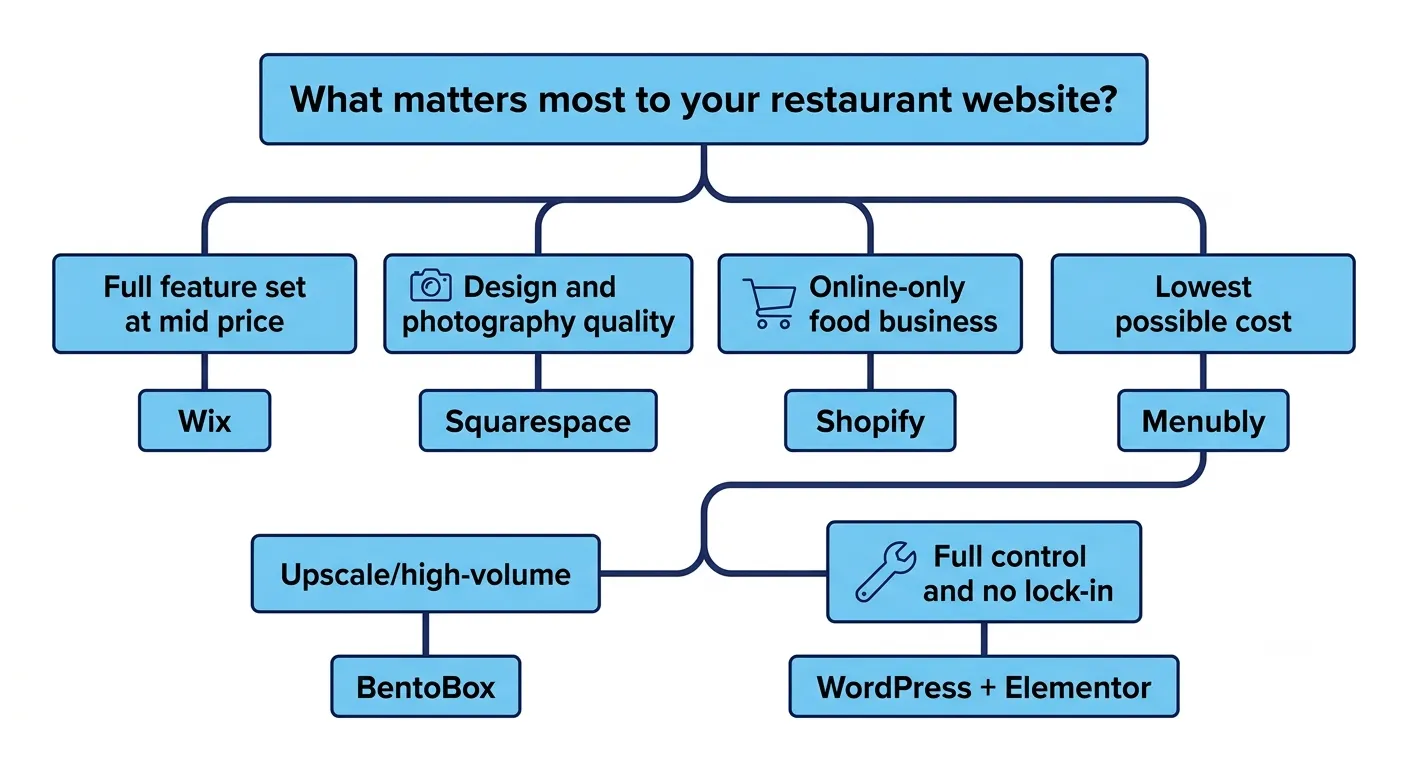
The right answer depends on where your restaurant sits on two axes: how important design is to your brand, and how much operational complexity your website needs to handle.
Choose Wix if: You want the most complete feature set for the price. Menus, ordering, reservations, loyalty, and marketing all in one platform from $29/month.
Choose Squarespace if: Your restaurant is brand-forward and food photography is central to your marketing. Design matters more than operational depth.
Choose Shopify if: You run a ghost kitchen, meal delivery service, or any food business that operates entirely online without dine-in.
Choose Menubly if: You are an independent restaurant, cafe, or food truck that needs menus and ordering at the lowest possible monthly cost.
Choose Hostinger if: You need a basic web presence with minimal features and a very limited budget.
Choose BentoBox if: You run a high-volume, upscale, or multi-location restaurant where the website is a primary revenue channel and the budget reflects that.
Choose WordPress + Elementor if: You have technical resources, want complete data ownership, and need maximum long-term flexibility without platform lock-in.
What Your Restaurant Website Must Include
Whatever builder you choose, these are the elements that determine whether your website converts visitors into diners and orders. The builder provides the infrastructure. These elements provide the content.
Your menu, updated and accurate. Not a PDF. An interactive or structured text menu that search engines can read and customers can browse on any device.
Online ordering with commission-free checkout, or a clear path to order that does not route customers through a third-party platform unnecessarily.
A reservation or booking system with automated confirmation and reminder emails. No-shows cost restaurants an estimated $2,000 per table per year in lost revenue.
Your address, phone number, and opening hours, formatted consistently for Google Maps and local SEO. This sounds obvious and is routinely done wrong.
High-quality food photography. Flat lay, natural light, real dishes. A smartphone with good light outperforms a staged stock photo every time.
Mobile-optimized layout. Preview your site on an actual phone before you publish. Not in your browser's developer tools. On a real device.
Google Analytics and Google Search Console connected. You need to see where traffic comes from and which searches lead to your site.
The 15-30% Commission Problem and Why Your Website Solves It
This deserves a dedicated section because it is the single clearest financial argument for investing in a good restaurant website.
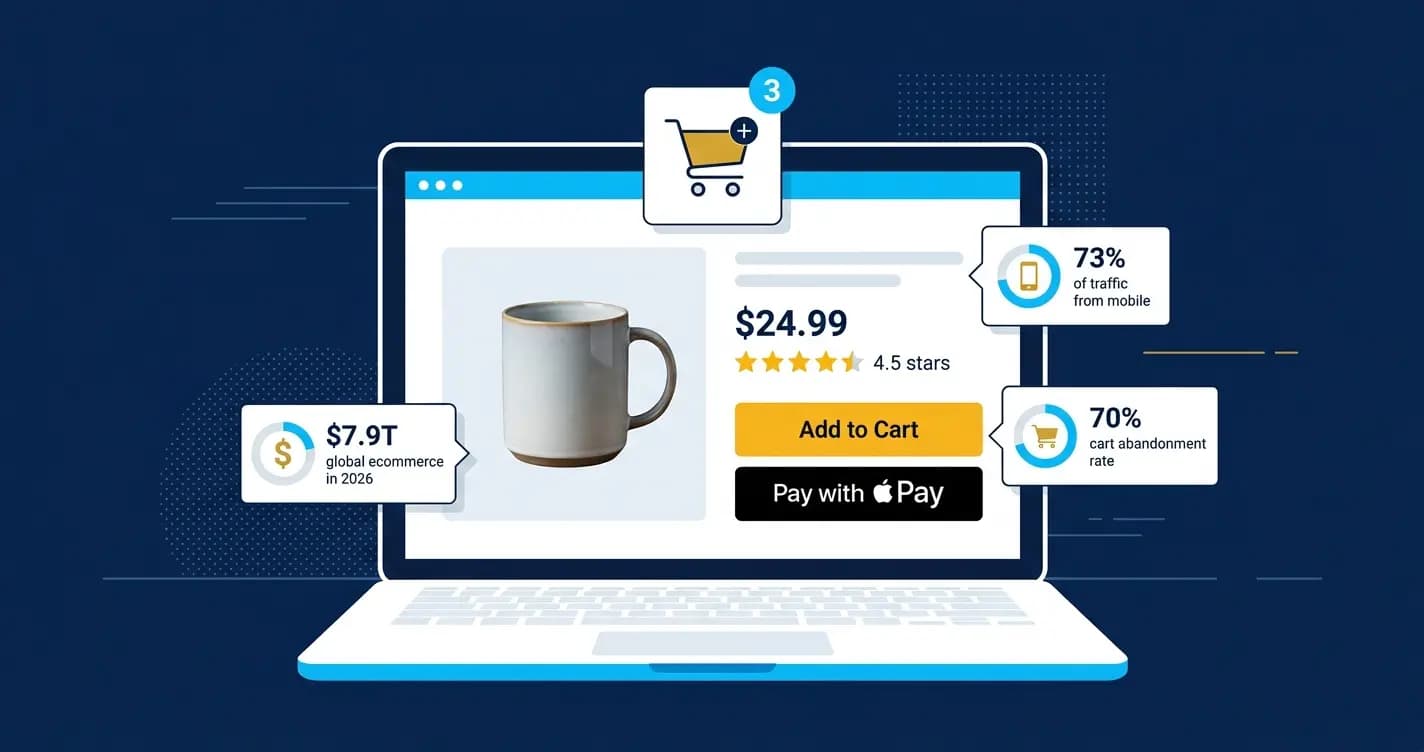
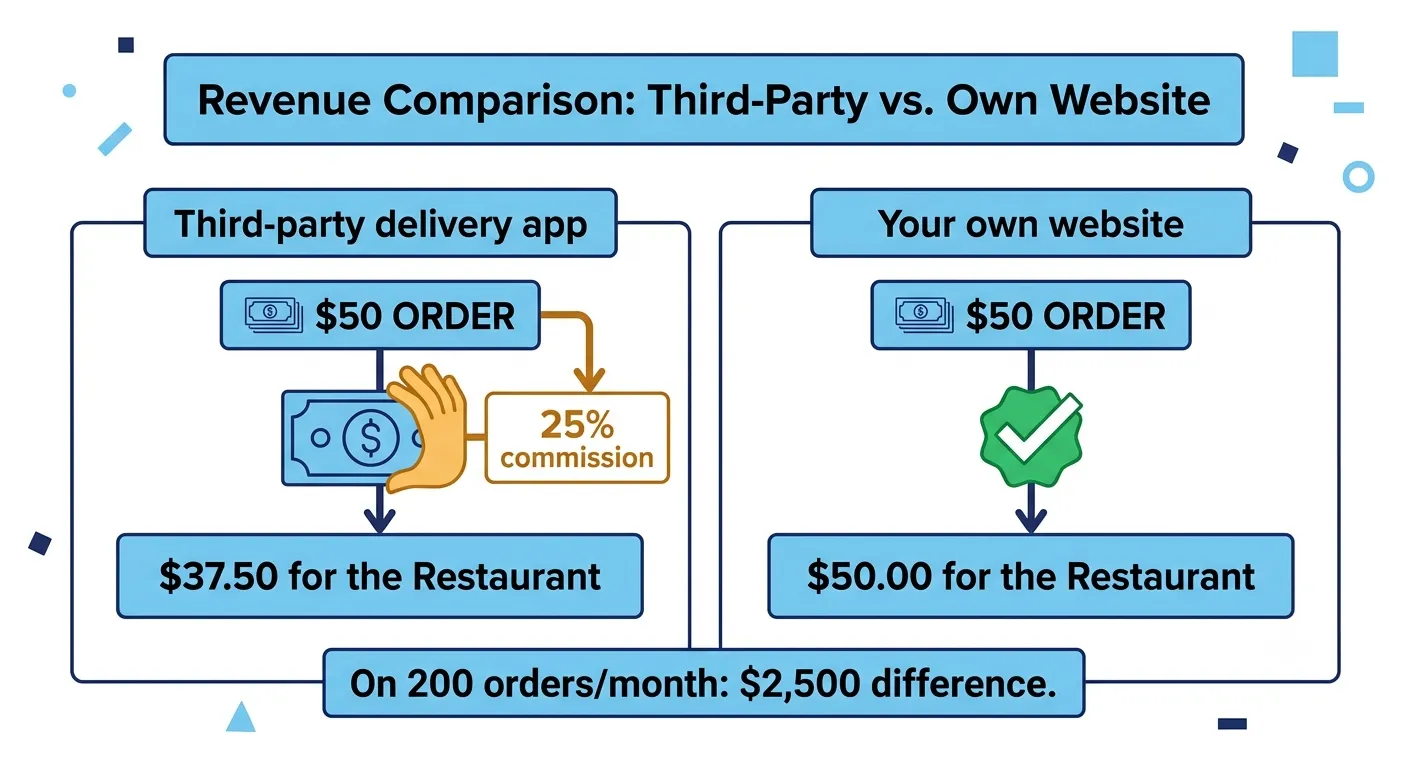
Uber Eats charges restaurants 15 to 30% commission per order. DoorDash charges 15 to 30%. Grubhub charges up to 30%. On a $50 order, you are paying between $7.50 and $15 to a delivery platform for the privilege of reaching your own customer.
A restaurant website with commission-free online ordering captures those same orders at zero commission. The upside compounds: a restaurant doing $10,000 per month in delivery orders through third-party platforms at 25% commission is paying $2,500/month in fees. Moving even half of that volume to your own website ordering system saves $1,250/month, which pays for years of website costs in a single month.
Wix Restaurants, Menubly, and BentoBox all offer commission-free online ordering built into their platforms. Squarespace handles it through ChowNow integration. This feature alone makes a restaurant website builder a revenue tool, not just a marketing expense.
Local SEO: The Feature Most Restaurant Builders Get Wrong
Your restaurant website needs to show up when someone nearby searches 'Italian restaurant open now' or 'best pasta near me'. That is local SEO, and it is what fills seats from search rather than from reputation alone.
The elements that drive local restaurant SEO in 2026 are straightforward but consistently implemented poorly.
Google Business Profile integration: your website and your Google listing need consistent NAP (name, address, phone number) data across both.
Structured data markup (Schema.org): tells Google that your page is a restaurant, includes your hours, menu, address, and cuisine type in machine-readable format. Wix implements this automatically. WordPress requires a plugin.
Location-specific page title and meta description: 'Coppola's Italian Restaurant in Manchester, UK' outranks 'Coppola's Italian Restaurant' for local searches.
Page speed: Google's local search ranking algorithm weights mobile page speed. A slow site ranks lower in local results.
Customer reviews embedded or linked: reviews signal trust and local relevance to Google's algorithm.
"A restaurant's website is its most important marketing channel when it ranks well for local searches. A customer who finds you through 'restaurant near me' is already in buying mode." — Expert Market, Restaurant Website Builders 2026
A Final Note
The website I built for my cousin's restaurant took a Saturday afternoon. We used Wix because she needed online ordering from day one and did not want to manage separate tools for reservations and menus. Two months later, her direct orders through the website were covering the monthly platform fee thirty times over in saved commissions.
That is the real return on a restaurant website: not just the digital presence, but the operational control. You own your menu. You own your reservation list. You own your customer emails. You own the orders. The platform cannot change its commission structure and immediately affect your margin.
Pick the builder that matches your restaurant's stage and priorities from the guide above. Get menus and ordering live first. Add reservation management once the ordering is running. Layer in local SEO tools once the basics are solid.
The website is not the restaurant. But in 2026, it is the first impression more than 77% of your future customers will form. Make it a good one.
Sources: MGH Consumer Survey 2025 · Expert Market Restaurant Website Builders 2026 · Menubly Best Restaurant Website Builders 2026 · Cybernews Restaurant Web Builders 2026 · SiteBuilderReport Restaurant Website Builders 2026 · Emergent Restaurant Website Builder Review 2026 · Elementor Restaurant Website Builder Guide 2026 · Wix Official Pricing 2026 · Squarespace Official Pricing 2026 · Shopify Official Pricing 2026
Frequently asked questions
Wix is the best all-around restaurant website builder in 2026 for most restaurants. Its Wix Restaurants platform (available from $29/month on the Core plan) combines menu management, commission-free online ordering, reservation systems, loyalty programs, and POS integrations in one dashboard. It has the largest restaurant template library (85+) and the strongest combination of marketing and operational features at its price point. Squarespace is the better choice for restaurants where brand aesthetics and food photography are the primary concern. BentoBox is the strongest option for high-volume or multi-location restaurants that need a purpose-built hospitality platform.
A general website builder can work but will require more manual configuration to achieve features that restaurant-specific builders handle natively. The specific gaps are: menu management (general builders use standard text or images rather than structured menu systems), online ordering (general builders do not have this built in), and reservation management (requires third-party integration). If you only need a basic web presence with information and contact forms, a general builder is fine. If you want menus, ordering, and reservations, a restaurant-optimized builder like Wix, Menubly, or BentoBox will save you significant setup time.
Restaurant website costs range from $2.99/month (Hostinger, basic site only) to $479/month (BentoBox full package). Most independent restaurants spend between $10 and $50 per month. Menubly offers menus, ordering, and a website at $9.99/month. Wix with the Wix Restaurants features starts at $29/month. Squarespace starts at $16/month for a basic site and $23/month for commerce. WordPress with hosting and plugins typically costs $15 to $50/month. The most important consideration is not the monthly cost but the commission savings from having your own ordering system: a restaurant avoiding a 25% platform commission on $10,000/month in delivery orders saves $2,500/month.
Yes, and this is one of the strongest financial arguments for building your own restaurant website. Wix Restaurants, Menubly, and BentoBox all offer built-in commission-free online ordering. Squarespace integrates with ChowNow, which charges a flat monthly fee rather than per-order commission. WordPress with WooCommerce can handle commission-free ordering with the right configuration. The contrast is stark: delivery platforms like Uber Eats and DoorDash charge 15 to 30% commission per order, which on a $50 order costs between $7.50 and $15. Moving orders to your own site at zero commission on those same orders directly improves margins.
At minimum: an accurate, mobile-readable menu (not a PDF), your address formatted consistently for Google Maps, your opening hours, a phone number or contact form, and high-quality food photography. Beyond that: online ordering with commission-free checkout, a reservation or booking system with automated confirmation emails, your Google Business Profile linked and consistent with your website NAP data, and Google Analytics connected to track where your visitors come from. Optional but valuable: customer reviews displayed on the site, a blog for local SEO content, and an email newsletter sign-up to build a direct customer list.
It depends on what your restaurant prioritizes. Wix is better if you need the full operational stack: menus, ordering, reservations, loyalty, and marketing all in one platform. Its Wix Restaurants features are more comprehensive than anything Squarespace offers natively. Squarespace is better if design and food photography are your primary concern: its templates are more visually polished, image handling is superior, and the aesthetic quality of a Squarespace restaurant site tends to be higher than Wix for brand-forward concepts. Fine dining restaurants, upscale cafes, and catering businesses with strong brand aesthetics typically prefer Squarespace. Casual restaurants, delivery-focused concepts, and restaurants that need the most features for the least complexity typically choose Wix.
Yes, without exception. More than 70% of restaurant website traffic comes from mobile devices, and most of those visits happen when a potential customer is deciding where to eat, often while they are already out. A restaurant website that does not work well on a phone is losing customers at the decision-making moment. All seven builders on this list produce mobile-responsive websites by default. The important step is to preview your actual live website on a real phone before you consider it complete. Developer tools in a desktop browser do not replicate the actual mobile experience with the same fidelity.
Written by
Cyrus
Head of Marketing, Entro
Cyrus writes about mobile app marketing, ASO, and conversion optimization. He's spent the last 3+ years helping indie developers and startup founders get more downloads from organic channels, without paid UA budgets.
Before Entro, he ran growth for two consumer apps that together passed 500,000 downloads on the App Store. Most of what he writes comes from mistakes made with his own money first.
Related articles