The Cheapest Way to Build a Local Business Website in 2026
The cheapest way to build a local business website in 2026 is not a $5 builder you fill in by hand for an afternoon. It is building from the content you already have on Google Maps, free to start, and paying only when you publish. Here is the genuinely cheapest route, ranked, plus the hidden costs that catch people out.

Cyrus

If you want the cheapest possible local business website, here is the short answer: build it from the content you already have, start for free, and pay only when you publish. You do not need to spend thousands on a freelancer, and you do not need to spend an afternoon filling in a cheap template by hand either.
Most "cheapest website" guides point you at a $5-a-month builder and stop there. But the monthly fee is only part of the cost, and a cheap builder still leaves you with the slowest, most expensive part of the job: gathering your photos, writing your copy, and arranging a blank page. The genuinely cheapest route removes that work, because for a local business the content already exists on your Google Maps listing.
This guide ranks the cheap options by their real cost, shows you the free route step by step, and flags the hidden costs that turn a cheap builder into a not-so-cheap one.
Can you build a local business website for free?
Yes. You can build and preview a professional local business website for free in 2026, and the only things genuinely worth paying for are a custom domain (usually $10 to $35 a year) and publishing without builder branding. The cheapest route for a local business is to start from the content already on your Google Maps listing, so you skip the slow work of gathering photos and writing copy.
This guide is for owners of shops, cafes, salons, clinics and trades who want a real website without paying agency prices or losing a weekend to a blank template.
The Cheapest Options, Ranked by Real Cost
Every route to a local business website falls into one of these. They are ordered by what you actually pay to get a professional result online, not just the sticker price.
Method | Real cost | Effort |
|---|---|---|
Build from your Google data (Entro) | Free to start; pay only to publish with a domain | Lowest: paste a link, edit, done in about a minute |
Free-plan builder (Wix, WordPress.com) | Free with the builder's branding and a subdomain | Medium: you build and arrange it yourself |
Cheapest paid builder (Hostinger) | From $2.99/month on a 48-month term, renewing at $10.99/month, plus a domain | Medium: AI draft, then edit |
Self-hosted WordPress | Hosting $2 to $10/month plus a domain | High: setup, plugins, and maintenance on you |
Freelancer | About $2,000 to $7,600 one-off for a small site | Low effort for you, high cost |
Two numbers in that table deserve a closer look. According to Website Builder Expert's 2026 Hostinger pricing review, the $2.99 rate only applies if you commit to 48 months, and the plan renews at $10.99 a month. And according to WebsiteSetup's 2026 website cost guide, developers charge around $50 to $95 an hour and a small site takes roughly 40 to 80 hours, which is where the $2,000 to $7,600 freelancer range comes from.
The Genuinely Cheapest Route for a Local Business
For a local business specifically, the cheapest route is building from your Google Maps listing. Here is why it beats even a free-plan builder: a free plan still makes you gather photos, write copy, and arrange the page yourself, which is hours of work, and it leaves you with branding and a subdomain you will want to pay to remove anyway. Building from your Google Maps link skips all of that. Your photos, reviews, hours, and details are already on your listing, so the first version of the site is built for you.
With Entro, that route is free to start. You paste your Google Maps link, get a complete editable site in about a minute, change anything with a plain-language AI editor, and only pay when you are ready to publish with a custom domain. You see the finished result before spending a cent, which is the opposite of paying a freelancer upfront and hoping.
Use what you already have
If your business is on Google Maps, your photos, reviews, and details are ready to become a website.
Build it free to start
Paste your Google Maps link into Entro and get a complete, editable site in about a minute without paying.
Edit it yourself with AI
Change any section in plain language: headline, services, prices, hours. No designer, no code.
Only pay when you publish
You pay when you are ready to go live with a custom domain, after you have seen the finished site.
No route is perfect for everyone, so here is the honest trade-off of building from your listing.
Building from Google Maps: pros
- No content to gather: your photos, reviews and hours are already on your listing
- Free to start, and you see the finished site before paying
- Every section can be changed in plain language, no designer needed
Building from Google Maps: cons
- You need a Google Maps listing first; a brand-new business without one has less to start from
- Not built for large online stores with hundreds of products
- You still pay for a custom domain and publishing to look fully professional
What You Get Free vs What Is Worth Paying For
Cheapest does not mean paying nothing forever. A couple of things are worth the small cost. Here is the honest split.
Free to start | Worth paying for |
|---|---|
Building and previewing your site | A custom domain (yourbusiness.com), $10 to $35 a year |
Your content pulled from Google Maps | Publishing the site live |
Editing every section with AI | Removing builder branding |
Seeing the finished result before you commit | Extra features like advanced commerce, if you need them |
The Hidden Costs That Catch People Out
The reason "cheapest" is confusing is that the advertised price is rarely the real price. Before you commit to any option, know where the extra cost hides.
The cheap options that are not actually cheap
A $2.99 per month builder is rarely $2.99 for long. Watch for renewal pricing that jumps after the first term, transaction fees on the cheapest ecommerce plans, paid add-ons for booking or email, and free sites that only stay free with branding and a subdomain you will want to remove. Add up the yearly total before you decide, not the headline monthly price.
Here is a real example. Hostinger's cheapest builder plan is advertised at $2.99 a month, but that price needs a 48-month commitment, and the renewal rate is $10.99 a month. That is more than three times the headline price once the first term ends. Cheap is fine, as long as you know the renewal number before you sign up.
Builder vs Freelancer: What You Really Pay
The biggest cost decision is whether you build it yourself or pay someone. For most local businesses the answer is clear once you put the two side by side.
| Factor | Do it yourself with a builder | Hire a freelancer |
|---|---|---|
| Upfront cost | Free to a few dollars a month | About $2,000 to $7,600 for a small site |
| Ongoing cost | Plan fee plus a domain | Hosting plus paid changes and maintenance |
| Time to launch | Minutes to a day | Usually several weeks |
| Who makes changes | You, whenever you want | The freelancer, on their schedule |
| Best for | Most local businesses | Custom features a builder cannot do |
A freelancer makes sense when you need something a builder genuinely cannot do, such as custom booking logic or an integration with your own systems. For a standard local business site, it rarely pays off.
Common Mistakes When Going Cheap
Most people who overpay for a cheap website make one of these mistakes.
| Mistake | Why it costs you | The fix |
|---|---|---|
| Choosing on the intro price | The rate can jump sharply at renewal | Compare the renewal price and the yearly total |
| Staying on a free subdomain | yourbusiness.builder.com looks unfinished and hurts trust | Pay for a custom domain, usually $10 to $35 a year |
| Paying for add-ons on day one | You pay for features you do not use yet | Add booking, email or a store only when they earn their cost |
| Paying a freelancer upfront | You spend thousands before seeing a result | Build and preview free first, then decide |
| Spending hours on a blank template | Your time is the biggest hidden cost | Start from the content you already have on Google Maps |
How to Keep It Cheap Long-Term
The cheapest build is only cheap if it stays cheap. These habits keep the ongoing cost down after launch.
How to keep it cheap long-term
- Pick a hosted builder that includes hosting, security, and updates in one fee
- Pay annually for the domain and plan; it is usually cheaper than monthly
- Avoid add-ons you do not use yet; add them only when they earn their cost
- Start free, see the finished site, and only pay to publish
- Skip a freelancer unless you have a specific need a builder cannot meet
Who the Free-to-Start Route Is Right For
Building from your Google Maps listing is the cheapest route if you run a local business that already has a listing: a cafe, salon, clinic, shop, gym or trade. You get a complete site from what you already have, then spend your money only on a domain and publishing.
It is not the right fit for everyone. If you are launching a large online store, a dedicated ecommerce platform will serve you better, and our roundup of the best website builders for small business compares the main options honestly. If you are leaving Squarespace because of the price, our list of Squarespace alternatives covers cheaper choices.
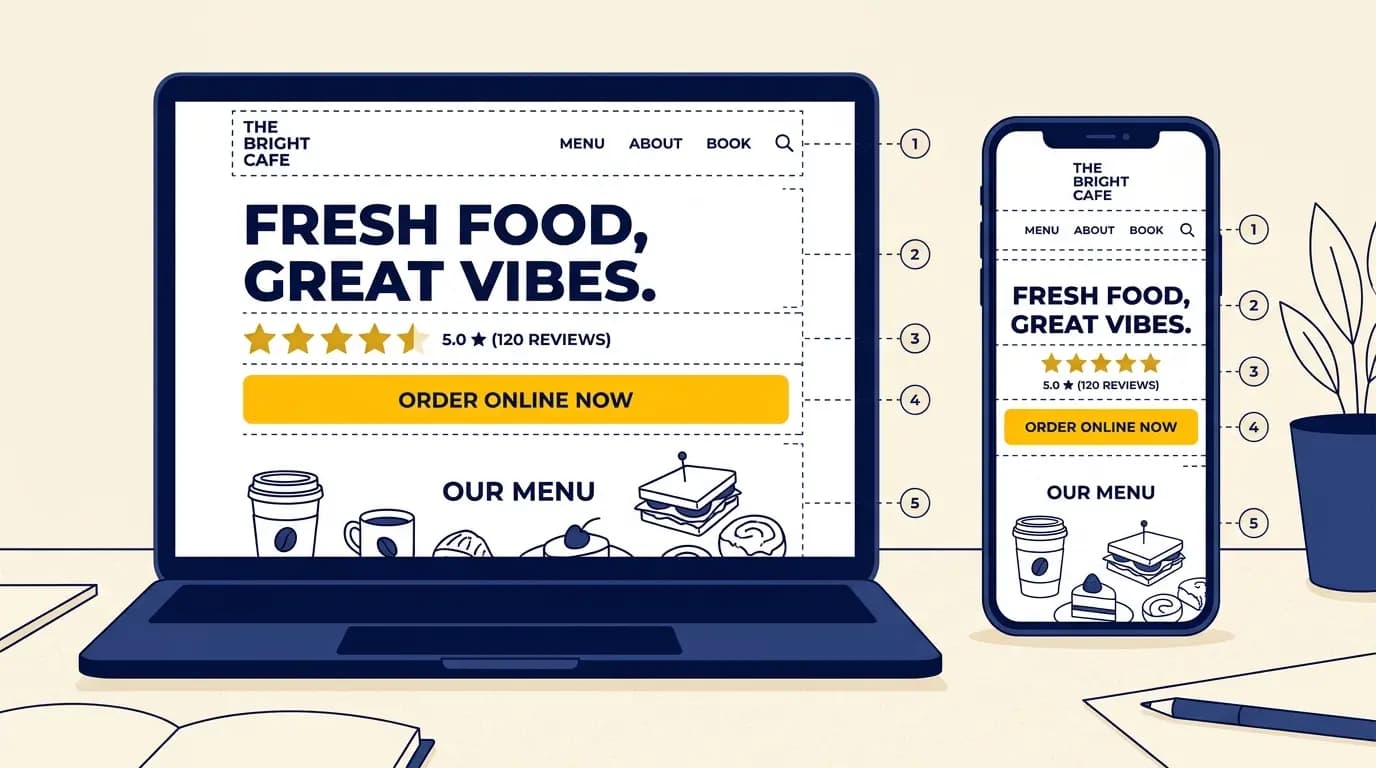
Whichever route you choose, a cheap site still has to work. Check it against what every small shop website needs, and use a high-converting website layout so the visitors you get turn into calls and bookings.
Get Started
Build it free, pay only to publish
Paste your Google Maps link into Entro and get a complete, editable local business website in about a minute, free to start. You only pay when you are ready to go live.
Final Thought
The cheapest local business website is not the one with the lowest monthly fee. It is the one that costs you the least in money and time combined to get a professional result online. For a local business, that means starting from the content you already have on Google Maps, building it free, and paying only for the few things that are genuinely worth it: a custom domain and publishing.
Start free, see the finished site, and decide from there. You can always add a domain or upgrade later. What you should not do is pay thousands upfront, or spend an afternoon on a cheap template, before you have even seen what your site could look like.
Updated October 2026.
Frequently asked questions
The cheapest way is to build from the content you already have on Google Maps, starting for free and paying only when you publish. If your business is on Google Maps, Entro pulls your photos, reviews, and details from your listing and generates an editable website in about a minute, free to start. You only pay for a custom domain and publishing. This beats even free-plan builders, which still make you gather content and write from a blank page and leave you with branding and a subdomain you will want to pay to remove.
You can build and preview one for free, yes. Entro is free to start and builds your site from your Google Maps link before you pay anything. Free-plan builders like Wix and WordPress.com also let you publish for free, but with their branding and a subdomain (yourbusiness.wixsite.com), which is not suitable for a professional business long-term. In practice, the only things genuinely worth paying for are a custom domain ($10 to $35 a year) and publishing without branding. Everything up to that point can be free.
Most local businesses should spend very little: a custom domain at $10 to $35 a year, plus a low monthly builder fee or nothing if they start on a free-to-start tool. A realistic all-in budget for a professional small business site is under $200 a year using a builder. Spending thousands on a freelancer or agency only makes sense when you have a specific need, such as custom functionality or a complex store, that a builder genuinely cannot meet. For a standard local business site, that is rare.
A free plan can get you online, but with trade-offs: builder branding, a subdomain instead of your own domain, and all the content work still on you. For a professional local business, a custom domain is worth the small cost because a free subdomain looks unfinished and hurts trust. The best approach is to build and preview for free, confirm the site looks right, and then pay only for the domain and publishing. That keeps the cost minimal while still giving you a professional result.
Four main ones. Renewal pricing: the cheapest builders advertise an introductory rate that jumps sharply when the first term ends. Transaction fees: some low-tier ecommerce plans take a percentage of every sale on top of payment processing. Add-ons: booking, email marketing, and extra features are often billed separately and add up. And the cost of removing branding: free plans stay free only with the builder's name and a subdomain on your site. Always calculate the yearly total with these included, not just the headline monthly price.
According to WebsiteSetup's 2026 cost guide, developers charge around $50 to $95 an hour and a small site takes roughly 40 to 80 hours, so a freelancer-built small business website typically costs about $2,000 to $7,600 before hosting, a domain and later changes. For most local businesses, a builder gets the same result for a fraction of that.
Only on the introductory term. Hostinger's cheapest builder plan is advertised at $2.99 a month, but that rate requires a 48-month commitment and renews at $10.99 a month, according to Website Builder Expert's 2026 pricing review. It can still be good value, but compare the renewal price and the yearly total, not just the headline number.
Not usually, once you count your time. Self-hosted WordPress hosting can cost as little as $2 to $10 a month plus a domain, but you handle setup, plugins, security and updates yourself, and premium themes or plugins add cost. For a non-technical local business owner, a hosted builder that includes hosting, security and updates in one fee is usually cheaper overall.
If you want to look professional, yes. A custom domain such as yourbusiness.com usually costs $10 to $35 a year and is the single most worthwhile cost for a small business website. Free plans give you a subdomain like yourbusiness.builder.com instead, which looks unfinished to customers and is harder to remember.
Written by
Cyrus
Head of Marketing, Entro
Cyrus writes about mobile app marketing, ASO, and conversion optimization. He's spent the last 3+ years helping indie developers and startup founders get more downloads from organic channels, without paid UA budgets.
Before Entro, he ran growth for two consumer apps that together passed 500,000 downloads on the App Store. Most of what he writes comes from mistakes made with his own money first.
Related articles