App Store Keyword Research: The 7-Step Process That Actually Moves Rankings in 2026
I launched my first app with the keyword field filled in about 20 minutes before submission. I typed what I thought people would search for, separated them with commas, and shipped it. Six weeks later the app had 340 downloads. The keyword field had 18 words in it and we were ranking for none of them above position 30. The terms were either too competitive, too irrelevant, or too vague.

Cyrus
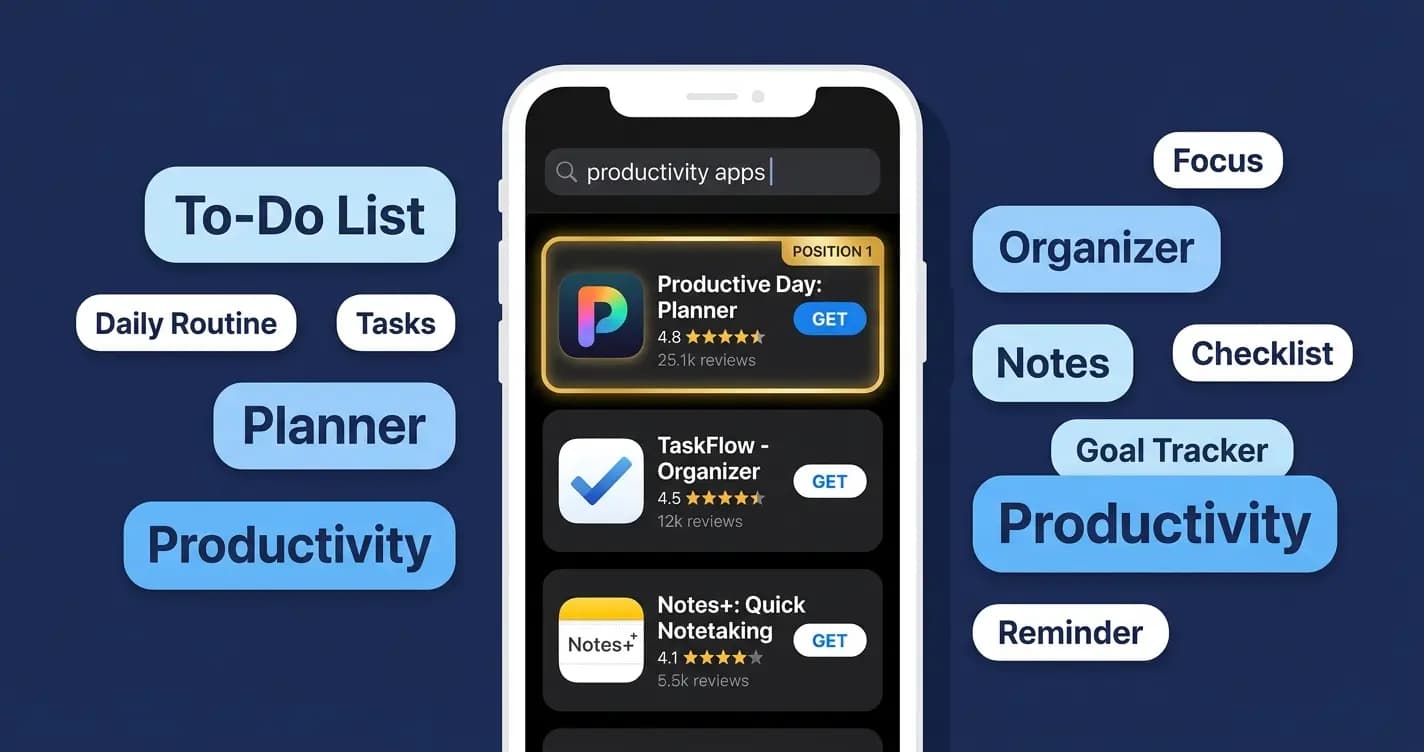
I launched my first app with the keyword field filled in about 20 minutes before submission. I just typed what I thought people would search for, separated them with commas, and shipped it.
Six weeks later, the app had 340 downloads. The keyword field had 18 words in it and we were ranking for none of them above position 30. The terms I had chosen were either too competitive (every major app in the category was targeting them), too irrelevant (I had used feature names that nobody searched for), or too vague (single words that matched hundreds of apps with more reviews and more downloads).
The fix was not creative. It was systematic. A proper keyword research process, applied methodically, moved the same app to page 1 for 11 search terms within eight weeks. Downloads went from 340 in month one to 2,100 in month three, almost entirely from organic App Store search traffic.
This guide covers that process. Not the theory. The actual steps, in the actual order, with the specific tools and decisions at each stage. Apple and Google Play are covered separately because their indexed fields and ranking signals are genuinely different, and a single strategy across both stores leaves visibility on the table.
Before You Start: How Apple and Google Play Actually Index Keywords
The single most important thing to understand before doing any keyword research is which fields each store reads. Most developers waste their 100-character Apple keyword field by repeating words that are already in their title, or skip keywords from their Google Play description because they did not know Google indexes it. Both mistakes cost real rankings.
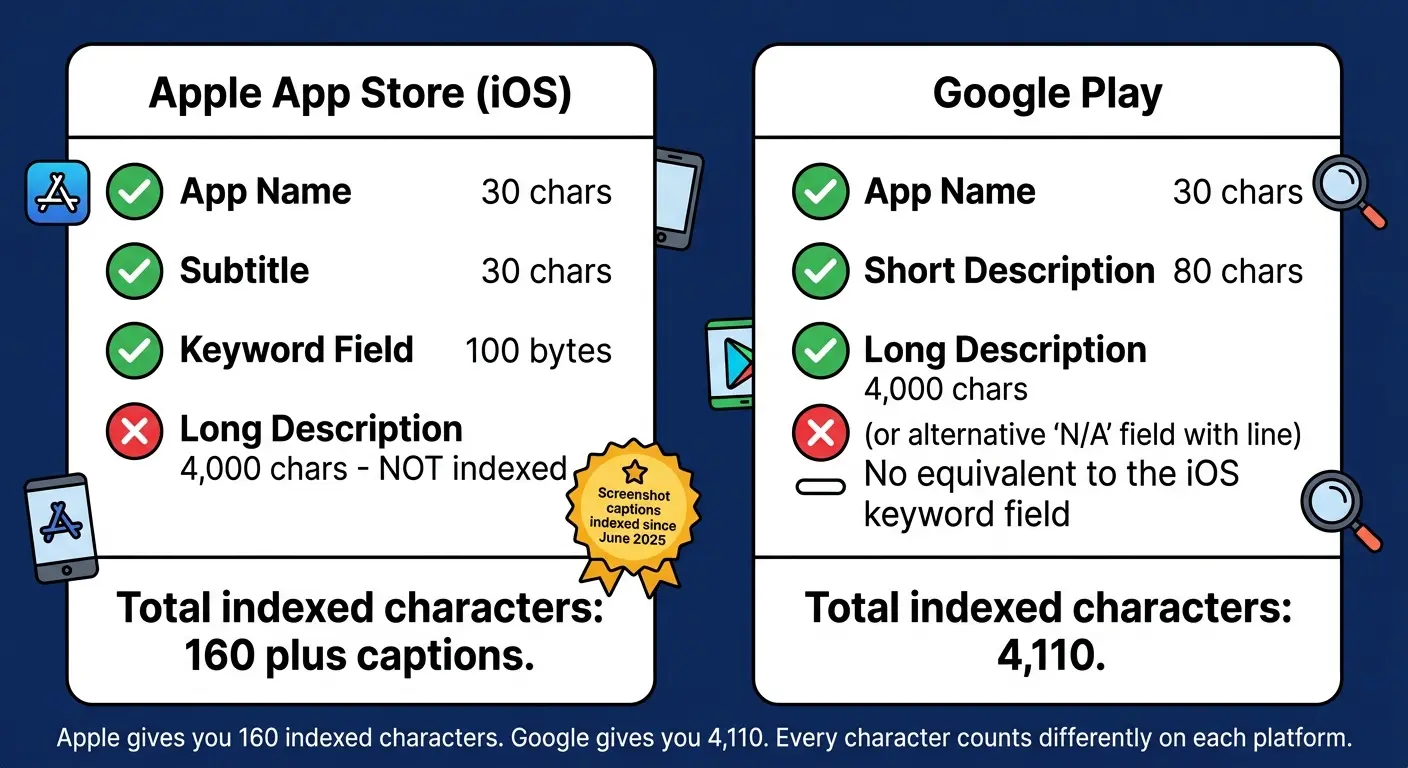
Field | Apple App Store | Google Play | Notes |
App name / title | 30 characters, fully indexed | 30 characters, fully indexed | Most important field on both platforms. Every word here is weighted heavily. |
Subtitle / short description | 30 characters, fully indexed (iOS) | 80 characters, fully indexed (Play) | Second most important field. Do not repeat words from the title. |
Keyword field | 100 bytes, fully indexed (iOS only) | Does not exist on Google Play | Apple only. Hidden from users. Comma-separated, no spaces. Do not repeat title or subtitle words. |
Long description | 4,000 characters, NOT indexed (iOS) | 4,000 characters, FULLY indexed (Play) | This single difference changes everything about how you write for each store. |
Screenshot captions | Indexed via OCR since June 2025 (iOS) | Not indexed (Play) | New 2026 opportunity. Caption text in your first 3 screenshots is now a ranking signal on iOS. |
In-app event titles | 30 characters, indexed (iOS) | N/A | Each in-app event title expands your indexed keyword surface on iOS. |
In-app purchase names | Indexed (iOS) | Not indexed (Play) | Each IAP name adds to your iOS keyword surface if named strategically. |
The most expensive keyword research mistake on iOS: repeating a word from your title or subtitle in the keyword field. Apple automatically deduplicates across all three indexed fields. Repeating 'budget' in your keyword field when it already appears in your title wastes one of your 100 characters without adding any ranking benefit. List every word in your title and subtitle before filling the keyword field, then exclude them all.
The 2026 change most developers have not adapted to: since June 2025, Apple extracts text from screenshot captions via OCR and treats it as ranking signal metadata. Caption text in your first three screenshots now competes with your title, subtitle, and keyword field for indexing weight. This is real, undercovered ASO surface that most competitors are ignoring.
The 7-Step App Store Keyword Research Process
These steps work for both iOS and Google Play. Where the process diverges for each store, it is called out explicitly. Do not skip steps. Each one feeds the next.
1) Build Your Seed List Without Volume Bias
Start by generating the largest possible list of potentially relevant terms before touching any tool. Volume data at this stage will bias you toward obvious, highly competitive keywords and away from the long-tail terms where you can actually rank.
Write down every word a user might type to find an app that solves the problem yours solves. Think in problem language ('track my spending', 'remember my passwords', 'learn guitar chords') not feature language ('budget dashboard', 'secure vault', 'chord library').
Sources for seed keywords: the core function of your app in plain language, the problem it solves for users, competitor app names (you cannot target these on iOS but you can on Google Play via description), category and subcategory names, review language (look at what your existing users say in reviews), Google autocomplete for your topic, and your own App Store search bar autocomplete.
Aim for 60 to 100 seed terms before filtering. The filtering happens in Step 3. At this stage, quantity and variety matter more than precision.
2) Research Competitor Keywords
The fastest shortcut in keyword research is finding the keywords that top-ranking apps in your category are already using. They have done the research. Your job is to find the gaps.
For iOS: use AppTweak, Sensor Tower, MobileAction, or Sonar to view the estimated keyword ranking of your top 5 to 10 competitors. Look for keywords where competitors rank in positions 4 to 15. These are terms with proven demand where the top 3 positions are not yet locked. That is your entry point.
For Google Play: competitors' long descriptions are fully indexed. Read them carefully. The keywords they repeat are the ones they are targeting. Use AppTweak or Sensor Tower to see their ranking keywords and find gaps your competitors have missed.
Specifically look for: keywords where no single app dominates positions 1 to 3 with significantly more reviews than you, long-tail phrases (3 words or more) that have a specific intent, and category-adjacent terms that competitors in related categories are ranking for.
3) Score Each Keyword on Volume, Difficulty, and Relevance
Every keyword needs three scores before you decide whether to target it. Volume (how often users search for it), Difficulty (how hard it is to rank for), and Relevance (how likely a user searching this term is to download your app after finding it).
For iOS volume: Apple Search Ads provides a Search Popularity (SP) score from 5 to 100. It is a relative, logarithmic scale. SP 100 is not 20x SP 5: it is dramatically more. Important 2026 update: Apple's API for SP scores collapsed in October 2025, with 77% of keywords dropping to a flat score of 5 regardless of real volume. Tools like Sensor Tower, AppTweak, and Sonar now use their own independent models to estimate volume. Use multiple tools and treat the scores as directional signals, not absolute numbers.
For difficulty: tools show difficulty as a score from 0 to 100 based on the review count, rating, and download velocity of apps currently ranking positions 1 to 3. A difficulty of 30 on a keyword where top-ranking apps have 200 reviews is genuinely attainable. A difficulty of 30 on a keyword where top-ranking apps have 50,000 reviews is not.
Target zones: SP 35 to 60, difficulty below 40 = primary targets. SP 60 to 80, difficulty 40 to 60 = secondary targets (will take longer). SP 80 plus, difficulty above 60 = long game only (rank for these after building authority). SP below 35, difficulty below 30 = quick wins (low volume but fast to rank, good for building traction).
Keyword tier | Volume (Apple SP) | Difficulty | Strategy | Timeline to rank |
Quick wins | 35 to 50 | Below 30 | Target immediately. Low competition, rankable quickly even with few reviews. | 1 to 3 weeks |
Primary targets | 50 to 70 | 30 to 50 | Core keyword set. Enough volume to matter, achievable with consistent effort. | 4 to 8 weeks |
Secondary targets | 60 to 80 | 40 to 60 | Target after primary ranking is established. Higher volume reward for more effort. | 8 to 16 weeks |
Long game | 70 to 100 | Above 60 | Include in metadata but do not count on ranking until app has strong review velocity. | 16 plus weeks |
Avoid | Any SP | Above 80 | Apps with 100K plus reviews dominate these. You cannot outrank them without a massive review base. | N/A |
4) Filter for User Intent
Volume and difficulty tell you whether you can rank. Intent tells you whether ranking will actually convert to downloads. A keyword with high volume and low difficulty is worthless if the users searching it are not your users.
Three intent signals to check for every keyword: (1) Download intent vs browse intent: 'best meditation app' has download intent. 'what is meditation' does not. You want keywords where users are looking to install something, not just read about it. (2) Category fit: search the keyword in the actual App Store and look at the results. If the top results are a completely different type of app from yours, the algorithm has decided the keyword belongs to a different category. You will struggle to rank regardless of metadata. (3) User problem match: does your app actually solve what a user searching this term needs? A keyword that drives installs but not retention creates a review penalty that hurts all your other rankings.
Practical filter: for each keyword on your list, search it in the App Store or Google Play. Look at the top 5 results. Are they apps like yours? If yes, keep the keyword. If they are completely different app types, remove it.
5) Map Keywords to Metadata Fields Strategically
Now you have a filtered, scored keyword list. The next step is deciding which words go where. The placement hierarchy is the same for both stores: the most important, highest-volume target keywords go in the title first, then the subtitle or short description, then the remaining fields.
iOS field mapping rules:
Title (30 chars): your highest-priority, highest-volume keyword plus your brand name. Format: '[Primary Keyword] - [Brand Name]' or '[Brand Name]: [Primary Keyword]'. Every word here is weighted most heavily by the algorithm.
Subtitle (30 chars): your second and third highest-priority keywords. Do not repeat any word from the title.
Keyword field (100 bytes): every remaining keyword not already covered by the title or subtitle. Use individual words rather than phrases where possible: Apple combines words from the keyword field with words from the title and subtitle to build indexed phrases automatically. 'budget' in the keyword field plus 'tracker' in the title gives you 'budget tracker' without using the phrase in either field.
Screenshot captions (new June 2025): treat the first three screenshot captions as an additional keyword surface. Include your second and third tier target keywords naturally in the caption text.
Google Play field mapping rules:
Title (30 chars): highest-priority keyword plus brand. Same as iOS.
Short description (80 chars): write naturally for users, include 2 to 3 keywords. Google reads this for relevance signals.
Long description (4,000 chars): write for users first. Include your target keywords naturally at a density of 2 to 3% (roughly once per 50 words). Do not stuff. Google's algorithm penalises repetitive, unnatural copy and the description is what users read before deciding to install.
The Apple keyword field character counter: the field is 100 bytes, not always 100 characters. Standard ASCII characters are 1 byte each. Accented characters, characters from non-Latin scripts, and some special characters use more than 1 byte. Always count bytes not characters when targeting non-English markets. Tools like AppLaunchFlow's ASO copy generator count bytes automatically. Saving one character per keyword by removing spaces after commas gives you room for 2 to 3 additional short keywords across 15 terms.
6) Use Apple Search Ads as a Free Validation Layer
Apple Search Ads (renamed from Search Ads in April 2025) gives you the most direct signal of keyword demand available for iOS: the Search Popularity score. You can access this without a live campaign or any payment method on file.
How to use it: go to your Apple Search Ads account, create a new campaign, select your app, and begin adding keywords to an ad group. As you type each keyword, Apple shows you its Search Popularity score (1 to 5 dots in the interface, or 5 to 100 in the API). This is Apple's own data about how often users search for this term.
Important 2026 caveat: since October 2025, Apple's API has been showing a flat score of 5 for most keywords, regardless of real search volume. Use Apple Search Ads scores as directional signals alongside third-party tool estimates (AppTweak, Sonar, Sensor Tower) rather than as standalone truth. A keyword showing 5 in the Apple interface may still have meaningful search volume that third-party tools are tracking independently.
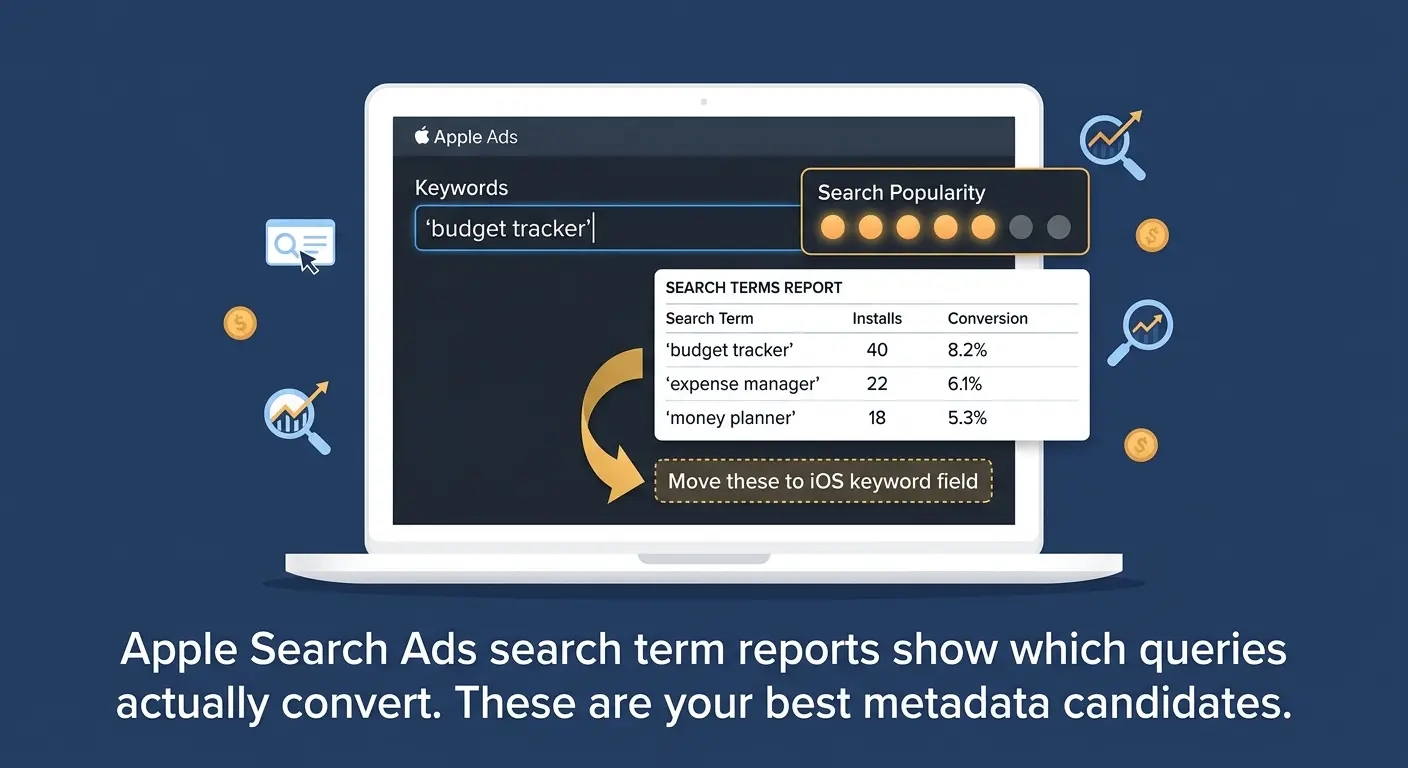
The more valuable use of Apple Search Ads for keyword research: run a Search Match campaign with a small daily budget ($5 to $10). Let it run for 2 weeks. Pull the Search Terms report. This shows you the exact search queries that triggered your app's appearance in paid results. High-converting search terms in paid results are your best candidates for organic metadata because they prove both demand and conversion intent for your specific app.
7) Track, Iterate, and Update on a Schedule
App store keyword research is not a one-time task. The algorithm updates. Competitors change their metadata. New search trends emerge. An app that does not update its keyword strategy loses ground to apps that do.
What to track weekly: keyword rankings for all targeted terms (use a tool that logs daily position changes), new reviews (review language reveals user vocabulary that may include keywords you are not targeting), competitor metadata changes (AppTweak and Sensor Tower alert you when competitor metadata updates).
Update cycle: review your keyword performance every 4 weeks. A keyword where you have improved from position 20 to position 8 is worth keeping and potentially worth moving to a higher-priority field. A keyword where you have not moved above position 25 after 8 weeks is not responding and should be replaced.
iOS metadata updates: changes to the keyword field take effect at the next app update submission. You do not need to update the binary: submitting a metadata-only update in App Store Connect is sufficient. Google Play description updates take effect within a few days of publishing, with ranking changes appearing 1 to 2 weeks after.
Benchmark: initial ranking improvements from a keyword optimisation typically appear within 1 to 2 weeks on iOS and within 1 week on Google Play. Meaningful traffic impact takes 4 to 8 weeks of iterative testing as you find the keywords that both rank and convert.
The Best App Store Keyword Research Tools in 2026
You do not need all of these. One good tool covers the core workflow. The differences matter when you are optimising at scale or need specific capabilities.
Tool | Best for | iOS keyword data | Google Play data | Starting price | Free option |
AppTweak | Most complete ASO platform, competitor analysis | Own model (SP collapse workaround) | Yes | $83/month | 14-day trial |
Sensor Tower | Enterprise scale, most historical data | Own Traffic Score model | Yes | Contact for pricing | Limited free data |
MobileAction | Mid-market, good value for depth | Own model | Yes | $15/month (ASO) | Limited |
Sonar (trysonar.app) | Real Apple SP scores, free entry point | Direct Apple SP data | Estimated model | Free tier available | Yes, generous |
AppFollow | Keyword tracking, review management combined | Yes | Yes | From $23/month | Trial |
AppLaunchFlow | Copy generation, metadata workflow | Yes | Yes | Free tier | Yes |
Apple Search Ads (direct) | Free volume signal from Apple directly | Apple SP (affected by Oct 2025 changes) | N/A | Free (need account) | Yes, always free |
The best free starting point in 2026: Sonar (trysonar.app) shows real Apple Search Popularity scores without needing your own Apple Search Ads account, and labels which keywords use Apple's direct data versus their calibrated estimator. Combined with the Apple Search Ads campaign builder as a free validation layer, you can do serious keyword research at zero cost before committing to a paid tool.
The 8 Keyword Research Mistakes That Cost Rankings
Mistake | Why it happens | The fix |
Repeating words from title in the keyword field | Developers think repetition strengthens ranking signals | List every word in your title and subtitle. Exclude all of them from the keyword field. Apple deduplicates automatically. |
Using spaces after commas in the iOS keyword field | Standard punctuation habit | Remove all spaces: 'budget,tracker,expense' not 'budget, tracker, expense'. Spaces after commas waste one character per keyword. |
Targeting only high-volume keywords | Volume is visible; difficulty is not obvious | Target a mix: 20% high-volume long game, 50% medium-volume primary targets, 30% low-volume quick wins. |
Keyword stuffing the Google Play description | Thinking more mentions means better ranking | Google penalises unnatural repetition. Aim for 2 to 3% density. Write for the user, include keywords naturally. |
Not updating keywords after launch | Setting and forgetting | Schedule a keyword review every 4 weeks. Update the keyword field with every app update submission. |
Using the description for iOS ranking | Google Play habit applied to iOS | Apple does not index the iOS description for search. Every keyword in your description is invisible to the iOS algorithm. Put them in the keyword field. |
Targeting competitor brand names on iOS | Works on Google, illegal on iOS | Apple Guideline 2.3.7 bans competitor brand names in metadata. This can result in app removal. |
Ignoring screenshot captions as a keyword surface | Most guides pre-date the June 2025 OCR update | Include target keywords naturally in the captions of your first 3 screenshots. This is new indexed surface that most competitors have not optimised. |
Platform-Specific Keyword Strategies: iOS vs Google Play
iOS-Specific Strategy
iOS keyword research is a compression problem. You have 160 indexed characters across the title, subtitle, and keyword field (plus the new screenshot caption surface from June 2025). Every character must be deliberate.
Think in individual words, not phrases: Apple combines words from different fields to build search queries. 'budget' in the keyword field plus 'tracker' in the title gives you 'budget tracker' as a rankable phrase without using those words together in either field. This means your 100-character keyword field covers exponentially more search queries than the character count suggests.
Localise to unlock more keyword slots: each additional App Store locale (language and region combination) gives you a separate set of title, subtitle, and keyword fields. A UK English localisation and a US English localisation are separate indexed surfaces. Localising to 5 to 10 markets does not mean translating: it means researching the search language of each market and optimising separately. Japanese users search differently from German users even for the same app category.
Use in-app events strategically: each in-app event title (30 characters) is indexed by the Apple algorithm. An app that runs regular in-app events with keyword-rich titles is expanding its searchable keyword surface with every event.
Monitor your App Store Connect Analytics peer group benchmarks: since March 2026, App Store Connect includes peer group conversion benchmarks, showing how your product page converts compared to similar apps in your category. If your conversion rate is below the peer group median, keyword ranking improvements will be diluted because the installs-per-impression ratio affects organic ranking signals.
Google Play-Specific Strategy
Google Play keyword research is a content problem. You have 4,110 indexed characters across the title, short description, and long description. The discipline is writing naturally while covering your target keywords at appropriate density.
Write the long description for users, then check keyword coverage: write the description as if the keyword field did not exist (because on Google Play, it does not). Then check which of your target keywords appear naturally. Any gaps can be addressed in a revision pass, adding keywords where they fit naturally in the flow.
Use the short description as a conversion and keyword tool: Google indexes the short description (80 characters) and it appears in search results. It needs to both include target keywords and compel users to tap through. It is doing two jobs simultaneously.
Update the description more frequently than iOS: Google Play description updates take effect within days. On iOS, you need a metadata update submission. This means Google Play allows faster iteration on keyword testing.
Use Google Play's A/B testing (Experiments) for description variants: Google Play Console allows you to A/B test your description and screenshots directly. Use this to test whether a description optimised for one keyword set outperforms another on conversion rate.
Final Note
The app that went from 340 downloads to 2,100 in three months did not change a single feature. It changed which 160 characters were in its Apple metadata and how methodically the Google Play description was written. Keyword research is the lowest-cost, highest-leverage change available to any app in any category, and it is the one most developers do last rather than first.
Start with Step 1 today: open a document and write every word a user might search to find an app that solves the problem yours solves. Do not touch a tool yet. The quality of your seed list determines the quality of everything that follows.
Then work through the steps in order. The process takes about 4 to 6 hours the first time. The updates take 30 to 60 minutes every 4 weeks. The return is compounding organic traffic that does not stop when your ad budget does.
Frequently asked questions
App store keyword research is the process of finding the search terms users type into the App Store or Google Play to discover apps like yours, then optimising your app's metadata to rank for those terms. It is the foundation of App Store Optimization (ASO). On iOS, the searchable fields are the app name (30 characters), subtitle (30 characters), and keyword field (100 bytes). On Google Play, the searchable fields are the app name (30 characters), short description (80 characters), and the full long description (4,000 characters). The strategy differs significantly between platforms because the indexed fields and their character limits are different.
Start by brainstorming 60 to 100 terms users might search to find an app like yours, focusing on problem language rather than feature names. Then research competitor keywords using tools like AppTweak, Sonar, or Sensor Tower to find terms where apps similar to yours rank in positions 4 to 15 (proven demand, not yet locked). Score each keyword on volume (Apple Search Popularity score or tool estimate), difficulty (based on the review count of apps currently ranking), and relevance (search the term in the store and check whether results match your app type). Target keywords with medium volume and low difficulty first to build ranking momentum before attempting high-competition terms.
Initial ranking improvements from a keyword optimisation typically appear within 1 to 2 weeks on iOS and within 1 week on Google Play. Meaningful traffic impact, meaning a noticeable change in organic downloads from the new rankings, typically takes 4 to 8 weeks of iterative testing. The timeline is longer for competitive keywords where multiple apps with high review counts are competing for position 1. For quick-win keywords (medium volume, low difficulty), apps with 50 to 200 reviews can reach the top 5 within 2 to 4 weeks.
No. The platforms have different indexed fields and different ranking signals. On iOS, your description is not indexed for search: every keyword in the description is invisible to the algorithm. On Google Play, the full description is indexed: every word matters. This means your iOS keyword strategy focuses on the 160 indexed characters across title, subtitle, and keyword field. Your Google Play strategy focuses on writing a description that covers your target keywords naturally across 4,000 characters. The underlying keyword research is similar, but the implementation is completely different.
The iOS keyword field is a hidden 100-byte metadata field in App Store Connect that Apple's search algorithm uses to determine which additional search queries your app is relevant for. It is never shown to users. Format: comma-separated terms with no spaces after commas (spaces waste characters). Rules: do not repeat any word from your title or subtitle (Apple deduplicates automatically), do not use competitor brand names (violates Guideline 2.3.7), use singular forms (Apple matches both singular and plural), and fill all 100 bytes. Apple combines individual words across the title, subtitle, and keyword field to build compound search queries, so the 100-byte field covers far more search phrases than the character count suggests.
In October 2025, Apple's Search Ads API collapsed, causing 77% of keywords to show a flat popularity score of 5 (the minimum) regardless of real search volume. This affected every major ASO tool that relied on Apple's API for volume data: AppTweak, Sensor Tower, MobileAction, Appfigures, and others all reported the same issue. Most tools responded by building independent volume estimation models that do not rely solely on Apple's API. In 2026, Apple's own interface shows a 1 to 5 dot scale that is more stable than the raw API data. When doing keyword research, use Apple Search Ads scores as directional signals and cross-reference with two or three tool estimates rather than relying on a single source.
Review your keyword performance every 4 weeks. On iOS, keyword field changes require a new app submission (metadata-only updates are accepted without a binary change). On Google Play, description updates take effect within a few days of publishing. Replace keywords that have not moved above position 25 after 8 weeks. Promote keywords where you have moved to positions 8 to 15 by giving them more prominent placement. Add new keyword opportunities discovered from review language, competitor analysis, and Apple Search Ads search term reports. Seasonal keywords should be added 2 to 3 weeks before the relevant period and removed after it passes.
Written by
Cyrus
Head of Marketing, Entro
Cyrus writes about mobile app marketing, ASO, and conversion optimization. He's spent the last 3+ years helping indie developers and startup founders get more downloads from organic channels, without paid UA budgets.
Before Entro, he ran growth for two consumer apps that together passed 500,000 downloads on the App Store. Most of what he writes comes from mistakes made with his own money first.
Related articles