7 Best Website Builders for Nonprofits in 2026 (Discounts, Donations, and Donor Trust)
A development director I know had one rule about the organisation's website: every donation form had to be completable in under 90 seconds. Every donor-facing page had to load in under 2.5 seconds on a phone. Every impact story had to include a specific number.

Cyrus
A development director I know spent three years building a donor database for a mid-sized environmental nonprofit. By the time she left, it had 4,000 active donors and a renewal rate that their executive director described as the envy of every peer organisation they benchmarked against.
She had one rule about the website. Every donation form had to be completable in under 90 seconds. Every donor-facing page had to load in under 2.5 seconds on a phone. Every impact story had to include a specific number, not a vague statement about making a difference. And the financial transparency pages, the ones showing where the money went, had to be findable from the homepage in two clicks.
Those rules were not aesthetic preferences. They were conversion decisions backed by what she had learned watching donors abandon donation forms, leave pages that took too long to load, and stop giving to organisations whose impact they could not verify.
The data she was working from applies to every nonprofit. 88% of online donors say website design influences their trust in a nonprofit (Advanced Systemics, 2026). 1.6% of nonprofit website visitors made a donation in 2025, generating an average of $1.33 per visitor (M+R Benchmarks). That conversion rate sounds small. On 10,000 monthly visitors, it is 160 donations. A donation page that converts at 20% instead of 10% doubles revenue from the same traffic.
There is also an accessibility problem most nonprofit leaders have not confronted directly. 91% of nonprofits have a website, but only 22% of those websites are accessible to people with visual and hearing disabilities (Nonprofit Tech for Good, 2026). That gap is both a legal risk and a mission contradiction: organisations that exist to serve their communities are turning away portions of those communities at the digital front door.
This guide covers 7 website builders for nonprofits in 2026, evaluated on donation conversion, accessibility, available discounts, and what a two-person communications team can realistically maintain. The discounts section alone could save your organisation hundreds of dollars per month.
The State of Nonprofit Websites in 2026: What the Data Shows
Statistic | Source | What it means for your website choice |
88% of online donors say website design influences their trust in a nonprofit | Advanced Systemics, 2026 | Your website is a trust signal before it is a donation tool. Design quality is not vanity. |
Only 22% of nonprofit websites meet accessibility standards (WCAG) | Nonprofit Tech for Good, 2026 | You may be legally exposed and turning away donors, volunteers, and beneficiaries. |
1.6% of website visitors donated in 2025, averaging $1.33 per visitor | M+R Benchmarks | A donation page that performs well doubles revenue on the same traffic. |
Mobile users make 52% of nonprofit website visits but only 28% of revenue | 360MatchPro, 2026 | Mobile visitors browse. Desktop visitors donate. Both experiences must work. |
57% of donors are enrolled in a recurring giving programme in 2026 | Double the Donation, 2026 | Monthly giving infrastructure is now a baseline expectation, not a premium feature. |
68% of online donors most trust .org domains for websites and email | Global Trends in Giving Report | Your domain extension affects donor trust before they read a word. |
Monthly giving now accounts for 31% of all online fundraising revenue | Nonprofit Tech for Good, 2026 | Your website builder must handle recurring giving natively or via a seamless integration. |
Every Nonprofit Website Discount Available in 2026 (All Documented)
This is the section most nonprofit website guides bury in footnotes or skip entirely. Applied correctly, these discounts reduce your monthly platform cost by 40 to 100%.
Platform | Nonprofit discount | How to access | Normal price | After discount |
Wix | 70% off 2-year Premium plans | Apply via TechSoup.org with 501(c)(3) documentation | Up to $159/month | From $5 to $10/month equivalent |
Squarespace | 50% off annual plans | Apply directly at squarespace.com/nonprofit with charity registration | From $16/month | From $8/month |
WordPress.com | 50% off via TechSoup | Register at TechSoup.org as a verified nonprofit | From $4/month | From $2/month |
Webflow | 50% off first year (one site) | Submit documentation via webflow.com/nonprofits | From $14/month | From $7/month (year 1) |
Google Workspace | Free (Nonprofits plan) | Apply at google.com/nonprofits. Includes Gmail, Drive, Docs, Meet | From $6/user/month | Free |
HubSpot | 40% off Marketing, Sales, and Service Hubs (Professional and Enterprise) | Apply at hubspot.com/nonprofits with 501(c)(3) documentation | From $800/month (Pro) | From $480/month (Pro) |
Canva | Free Canva Pro | Apply at canva.com/canva-for-nonprofits. For website imagery and graphics | $12.99/month | Free |
Important: TechSoup is the primary clearinghouse for most platform nonprofit discounts. Register your organisation at TechSoup.org before applying for discounts on Wix, WordPress.com, or other platforms. The verification process typically takes 2 to 5 business days and unlocks discounts across multiple platforms simultaneously. US nonprofits need their 501(c)(3) determination letter. UK charities need their Charity Commission registration number. Other countries have equivalent requirements.
The Accessibility Gap: Why Only 22% of Nonprofit Sites Meet the Standard
WCAG 2.2 AA is the accessibility standard that nonprofit websites should meet. It is also the standard that most do not. The gap is not primarily a technical failure. It is a platform choice failure.
Most general website builders include accessible templates by default. The problem arises when templates are customised in ways that break accessibility: low-contrast colour combinations, images without alt text, videos without captions, donation forms that cannot be completed with a keyboard, and navigation that does not work with a screen reader.
What WCAG 2.2 AA requires in practice: colour contrast ratio of at least 4.5:1 for body text, keyboard navigation across all interactive elements, alt text on all images, captions on video content, and form labels that work with screen readers
The mission argument: if your organisation serves people with disabilities, an inaccessible website is a contradiction of your mission before a visitor reads your About page
The legal argument: the ADA applies to nonprofit websites in the United States. Organisations with inaccessible websites have faced legal action. The risk is proportional to your public profile.
The donor argument: 88% of donors say design influences trust. An accessible site is a better-designed site, because accessibility and usability are the same problem approached from different directions
The platforms on this list that handle accessibility best out of the box: Squarespace (strong default contrast and semantic HTML), WordPress with Equalize Digital Accessibility Checker (most granular accessibility testing available), and Morweb (built to WCAG 2.2 AA standards for nonprofits specifically). Wix's accessibility has improved significantly but requires active configuration to meet WCAG AA on custom designs.
Best Website Builders for Nonprofits at a Glance
Best Overall Squarespace Best design quality for donor trust, 50% off for nonprofits From $8/month (nonprofit rate) | Best Free via TechSoup Wix Free for eligible nonprofits, most features in one platform Free via TechSoup |
Best Purpose-Built Morweb Built exclusively for nonprofits, WCAG 2.2 AA compliance included From $99/month | Best for SEO and Content 50% off via TechSoup, best blogging infrastructure for advocacy From $2/month (nonprofit rate) |
Best for Donation Focus Donorbox + builder Best donation UX combined with your website builder of choice 1.5% platform fee on donations | Best for Membership Orgs Wild Apricot Website, CRM, membership, and events in one platform From $40/month (10% nonprofit discount) |
Quick Comparison: All 7 Platforms
Platform | Donation tools | Accessibility | Recurring giving | Nonprofit discount | Starting price after discount |
Squarespace | Via Donorbox/PayPal | Strong defaults | Via integration | 50% off | From $8/month |
Wix | Via Wix Donations app | Good (config needed) | Via app | Free via TechSoup | Free |
Morweb | Native, built-in | WCAG 2.2 AA native | Yes (native) | Included in pricing | From $99/month |
WordPress.com | Via GiveWP plugin | Best with config | Via GiveWP | 50% off via TechSoup | From $2/month |
Donorbox + builder | Best donation UX on list | Depends on builder | Yes (native) | 1.5% fee (vs 3-5% alternatives) | 1.5% of donations |
Wild Apricot | Native giving + membership | Good | Yes (native) | 10% nonprofit discount | From $36/month |
HubSpot CMS | Via integrations | Good | Via integrations | 40% off Pro tier | Varies (Pro from $480/month) |
Detailed Reviews: Every Platform Tested
Each review includes a Not right for you if row so you can rule options out quickly. Pricing shown is after applicable nonprofit discounts.
1. Squarespace
1. Squarespace Best overall website builder for nonprofits that need donor trust and design quality | |
Squarespace is the platform that most directly addresses the trust problem nonprofit websites face. The 88% of donors who say design influences their trust are responding to exactly what Squarespace does best: clean layouts, strong typography, high-contrast colour combinations, and the editorial quality that makes an impact story look as compelling as the mission it is telling. For a nonprofit whose website is the primary surface on which potential donors evaluate whether to give, Squarespace's design standards are the strongest of any general builder at this price point. | |
At 50% off for verified nonprofits, Squarespace's plans start from $8/month. That discount stacks with the 14-day free trial, which means an organisation can evaluate the platform fully before committing. The donation experience is handled through Donorbox, PayPal, or Stripe integration, each of which can be embedded directly into Squarespace pages as native-feeling forms. Donorbox at 1.5% platform fee is the strongest integration for nonprofits that want recurring giving, peer-to-peer fundraising, and donor management without a separate fundraising platform subscription. | |
The accessibility performance is strong out of the box. Squarespace's default templates use semantic HTML, maintain acceptable colour contrast ratios, and are keyboard-navigable. The gap between Squarespace and WCAG 2.2 AA compliance is smaller than for most general builders, which means the configuration work needed to meet the standard is less. For a small nonprofit communications team that cannot dedicate significant time to accessibility auditing, Squarespace's defaults reduce the compliance risk. | |
Pros | Cons |
50% off for verified nonprofits: from $8/month on annual plans | Native donation tools limited: requires Donorbox or PayPal integration for full giving functionality |
Best design quality for donor trust building of any general builder | Template cannot be changed once the site is live without rebuilding |
Strong default accessibility: semantic HTML, good contrast ratios, keyboard navigation | Less content management depth than WordPress for advocacy organisations with heavy blogging |
Donorbox integration for recurring giving, peer-to-peer, and donor management | Nonprofit discount requires application and verification (2 to 5 business days) |
14-day free trial before committing to a plan |
|
Blueprint AI for fast, coherent starting design from a mission description |
|
Not right for you if: your nonprofit relies primarily on grant funding rather than individual online donations, and your website is more of a programme information resource than a fundraising tool. In that case, WordPress.com at $2/month after discount provides better content infrastructure at lower cost. | |
Our verdict: The strongest starting platform for most nonprofits. The design quality, accessible defaults, and Donorbox integration combination gives the best probability of a website that builds donor trust and converts visits into donations. | |
Pricing: Personal $8/month after nonprofit discount. Business $11.50/month. 14-day free trial. Apply at squarespace.com/nonprofit. Best for: Small to mid-size nonprofits whose primary website goal is donor acquisition and retention. | |
2. Wix
2. Wix Best free option for nonprofits that qualify via TechSoup | |
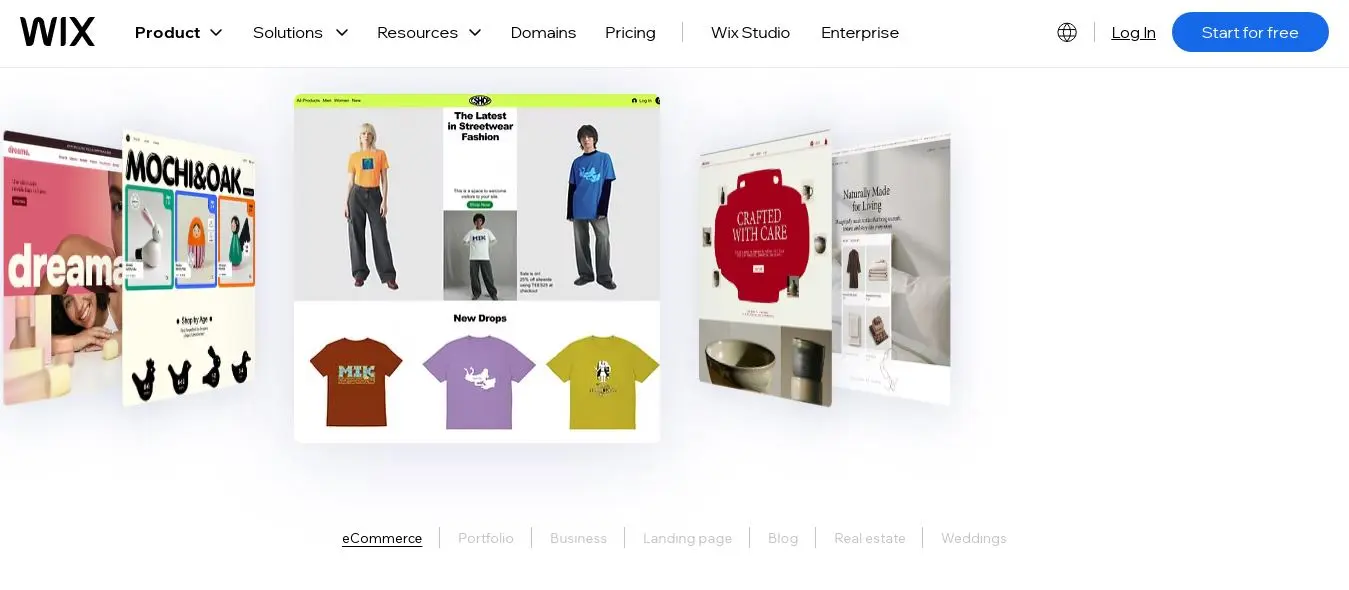
Via TechSoup, eligible nonprofits can access Wix's Business Elite plan, which normally costs up to $159/month, at no cost. That is not a limited trial. It is a permanent free plan for verified nonprofit organisations. For a nonprofit operating on a constrained budget where every dollar of operating cost is scrutinised, the TechSoup route makes Wix the most financially accessible serious platform on this list. | |
The Wix Donations app adds donation forms with recurring giving and campaign goal tracking directly within the platform. The App Market extends this with Donorbox integration, email marketing via Mailchimp or Constant Contact, volunteer management tools, and event ticketing for fundraising events. For a communications team that wants to manage everything from one platform without technical complexity, Wix covers more ground in one subscription than any other option at this price point. | |
The accessibility consideration is honest: Wix has improved significantly since 2023, and the default templates now pass basic WCAG AA checks. However, custom colour and design changes can break accessibility, and Wix does not provide a built-in accessibility audit tool. For nonprofits that need to formally certify accessibility compliance, a third-party audit tool or a platform with native WCAG compliance like Morweb is the more defensible choice. For nonprofits that need a professional, accessible-enough website at zero cost, Wix via TechSoup is the answer. | |
Pros | Cons |
Free for eligible nonprofits via TechSoup (plans up to $159/month at no cost) | TechSoup eligibility requires verified nonprofit status and 2 to 5 business day verification |
Wix Donations app for native giving with recurring gifts and campaign tracking | Accessibility requires active configuration to maintain WCAG AA on custom designs |
900 plus templates including cause-specific and nonprofit designs | Template cannot be changed after the site goes live without rebuilding |
App Market for email marketing, volunteer management, and event ticketing | Pages are not exportable if the organisation needs to migrate to another platform |
AI website builder generates a starting design from a mission description in minutes |
|
Not right for you if: your nonprofit cannot qualify for TechSoup access or needs formal WCAG 2.2 AA certification. In those cases, Squarespace or Morweb is the better fit. | |
Our verdict: The highest-value platform for budget-constrained nonprofits that qualify for TechSoup access. The zero-cost entry point combined with the feature depth of the Business Elite plan makes this the strongest option for organisations that have been priced out of professional website builders. | |
Pricing: Free for eligible nonprofits via TechSoup. Standard pricing from $17/month if TechSoup does not apply. Register at techsoup.org. Best for: Budget-constrained nonprofits of any size that can qualify as registered charitable organisations through TechSoup. | |
3. Morweb
3. Morweb Best purpose-built nonprofit website platform with WCAG 2.2 AA compliance included | |
Morweb is built exclusively for mission-driven organisations and has been since 2004. Every feature on the platform was designed for nonprofit workflows: on-site donation forms with recurring gift options, event ticketing and registration, private member portals, built-in accessibility tools designed to meet WCAG 2.2 AA standards, and dedicated support from staff who understand the nonprofit context. This is not a general website builder with a nonprofit template. It is a platform where the entire product is designed around what a nonprofit communications team needs. | |
The WCAG 2.2 AA compliance is the feature that separates Morweb from every other platform on this list. Morweb builds to this standard by default, audits for compliance as part of the setup process, and provides ongoing accessibility monitoring as part of the subscription. For a nonprofit whose beneficiaries include people with disabilities, or whose legal counsel has identified accessibility as a risk area, Morweb's native compliance removes a significant ongoing management burden. | |
The donation page conversion rate benchmark from Morweb's own 2026 research sets the target: a nonprofit donation page should convert 15 to 20% of visitors who reach the form. That benchmark is significantly higher than what most general builder donation pages achieve, and Morweb's purpose-built donation forms are designed around that conversion target. Fewer fields, clearer suggested amounts, prominent recurring giving toggle, and trust signals (Charity Navigator badge, 501(c)(3) indicator) are all defaults rather than customisation choices. | |
Pros | Cons |
Only platform on this list built exclusively for nonprofits and mission-driven organisations | Most expensive platform on this list at $99/month starting price |
WCAG 2.2 AA compliance built in and maintained as standard, not an add-on | Less visual design flexibility than Squarespace or Webflow for brand-specific customisation |
Donation page conversion optimised to 15 to 20% target from the start | Smaller template library and less widespread name recognition than major platforms |
Recurring giving, event ticketing, and member portals native to the platform | Not suitable for organisations that do not need the full nonprofit-specific feature set |
Support team with genuine nonprofit sector knowledge |
|
Not right for you if: your nonprofit is primarily a content publisher or advocacy organisation that does not need native donation tools, membership management, or formal accessibility certification. Squarespace or WordPress is a better value for that use case. | |
Our verdict: The right platform for nonprofits that need WCAG 2.2 AA compliance without ongoing technical management, and for organisations where donation page performance and accessibility are both strategic priorities. The premium over general builders is justified when the alternative is paying separately for accessibility auditing and donation conversion optimisation. | |
Pricing: From $99/month (Essential). $199/month (Pro). $299/month (Enterprise). Contact Morweb at morweb.org for current pricing. Best for: Mid-size to large nonprofits that need WCAG 2.2 AA compliance, native donation tools, and purpose-built nonprofit workflows. | |
4. WordPress.com
4. WordPress.com Best website builder for nonprofits with advocacy missions and regular content publishing | |
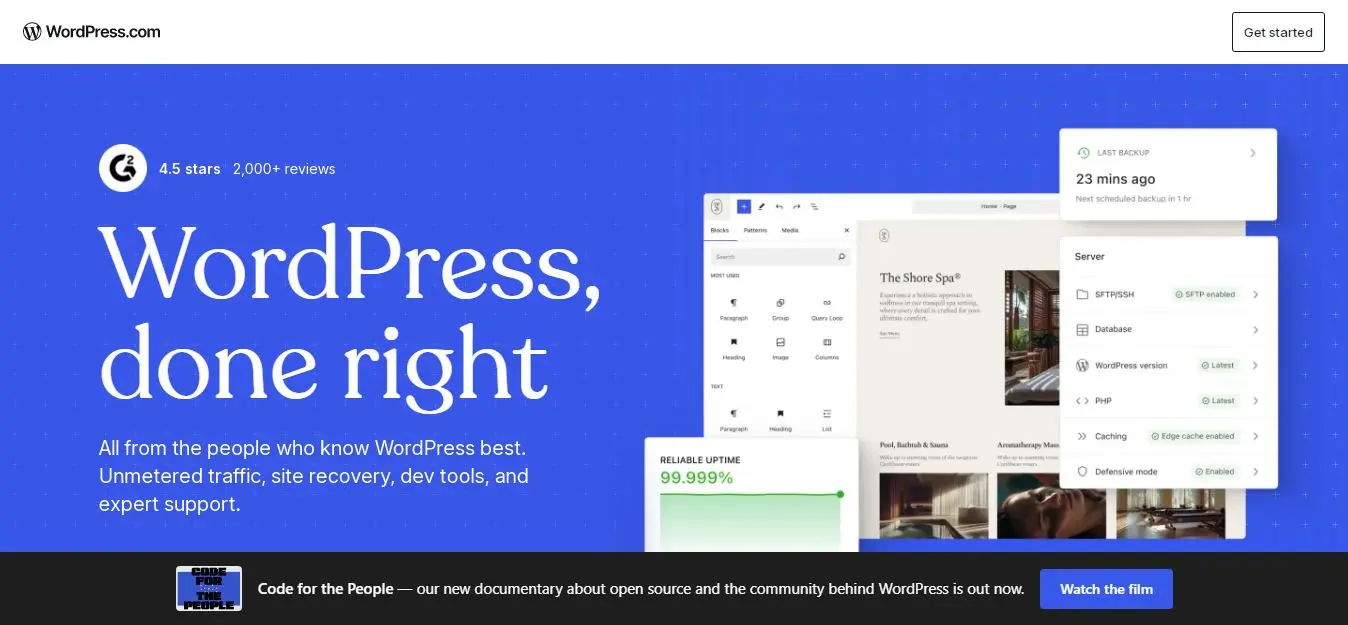
WordPress.com at 50% off via TechSoup starts at approximately $2/month for a nonprofit. That is the lowest price point for a serious blogging and content management platform on this list, and the content infrastructure is the most capable available. For an advocacy nonprofit, a policy organisation, a community development group, or any organisation whose website is primarily a publishing platform for reports, campaigns, and programme updates, WordPress.com has more content depth than any general builder. | |
The SEO capability matters significantly for nonprofits that rely on organic search for donor acquisition, volunteer recruitment, or community awareness. With Yoast SEO or Rank Math installed (both available on paid WordPress.com plans since the April 2026 plugin expansion), every programme page, every impact report, and every campaign landing page can be fully optimised. Schema markup for NonprofitType helps search engines and AI assistants identify your organisation type and surface your content for relevant searches. | |
The donation infrastructure has improved significantly with the April 2026 plugin expansion. GiveWP, the most widely used nonprofit donation plugin for WordPress, is now available on Business plan and above without requiring a developer to install it. GiveWP supports recurring giving, donor management, fundraising campaigns, donation goal tracking, and over 35 payment gateway integrations at a 0% platform fee. Combined with WordPress.com's content capabilities, it makes the platform the strongest choice for advocacy organisations that need both publishing depth and serious donation infrastructure. | |
Pros | Cons |
50% off via TechSoup: from approximately $2/month for nonprofits | GiveWP and advanced plugins require the Business plan at $40/month (or $20/month after nonprofit discount) |
Best content management and blogging infrastructure of any option on this list | Less visually polished out of the box than Squarespace for donor-facing design quality |
GiveWP integration for 0% fee donations, recurring giving, and campaign management | More complex to configure for teams without technical experience |
Best SEO infrastructure for nonprofits that rely on organic search for awareness | Newsletter tools require third-party integration (Mailchimp, Constant Contact) |
60,000 plus plugins available on paid plans since April 2026 |
|
Not right for you if: your nonprofit needs to be up and running with a donation-focused site this week and has no technical resource. Squarespace or Wix via TechSoup is faster and simpler. | |
Our verdict: The right platform for content-driven nonprofits: advocacy organisations, policy groups, community development bodies, and any organisation where publishing regular content is as important as accepting donations. The SEO infrastructure and content depth cannot be matched at this price. | |
Pricing: Personal $2/month after nonprofit discount (via TechSoup). Business $20/month after nonprofit discount (required for GiveWP and advanced plugins). Best for: Advocacy nonprofits, community organisations, and policy groups that publish regular content and need strong SEO alongside donation capability. | |
5. Donorbox (with any website builder)
5. Donorbox (with any website builder) Best donation tool for nonprofits: works with every platform on this list | |
Donorbox is not a website builder. It is a donation platform that integrates with every website builder on this list and, as of 2026, has processed over $2 billion in nonprofit donations. The reason it earns its own review: the donation page is the highest-stakes page on a nonprofit website, and the difference between a purpose-built donation tool like Donorbox and a general builder donation form is measurable in conversion rate. Donorbox's forms are designed around one goal: completing a donation. Every field, every trust signal, every suggested giving amount, and every recurring giving toggle is optimised for that conversion. | |
The platform fee is 1.5%, compared to 3 to 5% for most generic donation processors embedded in website builders. On $100,000 of annual online donations, the difference between 1.5% and 3% is $1,500 per year. The difference between 1.5% and 5% is $3,500. For many small nonprofits, that is a part-time staff member's monthly salary. Donorbox also supports recurring giving, peer-to-peer fundraising campaigns, matching gift integration, Charity Navigator badge display, and donor management, all of which are either unavailable or significantly more expensive on general builder donation tools. | |
The practical setup: choose any website builder from this list for the public-facing pages (Squarespace for design quality, Wix for zero cost via TechSoup, WordPress for content depth), then embed Donorbox as the donation form on your giving page and the sticky donation button in your header. The embedded form looks native to your site. Donors do not leave your domain to complete a gift. And all donation data flows into the Donorbox donor management system rather than into a general builder's contact database. | |
Pros | Cons |
1.5% platform fee: lower than most alternatives (typical range 3 to 5%) | Not a website builder: requires a separate platform for all non-donation pages |
Over $2 billion in donations processed: proven scale and reliability | 1.5% fee applies on top of payment processing fees (Stripe adds 2.9% plus $0.30) |
Recurring giving, peer-to-peer, matching gift, and campaign tools native | Setup requires embedding forms correctly in your chosen website builder |
Charity Navigator badge integration: trust signal built into donation forms | Donor management dashboard is separate from your website analytics |
Works with Squarespace, Wix, WordPress, Webflow, and every other builder on this list |
|
Not right for you if: your existing website builder already provides a donation tool with recurring giving and matching gift integration that you are satisfied with. Donorbox adds most value when the current donation experience is a generic payment form with no optimisation. | |
Our verdict: The most cost-effective donation infrastructure upgrade available for nonprofits already on any website builder. The 1.5% fee alone saves most mid-size nonprofits more than the cost of a Donorbox subscription annually. | |
Pricing: Free plan available (limited features). Starter from $0 plus 1.5% platform fee. Premium from $139/month (removes fee on higher volumes). Apply at donorbox.org/nonprofit-registration for verified nonprofit status. Best for: Nonprofits on any website builder who want to improve donation conversion rates and reduce payment processing costs. | |
6. Wild Apricot
6. Wild Apricot Best website builder for membership-based nonprofits and associations | |
Wild Apricot is the platform of choice for membership organisations, professional associations, advocacy clubs, alumni groups, and any nonprofit whose primary relationship with supporters is through a membership rather than a one-time or recurring donation. The website builder, member database, event management, email communications, and membership payment processing are all integrated in one platform. A member who registers for an event on the website appears in the member database. A membership fee that lapses triggers an automated renewal reminder. A new member who joins through the website gets a welcome email sequence from the same system. | |
The 10% nonprofit discount makes the platform more accessible, though at $40 to $200/month depending on membership tier, Wild Apricot is not the lowest-cost option on this list. The value is in the integration: a nonprofit currently paying separately for a website builder, a member database (Salesforce or NationBuilder), an email platform (Mailchimp), and an event management tool is likely paying more than Wild Apricot's total subscription cost while managing four separate systems. | |
The website component is professional and functional rather than visually exceptional. Wild Apricot sites are clearly built for utility: member portals, event calendars, chapter directories, and membership renewal pages are all handled cleanly. For an organisation where the visual quality of the public homepage is less important than the functionality of the member-facing tools, Wild Apricot is the right trade-off. | |
Pros | Cons |
Website, member database, events, email, and membership payments in one platform | Website design less visually impressive than Squarespace or Webflow |
10% nonprofit discount on all plans | Not suitable for nonprofits whose primary relationship with supporters is donation-based rather than membership-based |
Automated membership renewal reminders and lapsed member workflows | Pricing scales with member count: large member databases become expensive |
Member-only content areas and private community forums native | Less donation-focused than Donorbox or Morweb for fundraising-primary organisations |
Used by thousands of associations, clubs, and membership nonprofits worldwide |
|
Not right for you if: your nonprofit's relationship with supporters is primarily through donations rather than formal membership. In that case, Squarespace with Donorbox, or Morweb, serves a fundraising-primary nonprofit better. | |
Our verdict: The right platform for any nonprofit where member management is the primary operational function. If you have been managing a member database and a separate website as two disconnected systems, Wild Apricot's integration pays for itself in reduced administrative time. | |
Pricing: Personal $40/month (up to 100 members). Group $50/month (up to 250 members). 10% nonprofit discount. 30-day free trial. wildapricot.com Best for: Membership-based nonprofits, professional associations, alumni organisations, and chapter-based advocacy groups. | |
7. HubSpot CMS
7. HubSpot CMS Best for nonprofits where donor management and marketing automation are strategic priorities | |
HubSpot is not primarily a website builder. It is a CRM and marketing automation platform that includes a website builder. The reason it belongs on this list: for a nonprofit that is serious about donor lifecycle management, the native integration between the website, the donor contact records, the email marketing, and the fundraising campaign tracking is a meaningful operational advantage over any standalone website builder. | |
A donor who visits your website, reads your annual report, and submits a donation form creates a contact record in HubSpot's CRM automatically. Their giving history, their email engagement rate, their event attendance, and their programme interests are all attached to that record. When your development team plans the year-end appeal, they can segment donors by their last gift amount, their engagement level, and the programmes they responded to, all from one system. No data export. No list management. No manual reconciliation between website analytics and donor records. | |
The 40% nonprofit discount applies to HubSpot's Marketing, Sales, and Service Hubs at Professional and Enterprise tiers, which starts at $800/month before discount and $480/month after. That is outside the budget of most small nonprofits and fully justified for mid-size to large organisations with active major donor programmes, multi-channel fundraising campaigns, and development teams that would otherwise pay for a CRM (Salesforce Nonprofit, Bloomerang, or Raiser's Edge) separately. | |
Pros | Cons |
CRM, website, email marketing, and donor tracking integrated natively | Professional plan starts at $480/month after discount: outside budget for most small nonprofits |
40% nonprofit discount on Professional and Enterprise plans | Website design is less visually distinctive than Squarespace or Webflow |
Donor segmentation based on website behaviour, giving history, and email engagement | Most valuable when used as the full CRM and marketing platform, not just as a website builder |
Marketing automation for donor nurture sequences and re-engagement campaigns | Steep learning curve relative to other options on this list |
Free CRM and basic website tools available at no cost (limited but functional) |
|
Not right for you if: your nonprofit is under 500 active donors or does not have a development team that will actively use the CRM and automation features. The website-only use case does not justify the price. | |
Our verdict: Right for mid-size and large nonprofits with active development teams that want donor data, website behaviour, and marketing campaigns in one integrated system. The operational efficiency at scale justifies the cost when the alternative is three separate platform subscriptions. | |
Pricing: Free CRM and basic website tools. CMS Hub Starter from $25/month. Marketing Hub Professional from $480/month after nonprofit discount. Apply at hubspot.com/nonprofits. Best for: Mid-size to large nonprofits with development teams that want donor management and marketing automation integrated with their website. | |
What a High-Converting Nonprofit Donation Page Looks Like in 2026
The benchmark for a nonprofit donation page is 15 to 20% completion rate of visitors who reach the form (Morweb, 2026). Most general builder donation pages perform well below this. These are the specific elements that move the rate.
Element | What it does | Implementation |
Suggested giving amounts with impact labels | Anchors donor thinking to a giving level and ties money to tangible outcomes. '$50 feeds a family for a week' converts better than a blank amount field. | Use three to four suggested amounts based on your average gift data. Label each with a specific impact statement from programme data. |
Recurring giving toggle, default on | 57% of donors are in a recurring giving programme. Defaulting to monthly giving rather than one-time increases long-term value per donor significantly. | Set monthly as the default tab. Include the annual equivalent ('$25/month = $300 per year supporting X') to help donors contextualise the commitment. |
Charity Navigator badge or equivalent trust signal | 72% of individuals say a charity rating badge increases their likelihood of giving. | Display your Charity Navigator rating, GuideStar Seal of Transparency, or equivalent rating on the donation page. Donorbox includes this natively. |
Minimal form fields | Every additional form field reduces completion rate. Name, email, amount, and payment method are sufficient for most donations. | Collect address and phone only if legally required for tax receipts or recurring giving setup. Remove fields that are nice to have rather than necessary. |
Mobile-optimised checkout | 52% of nonprofit website visitors are on mobile. A donation form that requires pinching or scrolling on a phone loses mobile givers at the last step. | Test your donation form on your own phone before launch. Apple Pay and Google Pay support removes card entry friction for mobile donors entirely. |
Which Nonprofit Website Builder Is Right for You
Your situation | Best platform | Key reason |
Small nonprofit, tight budget, need the website free or near-free | Wix via TechSoup | Free for eligible nonprofits via TechSoup, full feature set at no cost |
Design quality is the primary donor trust signal | Squarespace (50% off) | Best visual quality for trust building, from $8/month after nonprofit discount |
WCAG 2.2 AA accessibility compliance is required | Morweb | Built to WCAG 2.2 AA standard, included as default not add-on |
Advocacy, policy, or content-heavy organisation | WordPress.com (50% off) | Best content management and SEO infrastructure for publishing organisations |
Donation conversion is the primary website goal | Any builder + Donorbox | 1.5% fee, purpose-built donation UX, recurring giving and matching gifts |
Membership-based nonprofit or association | Wild Apricot | Website, CRM, events, and membership payments in one integrated platform |
Large nonprofit with active development team | HubSpot CMS | CRM, website, and marketing automation integrated, 40% off for nonprofits |
Final Note
The development director with the 90-second rule and the 2.5-second load time requirement was not being arbitrary. She was working backwards from the data: donors who reach a donation form that takes too long to load or too many steps to complete leave without giving. Donors who cannot find the financial transparency pages do not trust the organisation enough to give. Donors on mobile who encounter a form that requires a desktop to complete do not give from their phone.
The platforms on this list are the ones that give a nonprofit communications team the tools to meet those standards without a developer. Start with the discount table. Every dollar saved on platform costs is a dollar that goes to mission. Then choose based on your primary need: donor trust and design (Squarespace), zero cost (Wix via TechSoup), accessibility compliance (Morweb), content depth (WordPress), donation conversion (Donorbox), membership management (Wild Apricot), or donor lifecycle management (HubSpot).
One final note: if your website has not been accessibility-tested recently, test it today. Run it through the WAVE accessibility tool at wave.webaim.org. The result tells you where the 78% of nonprofit websites that are not WCAG compliant are failing. Fix those issues first, regardless of which platform you are on. The visitors your organisation exists to serve deserve to be able to use the website you built to serve them.
Frequently asked questions
Wix via TechSoup is the best free option for eligible nonprofits. Verified charitable organisations can access Wix's Business Elite plan, normally up to $159 per month, at no cost through TechSoup.org. This covers a full-featured website builder with donation tools, event management, email marketing integrations, and 900 plus templates. WordPress.com is available at 50% off via TechSoup (from approximately $2 per month) but is not free. Google Workspace is fully free for eligible nonprofits through Google for Nonprofits and provides email, Drive, and collaboration tools that complement any website builder.
Yes, and most nonprofit organisations are not taking full advantage of the discounts available. Wix offers 70% off via TechSoup for eligible organisations. Squarespace offers 50% off annual plans directly. WordPress.com offers 50% off via TechSoup. Webflow offers 50% off for the first year. Google Workspace is completely free. HubSpot offers 40% off Professional and Enterprise tiers. To access most of these, register at TechSoup.org with your 501(c)(3) determination letter or equivalent charitable registration documentation. The TechSoup verification process typically takes 2 to 5 business days and unlocks discounts across multiple platforms simultaneously.
For a small nonprofit under 100 active donors with a limited budget, Wix via TechSoup (free for eligible organisations) is the strongest starting point. It provides a professional website with donation integration, event management, and email marketing capability at no cost. Squarespace at $8 per month after the 50% nonprofit discount is the best option if visual design quality and donor trust are the primary concerns. WordPress.com at $2 per month after discount is best if the organisation publishes regular content and needs strong SEO. All three provide enough capability to grow with the organisation before an upgrade is needed.
A good nonprofit donation page converts 15 to 20% of visitors who reach the form. The elements that drive this rate: suggested giving amounts labelled with specific impact statements, a recurring giving toggle set to monthly giving by default, a charity rating badge (Charity Navigator, GuideStar Seal of Transparency), minimal form fields (name, email, amount, and payment method only), and a mobile checkout that supports Apple Pay and Google Pay. The page should load in under 2.5 seconds on mobile. Every additional step or field between intent and confirmation reduces completion rate.
Yes. The Americans with Disabilities Act applies to nonprofit websites in the United States, and organisations have faced legal action over inaccessible sites. The standard to build to is WCAG 2.2 AA, which covers colour contrast, keyboard navigation, screen reader compatibility, alt text for images, and captions for video. Only 22% of nonprofit websites currently meet this standard (Nonprofit Tech for Good, 2026). The risk is proportional to your public profile. Beyond the legal requirement, if your organisation serves people with disabilities, an inaccessible website contradicts your mission. Run your current site through the free WAVE tool at wave.webaim.org to identify the highest-priority issues.
After applying available nonprofit discounts, most small to mid-size nonprofits spend $0 to $30 per month on a website builder. Wix via TechSoup is free for eligible organisations. Squarespace is $8 per month after the 50% discount. WordPress.com is $2 per month after TechSoup discount. Morweb starts at $99 per month for full nonprofit-specific features. Wild Apricot for membership organisations starts at $36 per month after the 10% discount. The most important financial consideration is not the platform cost but the donation processing fee: the difference between a 1.5% fee (Donorbox) and a 5% fee (some embedded donation tools) is $3,500 per year on $100,000 of online donations.
Written by
Cyrus
Head of Marketing, Entro
Cyrus writes about mobile app marketing, ASO, and conversion optimization. He's spent the last 3+ years helping indie developers and startup founders get more downloads from organic channels, without paid UA budgets.
Before Entro, he ran growth for two consumer apps that together passed 500,000 downloads on the App Store. Most of what he writes comes from mistakes made with his own money first.
Related articles