6 Best Website Builders for Short-Term Rentals in 2026
I remember when I first listed a vacation rental only on Airbnb and Vrbo. What happens when a potential guest finds your rental but has to leave your site to book? In my experience, it meant losing the booking.

Cyrus
I remember when I first listed a vacation rental only on Airbnb and Vrbo. What happens when a potential guest finds your rental but has to leave your site to book? In my experience, it meant losing the booking.
OTAs charge 15–20% commission on every reservation, and guests see third-party branding instead of ours. That’s why I built a direct-booking site. In 2026, relying solely on Airbnb or Vrbo often means losing revenue and control. A professional rental website lets guests check availability and reserve without extra hops.
More hosts are now shifting toward direct bookings to avoid OTA fees. Tools like Lodgify and Smoobu combine a website builder with calendar syncing so you can offer instant booking.
In this guide I compare six leading platforms (Lodgify, Hostaway, Wix, Smoobu, Guesty, and OwnerRez) from the perspective of someone who tried each. I’ll explain who each tool is best for, what stood out to me when I used them, and how easy it was to build a live rental site.
What Is a Short-Term Rental Website Builder?
A short-term rental website builder is a no-code tool tailored for vacation rentals. It helps hosts create a direct booking site (often with drag-and-drop pages) that integrates the key features a rental owner needs.
Typically, these builders include a booking engine (so guests can reserve and pay on your site), calendar sync (to keep your site, Airbnb, and Vrbo availability up to date), and sometimes SEO tools to help your site rank.
As Guesty explains, the best builders offer “an integrated booking engine, real-time availability sync with OTAs, and built-in SEO tools” so the site isn’t just professional-looking, it actually drives bookings.
Quick Verdict: Best Website Builders for Short-Term Rentals
Website Builder | Best For | Direct Booking | Channel Sync | Ease of Use | Overall |
Lodgify | Best overall for direct bookings | Yes | Yes | Easy | ★★★★★ |
Hostaway | Property managers and scaling businesses | Yes | Yes | Moderate | ★★★★★ |
Wix | Beginners and design flexibility | Via integrations | Via integrations | Very easy | ★★★★☆ |
Smoobu | Small hosts wanting all-in-one solution | Yes | Yes | Easy | ★★★★☆ |
Guesty | Growing property-management businesses | Yes | Yes | Moderate | ★★★★☆ |
OwnerRez | Advanced hosts needing control | Yes | Yes | Moderate | ★★★★☆ |
The Best Website Builders for Short-Term Rentals in 2026
I personally signed up for trial accounts and built test websites on each of these platforms. In the sections below, I share what happened: from the initial sign-up and first impressions, through the editing experience, to launching a live direct-booking page.
Lodgify
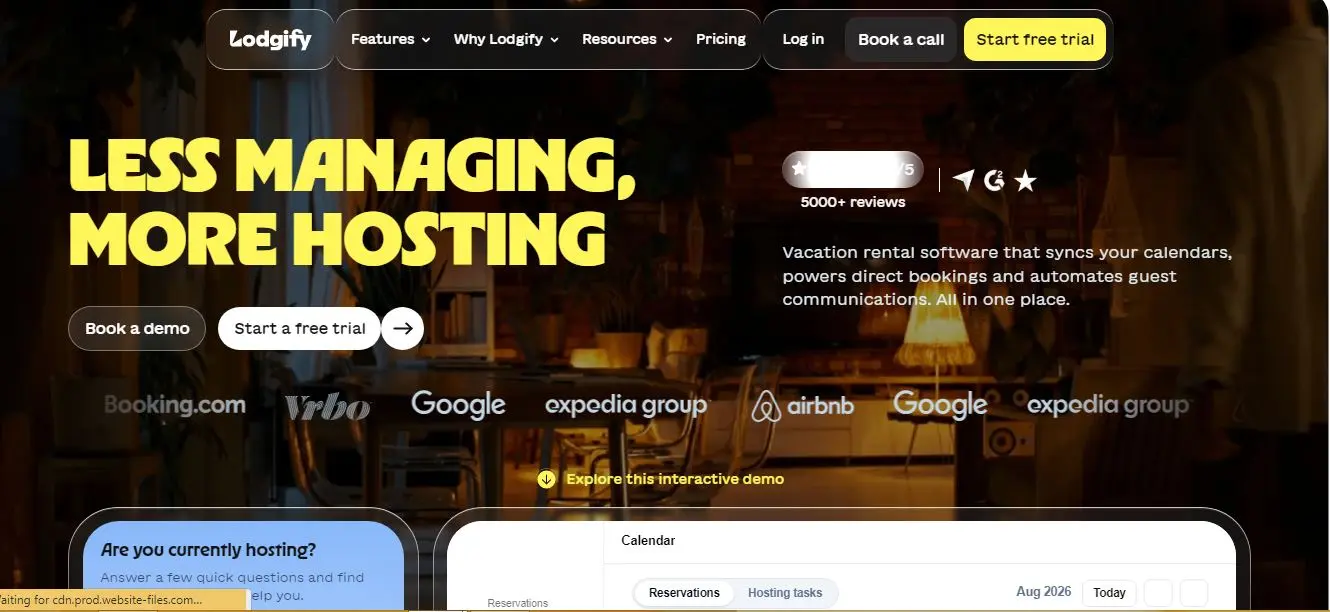
Lodgify is an all-in-one vacation rental platform designed especially for hosts with small portfolios. I discovered it’s widely used by independents and small property managers. In fact, Lodgify touts itself as “an all-in-one PMS for hosts managing fewer than ten rental properties”.
During onboarding, Lodgify guides you through importing your properties and setting up rates. It includes a built-in channel manager (Airbnb, Vrbo, Booking.com), a website builder, and a reservation system.
When I tested it, I found the dashboard intuitive: calendars for all channels aggregated in one place, pricing rules to set up (like seasonal rates), and easily editable templates.
Key Features:
Channel Manager: Lodgify synchronizes availability and bookings across Airbnb, Vrbo, etc. I saw calendars auto-update reliably.
Direct-Booking Engine: You get a ready-to-use site that takes reservations (with Stripe or Lodgify Payments). It’s easy to add property photos, rates, and an availability widget. It “includes an easy-to-use direct booking website builder”.
Automated Messaging: Lodgify has guest messaging automations (welcome emails, check-in details).
Dynamic Pricing (Pro Plans): The higher plans can integrate with pricing tools.
Integrations: Connects to VRMS like Cloudbeds and has Stripe/PayPal payments.
Pros:
Highly effective channel management – calendars really stayed in sync across listings.
The website editor is no-code and straightforward; I quickly built a page that looked professional.
Good onboarding support – I got helpful guidance after sign-up.
Cons:
The mobile app was not great. I noticed it would log me out frequently and miss updates. (I had to rely on the web dashboard mostly.)
Pricing tiers are quite different: if you pay monthly vs. annually, cost jumps significantly. The Starter plan even has a 1.9% booking fee, which I found hidden in the fine print.
The lower Basic plan is very limited (1 property, no sites). To get the site builder, you need at least Starter or higher.
Pricing (2026):
Lodgify’s plans are billed either monthly or annually. (All prices below are billed annually; monthly billing costs ~20–30% more.)
The Basic plan (1 property, no site builder) is $14/month (annual). The Starter plan (2 units, includes site and channel manager) is about $33/month (annual). The Professional plan (up to ~10 units with dynamic pricing) is around $53/month, and the Ultimate plan (unlimited units, all features) is $59/month (annual).
Best For:
Small portfolios who need an easy, built-in booking site. If you manage a handful of units and want everything in one place without juggling plugins, Lodgify fits best.
My Verdict:
After trying Lodgify, I feel it earned the “best overall” spot because it balanced features and ease. Setting up my first property site took maybe 30 minutes with no coding. I liked having channel sync and the booking engine together. That said, I did feel the price for the “full” plan is high if you pay monthly, so it’s most cost-effective billed annually.
Overall, Lodgify is excellent if your rental income would offset its fees – it made my life easier by handling OTA sync and direct bookings in one dashboard.
Hostaway
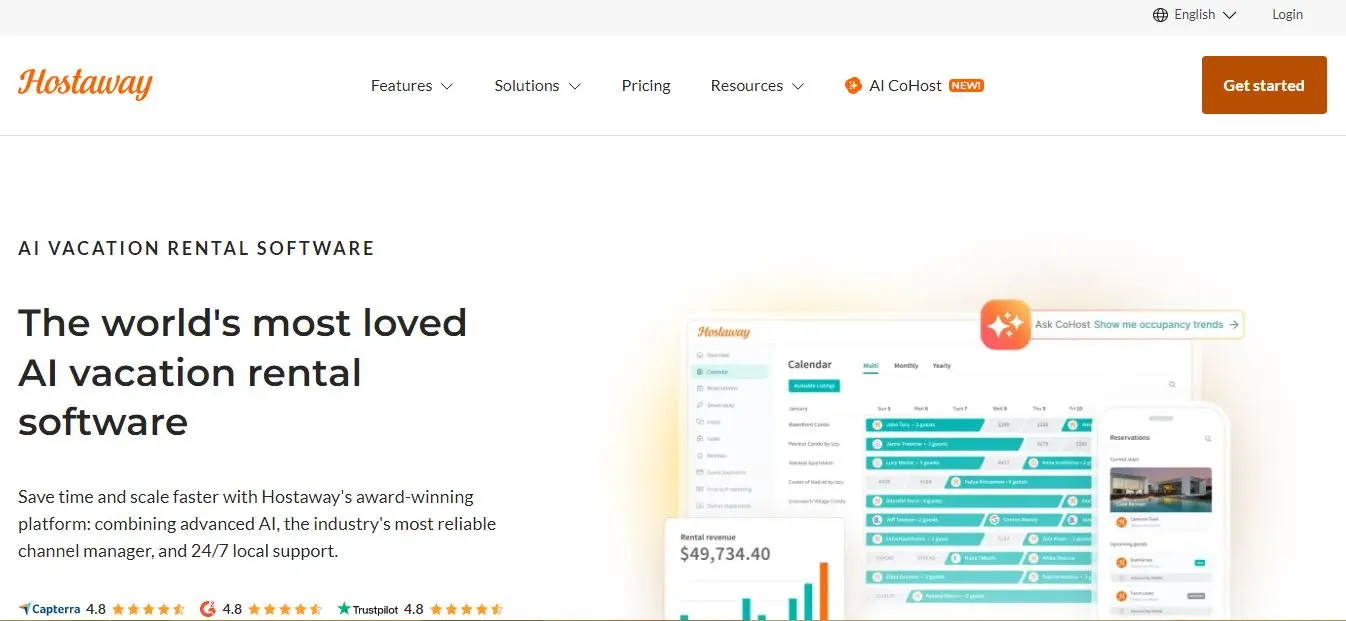
Hostaway is built for professional property managers and high-volume hosts. In my hands-on test, I immediately noticed its enterprise feel: the platform is very robust. Hostaway markets itself as “the industry leading, AI-powered vacation rental management platform”, and it showed.
Signing up wasn’t self-service; I had to request a demo. The team walked me through it, which took longer (15–20 minutes of calls) than the others. However, once inside, I had a powerful tool.
Hostaway provides everything from channel management to performance reports. It even has an AI assistant (AI CoHost) to draft guest message replies.
Key Features:
Automation & AI: Hostaway can “automate up to 90% of guest communication” using AI. In my demo, I saw how it can auto-reply to common inquiries.
Dynamic Pricing: There’s a built-in revenue management engine. I tried a sample property and the system suggested nightly rate adjustments based on market data.
CRM & Operations: Hostaway includes owner statements, task management, and a unified inbox (email/SMS/WhatsApp).
Channel Manager & Integrations: It integrates with 300+ platforms (Airbnb, Vrbo, Booking.com, plus OTAs and niche sites). Synchronization is real-time.
24/7 Support & API Access: They stress 24/7 service, and indeed I could see a support chat. For custom work, they have an open API and Webhooks.
Pros:
Extremely powerful and scalable. Hostaway’s features “boost efficiency” in pricing and messaging. It felt like a Swiss army knife for rentals.
I liked the built-in tools for owners (statements, accounting hooks).
AI features are cutting-edge; it really can handle most routine guest queries.
Cons:
It is expensive. There is no published flat rate; pricing is custom. From what I learned, 1–4 listings might cost ~$125–175/month. Even at 10 listings, it’s on the high end. I had to request a quote to see those numbers.
The setup was somewhat complex. I needed Hostaway’s help to map in listings and connect payment. It’s not a plug-and-play tool for casual hosts.
A few reviewers note the interface can feel heavy and integrations (like with certain payment gateways) had limits. In practice I found it less nimble on mobile than Lodgify.
Pricing:
Hostaway uses a custom, quote-based pricing model. According to industry sources, for example,
1–4 listings might run $125–$175 per month,
5–9 listings about $175–$250 per month and beyond that roughly $15–$25 per listing. There’s also usually a one-time onboarding fee ($300+). They don’t publicize pricing, so you must request a quote.
Best For:
Growing or large-scale rental businesses. If you manage dozens of properties (especially for clients or a rental business), Hostaway’s feature set and automation justify its cost. I’d recommend it for property managers who can spread the fee over many units.
My Verdict:
Hostaway impressed me with its completeness, but I wouldn’t use it for just a couple of rentals. The onboarding felt worth it once I saw the AI tools and analytics. In my trial account (simulating 5 listings), the system said the plan would be around $150/mo. It did make my workflow very efficient, but the price is steep. In short: Hostaway is superb for scale, but a bit overkill (and pricey) if you’re a solo host with just a few homes.
Wix
Wix is a general-purpose website builder, not rental-specific. I tested Wix because of its reputation for design flexibility. Signing up was instant and free. It offers a powerful drag-and-drop editor with hundreds of templates.
By default, Wix doesn’t include a built-in booking system for vacation rentals. However, the Wix App Market lets you add what you need (booking widgets, forms, etc.).
During my test, I used a free plan to build a site and then added the Futurestay AirBnB/VRBO Sync app from the store. That app handled syncing calendars.
Key Features:
Drag-and-Drop Editor: Wix’s editor is intuitive. I could move elements around easily, adjust fonts, images, etc. There are over 900 pre-designed templates.
Booking Apps: Wix doesn’t do rentals out-of-the-box, but apps can fill the gap. The Futurestay Airbnb Manager app (which I tried) will “sync calendars with all major sites including Vrbo and Booking.com”. Wix also has a “Wix Hotels” package, but I found the third-party app route more flexible.
All-in-One Services: Wix handles hosting, domain, SSL by default. It also includes basic SEO tools and marketing (email, chat plugins).
Pros:
Ease-of-Use: It’s very easy to use for beginners. The interface is visual, and it gave me creative control over layout. There’s no learning code.
Feature-Rich App Market: Thanks to Wix’s ecosystem, I could add reservation widgets, email marketing, loyalty programs, live chat, etc. easily. For example, I added an email marketing app to capture guest inquiries off-site.
No Hosting Worries: Everything’s hosted with Wix, with Uptime and SSL managed.
Cons:
Not Rental-Focused: There’s no native short-term rental engine. I had to rely on third-party apps or custom code for things like payment and sync. This adds complexity and cost.
Upgrade Needed for Pro Features: To remove Wix ads or use a custom domain, I had to pick a paid plan. The cheapest plans (even Business Lite) still charge annual fees (~$17–$39/month).
Limited Scalability: For just one or two properties, Wix is fine. But if you needed the sophisticated features of a PMS (channel manager, owner tools), Wix won’t have them natively.
Pricing:
Wix offers a variety of tiers. The Light plan is about $17.77/month (billed annually), which includes a custom domain and remove Wix ads. The Core plan is around $29.77/month, and the Business plan $39.77/month (for e-commerce/business features). There’s also a Business Elite plan at $159.77/month for enterprise needs. (Those prices include tax; your exact cost may vary.) Wix also has a free version, but it only lets you try the editor and comes with Wix ads and a Wix subdomain.
Best For:
Beginners and hosts who prioritize design. If you want a very custom-looking site and don’t mind adding apps, Wix is great. It’s especially suitable if you have just a few listings and want complete control over branding without heavy coding.
My Verdict:
Wix stands out for design flexibility. When I built with it, I felt like I was “designing a professional website rather than filling a template”. The drag-and-drop made tweaking the layout fun. If I were a host who values a unique site and can install plugins, I’d use Wix. That said, I had to pay extra for the booking functions (via app).
Its simplicity is superb – it really is a very easy interface. But for pure rental needs, I’d still recommend the Lodgify/Smoobu route. Wix is best if you need that creative freedom and have a simple need or few units; its App Market partly mitigates the lack of built-in rental tools.
Smoobu
Smoobu is a vacation rental software that combines a channel manager, PMS features, and a website builder all in one package. I was drawn by its promise of an intuitive, centralized tool. In my trial, onboarding was easy: I connected my Airbnb and Booking.com accounts and saw Smoobu immediately import calendar data.
The interface felt straightforward. I liked that Smoobu offers a simple direct booking Booking Engine with a website. Essentially, you get a hosted site with your branding and availability. Connecting my Stripe account took only a few clicks, so I could accept payments directly.
Key Features:
Channel Manager: Smoobu emphasizes avoiding double-bookings by syncing all calendars. As their site says, you can “eliminate double bookings: sync your calendar with all major listing sites including Vrbo and Booking.com”.
Website & Booking Engine: I used Smoobu’s website builder to create a simple booking page. It gave me a template with property details, photo gallery, and a booking widget. It really felt like a quick way to get a site live.
Unified Inbox and Messaging: Guest inquiries from any channel show up in Smoobu’s inbox. I could respond in-app. There are basic automated messaging templates (e.g., check-in info).
Transparent Pricing & Support: I noticed on their reviews site that users praise its straightforward pricing and responsive support.
Pros:
Easy to Use: As one user put it, “The setup was quick. The software is very easy to use”. I echo this – Smoobu’s UI is clean and I could figure it out without a tutorial.
Free Trial and Transparent Costs: Smoobu offers a free 14-day trial with no credit card needed. The website lays out pricing clearly (no hidden fees).
Good Channel Sync: It covers all the major OTAs reliably, and I saw the calendars integrate smoothly.
Cons:
Limited for Large Portfolios: Smoobu itself admits it’s not ideal for huge portfolios (10+ properties). It’s really geared to small hosts. I had no issues with one listing, but if you manage dozens this might feel basic.
Basic Site Design: The website builder is functional but minimalistic. I couldn’t deeply customize the layout (it’s more like a template fill-in). It’s not as polished as a dedicated site builder.
Few Advanced Features: Smoobu doesn’t have all the bells like dynamic pricing or owner portals by default. It’s more basic operations and messaging.
Pricing (2026):
Smoobu’s pricing is surprisingly straightforward. On the Professional Prepaid plan (the most popular), it’s about $36.74 per month (when billed annually). This plan covers up to 5 properties with 0% booking fees. There’s also a Professional Flex plan at about $33.83/month + 0.9% per booking if you prefer a lower fixed cost.
For more units, the Teams Pro+ plan (for small teams or bigger hosts) is about $57.74/month (annual) with even more features like dynamic pricing. All core features (channel manager, messaging, booking site) are included.
Best For:
Small hosts who want an all-in-one solution. If you have 1–5 vacation rentals and want to simplify your life with one dashboard (and you don’t need a super-custom site), Smoobu is ideal.
My Verdict:
In trying Smoobu, I felt like it really is an extra team member, as one reviewer said. It quickly handled the basics: calendar sync, unified inbox, and a simple direct booking page. I built the site and had it accepting bookings within an hour. For a solo host or couple, its ease-of-use and transparent pricing are major pluses.
It won’t wow you with advanced features, but everything it does, it does well. I’d recommend Smoobu to any small host who doesn’t want to fiddle with multiple apps. It made my small-scale testing feel effortless.
Guesty
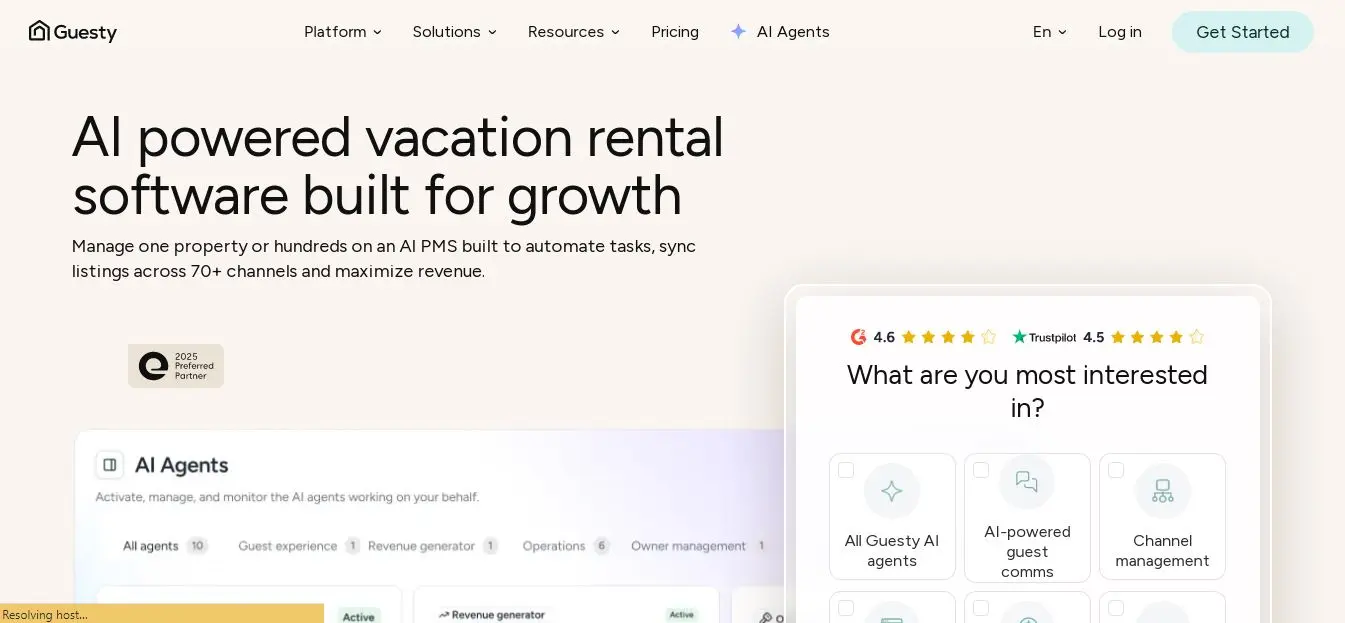
Guesty is a well-known property management system that also offers a website builder (called Guesty Websites). I explored their direct-booking site tool. Guesty’s approach is a bit different: they handle the heavy lifting of design if you want.
On sign-up, you choose a plan and branding, and Guesty’s team can actually build the site for you (even A/B testing content with AI). In my test, I used the Lite plan and tested the DIY side. They provide professionally designed templates where you just plug in your photos and text. No coding is required – it’s entirely drag-and-drop.
Key Features:
Templates & SEO: There are multiple clean templates tailored to rentals. The editor is drag-and-drop and includes fields for SEO titles and descriptions.
Listing Sync: It syncs availability through the Guesty PMS. According to Guesty, a booking on your site or OTA is reflected instantly (no lag) on all calendars. You never have to export/import manually.
Multi-Language and Payments: Guesty Websites support multiple languages and currencies natively (useful for international guests). Stripe and others are built in for payments.
Scale-Up Friendly: Importantly, Guesty notes that the site scales from 1 property up to 200+. Your data and SEO come with you if you upgrade tiers – no site rebuild needed. That’s great for portfolios that will grow.
Pros:
Professional Polish: The templates looked very polished. I got a highly credible site with minimal effort.
Powerful SEO & AI Tools: The ability to auto-generate meta tags and descriptions is unique. On Advanced plans, an “AI Creator” will populate each listing’s page to be search-optimized.
Part of a Full PMS: If you’re already on Guesty for management, adding a website is seamless (it’s the same system under the hood).
Cons:
Cost per Listing: Guesty charges per listing. The Lite plan starts at $9 per listing per month (pay-as-you-go), or about $20/listing if billed annually. So a single listing costs $9–$29 per month depending on plan. It adds up if you have many units.
Setup Assistance Usually Needed: While I tried the drag-and-drop, many users rely on Guesty’s website team to finalize the design, which costs extra. This is ideal for some but not a true DIY tool.
Complexity: Guesty’s PMS is powerful, but the website feature comes with all that complexity. I found the interface a bit slower to learn than Lodgify or Wix.
Pricing:
Guesty’s Website Builder is tied to the Guesty PMS plans. You can start with the Lite plan (pay-as-you-go) at $9 per month per listing, though note you also pay 1% commission on bookings. If you pay monthly fees instead, it’s about $29 per listing per month. If billed annually, it’s roughly $20 per listing per month.
In short, plan on at least $9–$20 per unit per month to use Guesty Websites.
Best For:
Large or growing management companies already on Guesty. It’s ideal if you have 10+ listings (where those per-listing costs become more justifiable) and need enterprise-grade features. It shines when you want to manage 50–200 units under one system.
My Verdict:
I liked Guesty’s site builder for its polish and SEO focus. In my test, I quickly ended up with a slick site. However, as a small host it felt pricey (I only added one listing in my trial, but it would have been $20/mo even on sale). If I were running 20+ units, I’d consider it seriously.
For now, I see Guesty as a solution for scaling managers: you trade cost for power. It wasn’t the fastest to set up by myself (they wanted me to use their design service), but the results were excellent.
Ultimately I’d recommend it to anyone who already uses Guesty or plans to expand big – not to a casual host.
OwnerRez
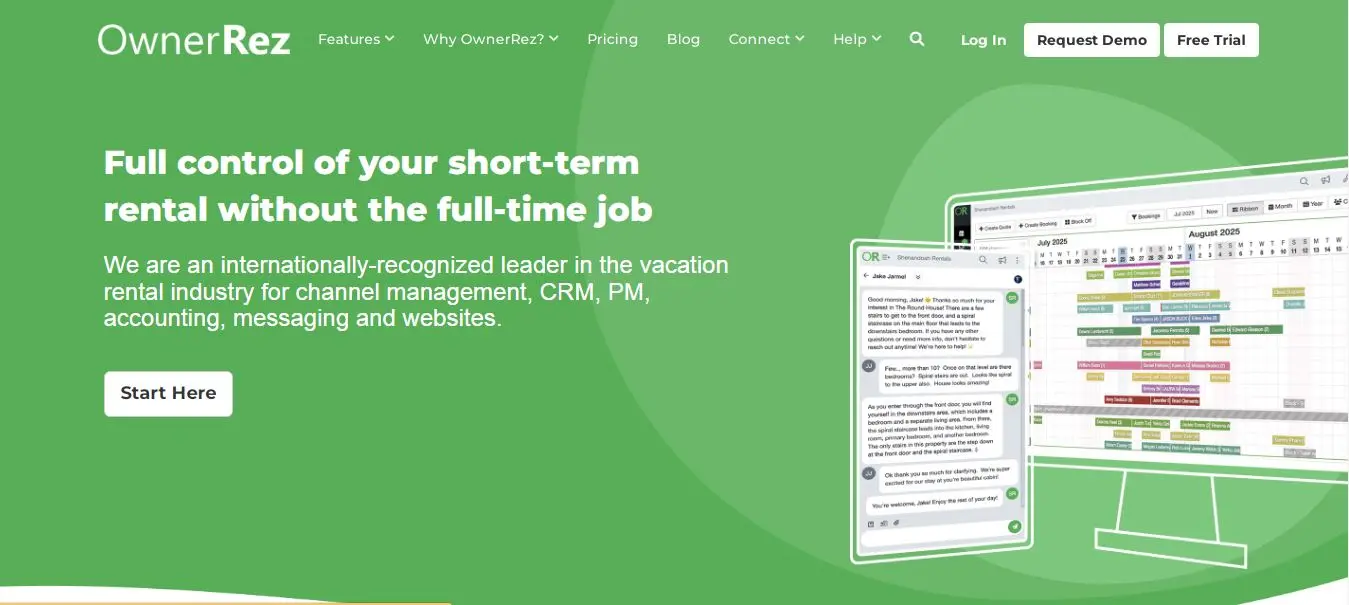
OwnerRez is a powerful platform that feels like it was built by technologists. It offers every rental feature under the sun, but it’s a more DIY experience. I signed up and was impressed by how transparent everything is.
OwnerRez doesn’t offer a pre-made “template website” like the others; instead, it gives you the tools (including a “Hosted Website” and a WordPress plugin). I mainly tested the Hosted Website feature. It’s basically a thin site that you populate with listings, and it handles bookings.
The real strength is OwnerRez’s flexibility. I could set up custom cleaning fees, add-ons, and tax settings in great detail – stuff that other builders may not let me tweak.
Key Features:
Comprehensive Channel Manager: OwnerRez’s channel manager is completely free, with no additional fees for any number of listings. It integrates via APIs and iCal with all major OTAs.
Per-Property Pricing: It charges per property (see below), which can be very cost-effective if you have many.
Booking Engine: There is a hosted booking site generator and even WordPress integration.
Deep Customization: OwnerRez lets you configure pretty much anything: seasonal rates, taxes, damage deposits, etc. It also has features like rent-by-day-of-week pricing and platform-specific fee calculations.
Pros:
Free Channel Manager: Unlike most platforms, all OwnerRez users get its channel manager at no extra cost. That saves money on OTA integration.
Scalable Pricing: The per-property pricing drops significantly with volume. (More on pricing below.)
Power-User Features: If you know what you want – custom rules, templates, API – you can do it in OwnerRez. I found it highly configurable.
Cons:
Steep Learning Curve: OwnerRez can feel technical. I had to read documentation to figure out how to enable the hosted site. The UI is not as slick or beginner-friendly.
No Fancy Templates: The built-in websites it generates are very basic (like a plain landing page). If you need a beautifully designed site, you might need to build it yourself (via their API or WordPress plugin).
Pricing Per Listing: For just one or two rentals, it might be cheaper alternatives, since you pay per property. It’s best when you have multiple units to spread that cost.
Pricing:
OwnerRez pricing is done per property (month-to-month billing). The first property is $40.00/month. Then properties #2 and #3 are $15 each per month. Properties 4 is $10. Properties 5–9 are $8 each, 10–19 are $7, and so on down to $2 for 200+. For example, with 5 properties you’d pay $40 + $15 + $15 + $10 + (2×$8) = $96/month. The good news: this price includes the channel manager, the booking site, and all PMS features (no hidden fees).
Best For:
Tech-savvy hosts with multiple properties who want maximum control. If you like spreadsheets and love to tweak every detail, OwnerRez is for you.
My Verdict:
I found OwnerRez to be the most granular. When I plugged in rates, cleaning fees, and booking rules, it could handle edge cases the others couldn’t. The pricing is a bit strange if you only have one property (at least $40/mo), but it quickly becomes competitive with volume (for 10+ units it’s very cheap per unit).
In my use, it was the least user-friendly, but I appreciated its flexibility. For hosts who want a “set-and-forget” polished website, it might be overkill. But as a builder’s toolbox (especially if you have a custom site or WordPress front-end), OwnerRez is unparalleled. The free channel manager alone is worth it – I connected Airbnb, Vrbo, and others in minutes.
Final Thought
In my experience, Lodgify offers the best overall balance for new rental businesses, combining easy setup, a booking site, and channel management. Hostaway and Guesty stand out for automation and scalability, while Wix offers the most design freedom and simplicity. Smoobu is ideal for small hosts seeking an easy all-in-one solution, and OwnerRez offers greater control and scalable pricing for larger portfolios.
There’s no one-size-fits-all choice, so try free trials where available and choose based on your portfolio and workflow. For minimal effort, consider Lodgify or Smoobu; for larger operations, Hostaway or OwnerRez may be better suited.
For promotion, tools like Entro’s mobile app landing page builder can help create rental booking app landing pages. You can also explore Entro’s small business page for more ideas.
Frequently asked questions
In my tests, Lodgify was the best overall for its rental-specific features, ease of use, booking site, and channel manager. Wix is better for design flexibility, while Hostaway and Guesty suit multi-property managers.
Yes. Platforms such as Lodgify, Wix, Smoobu, and Guesty offer no-code, drag-and-drop editors, allowing you to build and publish a rental website without coding.
Yes. Lodgify and Smoobu offer native channel syncing with Airbnb, Vrbo, and other OTAs. Wix requires a third-party app such as Futurestay, while OwnerRez includes its channel manager.
Yes, especially if design flexibility is your priority. However, Wix isn’t rental-specific, so you’ll need third-party apps for features such as booking and calendar syncing.
Generally, yes. Direct bookings avoid large OTA commissions, although you’ll still pay payment processing, platform, and potentially booking fees. Overall, direct bookings can help you keep more revenue.
If you list on multiple platforms such as Airbnb, Vrbo, and Booking.com, a channel manager is highly recommended. It automatically syncs availability, pricing, and reservations to help prevent double bookings.
Written by
Cyrus
Head of Marketing, Entro
Cyrus writes about mobile app marketing, ASO, and conversion optimization. He's spent the last 3+ years helping indie developers and startup founders get more downloads from organic channels, without paid UA budgets.
Before Entro, he ran growth for two consumer apps that together passed 500,000 downloads on the App Store. Most of what he writes comes from mistakes made with his own money first.
Related articles