7 Best Website Builders for Creatives in 2026 (Portfolios That Work)

Cyrus
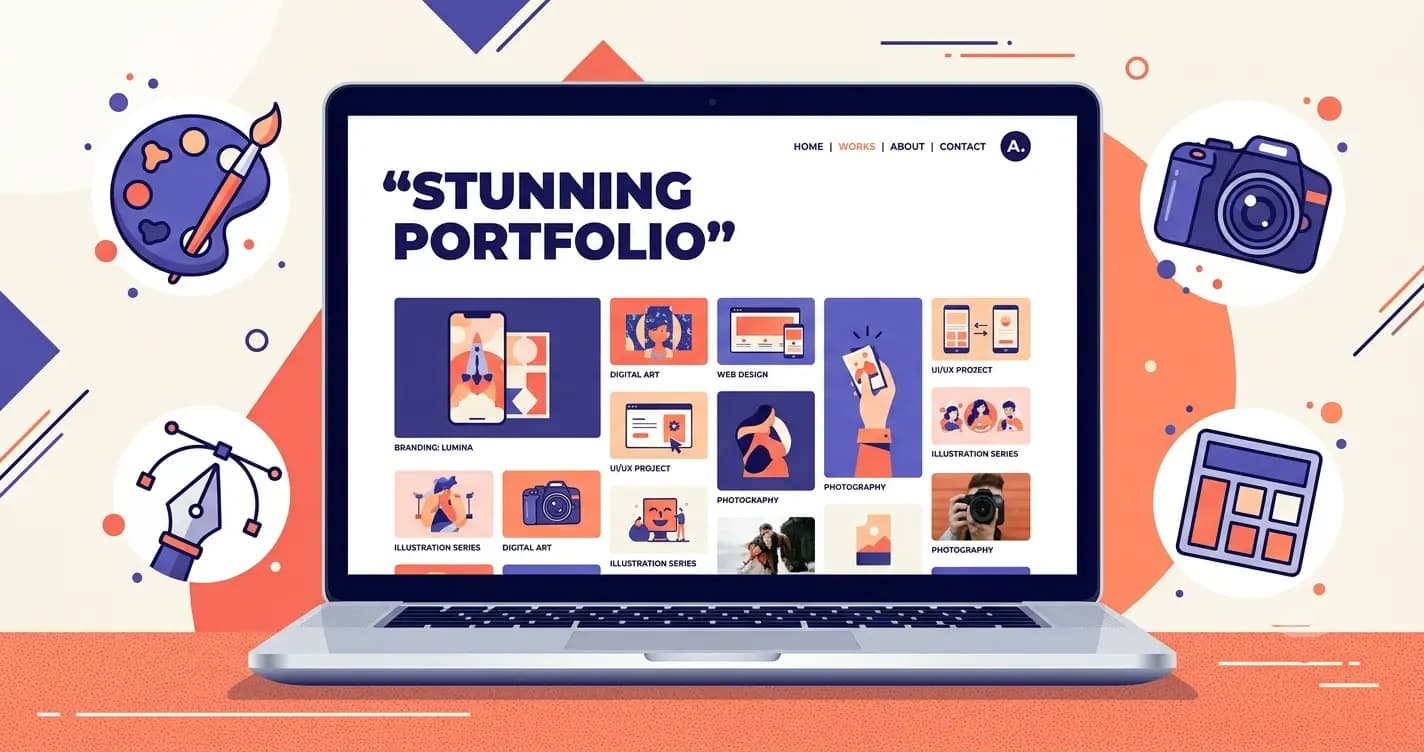
The best portfolio website I ever saw had a navigation that was a single hoverable dot in the corner. Everything else on the screen was the work. No sidebar, no clutter, no brand statement. Just image after image arranged in a rhythm that itself felt like design thinking.
That site did not exist because the builder was the most popular on the market. It existed because the designer had matched the platform to her specific creative sensibility and the platform had the confidence to get out of the way.
That is the core problem with choosing a website builder as a creative. Most builders are designed for businesses that need to explain themselves. Creatives need a builder that lets the work do the explaining. Those are genuinely different requirements. A platform that is excellent for a restaurant or a consultant is often actively wrong for a designer or illustrator.
This guide covers 7 builders that understand the difference, with an honest account of which creative discipline each one serves best, and the one question every creative should ask before picking any platform: does this tool get out of the way of my work, or does it make itself part of the story?
What Creatives Actually Need From a Website Builder
Feature | Why it matters for creatives |
|---|---|
Gallery and grid layouts | Visual work needs to be displayed at scale with flexible arrangement. Pre-designed gallery templates save days of layout work. |
Image quality and loading speed | A portfolio that loads slowly or compresses images damages the work's presentation more than a bad design choice. |
Whitespace and minimalism | Busy templates compete with the work. The best creative builders make themselves invisible. |
Custom typography | Type is design. A builder that limits you to 10 web-safe fonts limits your visual identity. |
Client password-protected galleries | For commercial creatives, client proofing and delivery need to work without sending Dropbox links. |
Commission-free selling | For creatives selling prints, digital downloads, or originals, zero transaction fees protect the margin. |
Custom domain | Your name as a domain is your professional brand. A subdomain is not acceptable for professional work. |
Best Website Builders for Creatives at a Glance
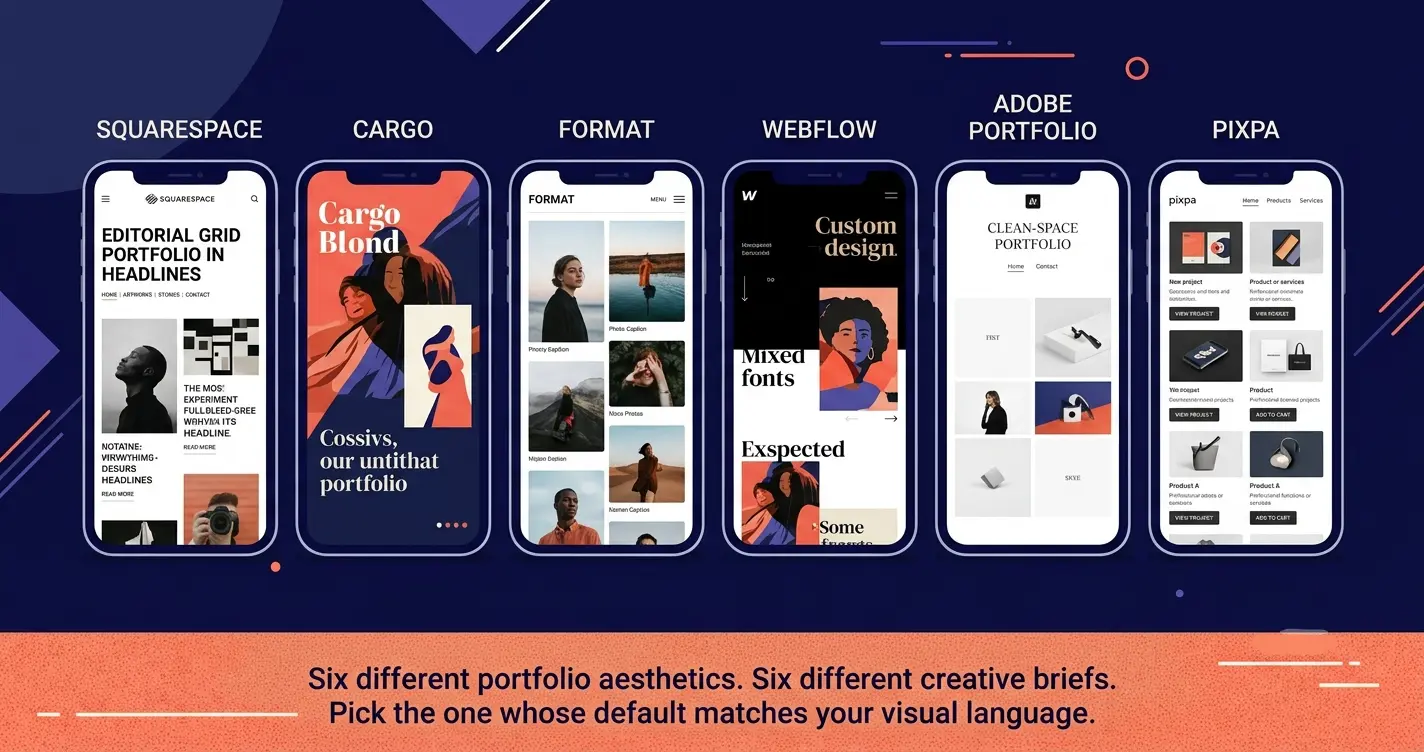
Best Overall Squarespace Most polished, works for almost every creative type From $16/month | Best for Designers Cargo Distinctive layouts that communicate design thinking Free / $13/month |
Best for Photographers Format Client proofing and portfolio combined, purpose-built From $9/month | Best for Developers Webflow Pixel-perfect custom design without writing code Free / $14/month |
Best Free Option Adobe Portfolio Free with any Creative Cloud subscription Free with CC | Best Value All-in-One Pixpa Portfolio, client galleries, and selling on one platform From $7/month |
Quick Comparison: All 7 Builders
Builder | Best for | Design quality | Client galleries | Selling | Starting price |
|---|---|---|---|---|---|
Squarespace | Most creatives, all-round | Excellent | Via 3rd party | Yes, 0% commission | $16/month |
Cargo | Graphic designers, art directors | Exceptional (distinctive) | No | Limited | Free / $13/month |
Format | Photographers, visual creatives | Very Good (photo-first) | Yes (native) | Yes, 0% commission | $9/month |
Webflow | UX / product designers | Professional (custom) | No | Growing | $14/month |
Adobe Portfolio | CC subscribers | Good (clean) | No | No | Free with CC |
Pixpa | Multi-function creative business | Good | Yes (native) | Yes, 0% commission | $7/month |
Wix | Feature-heavy creative businesses | Good | No | Yes, 0% commission | Free / $17/month |
Detailed Reviews: Every Builder Tested
1. Squarespace Best overall website builder for creatives | |
Squarespace is the most consistently recommended portfolio builder across the widest range of creative disciplines, and after testing it alongside every other option on this list, the default recommendation holds. The templates are genuinely beautiful. The image handling is excellent at every plan level. Blueprint AI, the AI site generator Squarespace launched in 2025, produces a starting design with more visual coherence than any other AI generator I have tested, which matters for creatives who have strong opinions about how their work should be framed. | |
For designers, illustrators, art directors, brand consultants, photographers, and creative professionals who want a portfolio that looks professional without spending weeks in an editor, Squarespace produces the best average outcome with the least average effort of any builder on this list. The editor is intuitive without being restrictive, and the template variety covers everything from minimal type-forward layouts to rich gallery grids. | |
Where Squarespace falls slightly short for some creatives is in the selling and client delivery space. Native client proofing does not exist. Print selling works through third-party integrations like Printful. These are solvable problems with add-ons, but they are add-ons. If client gallery delivery or high-volume print selling is central to your business, Format or Pixpa handles those use cases more completely out of the box. | |
Pros | Cons |
Most polished, gallery-first templates of any general builder | No native client gallery proofing (requires third-party tool) |
Excellent high-resolution image handling at every plan level | More expensive than Cargo, Pixpa, or Format at Commerce level |
Blueprint AI generates a coherent visual starting point fast | Template cannot be changed once the site is live |
Integrated selling for prints, products, and digital downloads | Less distinctive than Cargo for experimental design work |
Strong for creatives who also need booking or scheduling | |
14-day free trial, no credit card required | |
Our verdict: If you build one website today and you are a creative who cares about how it looks, start here. Squarespace gives the most creatives the most professional result with the fewest obstacles. | |
Pricing: From $16/month (Personal). Commerce Basic $28/month. 14-day free trial. Best for: Designers, illustrators, art directors, brand consultants, and creatives who need a polished portfolio fast. | |

2. Cargo Best for design-forward and experimental portfolios | |
Cargo is what you use when you want your website to communicate the same level of design thinking as your work. The default layouts are unconventional. The navigation paradigms are different from anything a general builder produces. The result is a portfolio that looks nothing like a Wix or Squarespace site, which is precisely the point for a graphic designer or creative director who wants their website to be as considered as the work it shows. | |
I have seen more senior designers, creative directors, and art directors use Cargo as their professional standard than any other platform. It is used by people for whom the way a website behaves is itself a signal to the client or employer reviewing it. If that matters to you, no other tool on this list comes close to what Cargo produces by default. | |
The trade-off is that Cargo rewards creatives who think carefully about how a website communicates. If you want to be live in an afternoon without thinking too hard about layout philosophy, Squarespace will serve you better. If you want a portfolio that a design-literate viewer will notice as distinctive, Cargo is the right investment of time. | |
Pros | Cons |
Most design-forward, experimental layouts of any builder on this list | Less intuitive for non-designers: learning curve is part of the experience |
Genuinely distinctive from template-based portfolios | Limited ecommerce and selling capabilities |
Strong type-first design tools for graphic designers | Less suitable for creatives who need booking or service features |
Free plan available for basic portfolio use | Smaller tutorial and support ecosystem than Squarespace or Wix |
Used by working designers and creative directors as a professional standard | |
Our verdict: If you are a graphic designer, creative director, or illustrator who wants a portfolio that itself reflects design thinking, Cargo is the answer. Not the fastest option. The most distinctive. | |
Pricing: Free (Cargo branding). Pro $13/month. Studio $24/month. Best for: Graphic designers, creative directors, and illustrators who want a portfolio that communicates design sensibility before anyone sees the work. | |
3. Format Best for photographers and visual creatives who deliver work to clients | |
Format (previously known as 22Slides) is built specifically for photographers and visual creatives who need both a public portfolio and a client delivery system. That combination is what makes it different from every other builder on this list. Password-protected client galleries with image approval, selection, and comment workflows are native on every plan. Branded file delivery means clients download their images from your URL, not from a generic service that makes you look like you are still working out of free tools. | |
The 90 plus templates are all designed for visual portfolio work. Gallery formats include grid, slideshow, horizontal scroll, and lightbox. Video hosting is included up to 15 to 120 minutes depending on plan. Print and digital product selling with zero commission is available at every paid tier. | |
For a commercial photographer currently paying separately for a portfolio builder and a client gallery delivery tool, Format consolidates both under one subscription at a price that is typically lower than the combined cost of the alternatives. | |
Pros | Cons |
Client proofing native on every plan: approval, comments, image selection | Less flexible for non-portfolio pages like blogs or multi-section sites |
90 plus templates all optimised for photography and visual portfolio display | Less ecommerce depth than Shopify for high-volume print selling |
Branded file delivery at your own URL | Limited marketing and SEO tools compared to general builders |
Zero commission on print and digital product sales | Less well-known than Squarespace in some client conversations |
Video portfolio support included | |
14-day free trial | |
Our verdict: If client proofing and delivery is part of your professional workflow, Format is the most complete solution for combining a public portfolio with that function. It saves most photographers at least one separate subscription. | |
Pricing: Basic $9/month. Pro $16/month. Pro Plus $25/month (billed annually). 14-day free trial. Best for: Commercial photographers, portrait photographers, and visual creatives who need client proofing alongside their portfolio. | |
4. Webflow Best for creatives who want complete design control without writing code | |
Webflow is the builder that creatives with design-development overlap use when Squarespace is not flexible enough. The visual editor produces clean, semantic HTML without writing a single line of code, but the learning curve is real and significant. This is not a builder you are live on by the end of a Tuesday afternoon. This is a builder where you invest a week in learning and come out with a portfolio that looks genuinely custom. | |
For UX designers, product designers, interaction designers, and agency creatives for whom the website itself is part of the professional portfolio, Webflow's output is categorically different from what template builders produce. The interaction animations, scroll effects, and visual precision are all available without code. The result looks like a developer built it. | |
The free plan is a genuine portfolio option on a Webflow subdomain, which makes it a real starting point for creatives who want to test the platform before committing. The CMS is built in for managing multiple case studies, project pages, or editorial content without rebuilding pages manually. | |
Pros | Cons |
Pixel-perfect design control that produces genuinely custom-looking output | Steepest learning curve of any builder on this list by a significant margin |
Clean, semantic code that loads fast and scales professionally | Not suitable for creatives who need to be live this week without prior experience |
Strong interaction and animation tools for motion-oriented creatives | Pricing becomes expensive at commercial tiers |
CMS for managing case studies and multiple project pages | eCommerce less developed than Shopify for print or product selling |
Free plan available on Webflow subdomain for portfolio testing | |
Our verdict: If you have the time to invest in learning and you want a portfolio that looks truly custom rather than template-based, Webflow is the highest-ceiling option on this list. The output rewards the investment. | |
Pricing: Free (Webflow subdomain). Basic $14/month. CMS $23/month. Business $39/month. Best for: UX designers, product designers, interaction designers, and technically-minded creatives who want maximum visual control. | |
5. Adobe Portfolio Best free option for Creative Cloud subscribers | |
Adobe Portfolio is included at no extra cost with any Creative Cloud subscription, including the Photography plan at $19.99/month. For a creative who is already paying for Lightroom, Photoshop, or Illustrator, adding a portfolio website costs nothing additional. That changes the calculation significantly. | |
The Lightroom sync is the standout feature: publish a new album in Lightroom and it appears automatically in your Adobe Portfolio. Custom domain support is included without requiring an upgrade. The Adobe Fonts library is integrated, which matters for creatives who care about type. Unlimited pages and images with no storage tier cap removes one of the most common frustrations with entry-level portfolio tools. | |
The honest trade-off is depth. Adobe Portfolio is not built for selling prints, delivering client galleries, booking sessions, or building a newsletter audience. It is a clean, well-made public portfolio that does one thing well. If that is all you need and you are already paying for Creative Cloud, it is the most efficient answer on this list. | |
Pros | Cons |
Completely free with any Adobe Creative Cloud subscription | No ecommerce or print selling capability |
Lightroom sync: portfolio updates automatically when you publish new albums | No client proofing or gallery delivery |
Unlimited pages and images, no storage caps at any tier | Limited template options compared to Squarespace or Format |
Custom domain support without paying extra | Only worthwhile if you already subscribe to Creative Cloud |
Adobe Fonts integration for type-forward design | Less suitable as a full creative business website |
Our verdict: If you are already paying for Creative Cloud, use Adobe Portfolio. It adds a professional public portfolio at zero extra cost and syncs with your existing Lightroom workflow. For everything else, use something else on this list. | |
Pricing: Free with any Adobe Creative Cloud subscription (Photography plan from $19.99/month). Best for: Photographers and designers already on Creative Cloud who want a portfolio at zero additional cost. | |
6. Pixpa Best value for creatives who need portfolio, selling, and client galleries combined | |
Pixpa is the most complete creative business platform at the most affordable price on this list. Portfolio website, client gallery delivery with proofing, and ecommerce selling for prints and digital products are all included in one subscription with zero commission on sales. The combination is what usually requires three separate tools from three separate providers. | |
The platform holds a 4.7 out of 5 rating across 585 verified Capterra reviews, with customer support specifically rated at 4.9 out of 5. For a creative who is tired of managing multiple tool subscriptions and appreciates responsive support when something goes wrong, Pixpa delivers on both counts. | |
The honest limitation is design ceiling. Pixpa's templates are professional and functional but they are not as visually distinctive as Squarespace or as experimentally bold as Cargo. If your primary goal is the most impressive-looking portfolio, one of those will serve you better. If your goal is the most complete creative business platform at the most reasonable monthly cost, Pixpa is the answer. | |
Pros | Cons |
Portfolio, client galleries with proofing, and ecommerce on one subscription | Less visual design flexibility than Squarespace for distinctive layouts |
Zero commission on all sales at every plan tier | Smaller template library than Squarespace or Wix |
4.7 out of 5 Capterra rating with 4.9 for customer support | Less name recognition in client conversations |
Most affordable comprehensive creative platform on this list | Less developed marketing and SEO tools than general builders |
Digital download and print selling included at all tiers | |
Our verdict: If you currently pay separately for a portfolio builder, a gallery delivery tool, and a selling platform, Pixpa replaces all three at a price that is almost certainly lower than the combined cost. | |
Pricing: Basic $7/month. Creator $12/month. Professional $18/month. Advanced $25/month. Best for: Commercial creatives who need portfolio, client delivery, and selling without paying for three separate subscriptions. | |
7. Wix Best for creatives who need the most feature access in one platform | |
Wix is not the most design-forward builder for creatives and it is honest to say that upfront. Cargo beats it on distinctiveness. Squarespace beats it on polish. Format beats it on photography-specific features. But Wix covers more ground in one place than any other option on this list, which matters for creatives who also run workshops, sell products, build a newsletter audience, and need booking integration. | |
The App Market is the key differentiator for Wix as a creative business platform. When you discover six months from now that you want to add a loyalty programme, a gift card system, or a specific type of event booking, you can do it from within Wix without migrating to a new platform. The ecosystem grows with the business in a way that more specialist tools cannot match. | |
The free plan is a genuine starting point for creatives who want to evaluate the platform without financial commitment. The limitation is the Wix branding on the subdomain URL, which is not suitable for a professional client-facing portfolio. Upgrading to the Light plan at $17/month removes the branding and connects a custom domain. | |
Pros | Cons |
Most features in one platform: portfolio, shop, booking, email, and gallery | Less visually distinctive than Squarespace or Cargo for portfolio-first use |
Large selection of creative and photography-specific templates | Template cannot be changed after the site goes live |
App Market for adding capabilities as the creative business grows | Pages are not exportable if you leave the platform |
Free plan for experimenting before committing to paid | Feature richness can feel overwhelming for creatives who only need a portfolio |
Zero transaction fees on all ecommerce plans | |
Our verdict: Right for creatives who run a business alongside their creative practice and need one platform to manage everything. Not the best choice if the portfolio is the only function you need. | |
Pricing: Free plan. Light $17/month. Core $29/month. Best for: Creatives running workshops, selling products, and building a newsletter audience alongside their portfolio. | |
Final Note
The builder you choose for your creative portfolio is a statement about your work before anyone sees your work. A site that feels cluttered tells a viewer something about your visual thinking. A site that compresses your images tells them something about your standards. A site that is indistinguishable from ten thousand other template sites tells them you did not treat the presentation as seriously as the work itself. Start with Squarespace if you want to be live with something polished quickly. Move to Cargo if your work is design-led and you want the site to communicate that. Choose Format if you deliver client work regularly and need proofing built in. Use Webflow if you want the highest design ceiling and are willing to climb to reach it. The one thing that matters most: pick a platform you will actually maintain. A portfolio that was updated three years ago and still shows your oldest work is worse than no portfolio at all. Choose the builder where updating feels easy enough that you do it. |
Frequently asked questions
Adobe Portfolio is the best free option for creatives already on Creative Cloud, as it adds a full portfolio website at no extra cost and syncs directly with Lightroom. Cargo's free plan and Wix's free plan are the best alternatives for creatives not on Creative Cloud, with Cargo being more design-forward and Wix offering more feature depth. All free plans include either platform branding on the URL or limited features, so upgrading to a paid plan is recommended for professional client-facing work. A custom domain is the minimum threshold for a portfolio you would share in a professional context.
Squarespace if you want to be live with a polished portfolio in a day and have no interest in deep customization. Webflow if you are comfortable investing a week or more in learning the platform in exchange for a result that is genuinely more customized and performant than anything a template builder produces. Both are valid professional choices used by working creatives at senior levels. The difference is time investment versus output control. If you cannot answer the question 'what specifically do I need that Squarespace cannot give me,' start with Squarespace.
Yes, if client proofing and delivery are part of your workflow. Squarespace does not have native client gallery functionality. Most Squarespace photographers and commercial creatives pair it with Pixieset, Pic-Time, or Sprout Studio for client delivery, using Squarespace for the public portfolio and the gallery platform for client work. The combined cost is typically $8 to $16 per month more than using Format or Pixpa, which combine both functions natively. If you deliver client work regularly, consider whether Format or Pixpa eliminates a subscription you are currently paying for separately.
Cargo is built for designers and visual artists whose website itself is a statement about their creative thinking. It works for photographers whose work has a strong conceptual or fine art dimension and who want a site that reflects that. For commercial photographers who need client proofing, session booking, and print selling alongside a public portfolio, Format or Pixpa are more practical choices. Cargo does not have native client gallery delivery or booking, which are the features that matter most for photographers running a service business rather than showing a body of work.
At minimum: your best work, presented at high resolution with no visible compression. Your name and what you do, stated clearly without jargon. A contact method that does not require the visitor to search. Beyond that: a short bio that explains your background and approach without reading like a LinkedIn summary, a list of clients or collaborators if your work is commercial, and a way to follow your work over time, either a newsletter signup or a blog. What a creative portfolio almost never needs: a mission statement, an extensive about page, or an exhaustive archive of every piece you have ever made. Curate aggressively. The portfolio that shows ten strong pieces is almost always more effective than the one that shows forty.
Yes, and the zero-commission options on this list make it financially straightforward. Squarespace Commerce, Format, Pixpa, and Wix all charge zero transaction fees on sales made through your site. You pay only the standard payment processor fee (typically 2.9 percent plus 30 cents per transaction) with nothing going to the platform. For print selling at high volume, Shopify with Printful integration is the most scalable option. For selling originals or a small range of products, Big Cartel's free plan (up to 5 products, zero fees) is a clean starting point before committing to a more complete platform.
Written by
Cyrus
Head of Marketing, Entro
Cyrus writes about mobile app marketing, ASO, and conversion optimization. He's spent the last 3+ years helping indie developers and startup founders get more downloads from organic channels, without paid UA budgets.
Before Entro, he ran growth for two consumer apps that together passed 500,000 downloads on the App Store. Most of what he writes comes from mistakes made with his own money first.
Related articles